22
Operating and installation instructions RF-KIT Power Amplifier RF2K-S
6.4 Automatic tuning
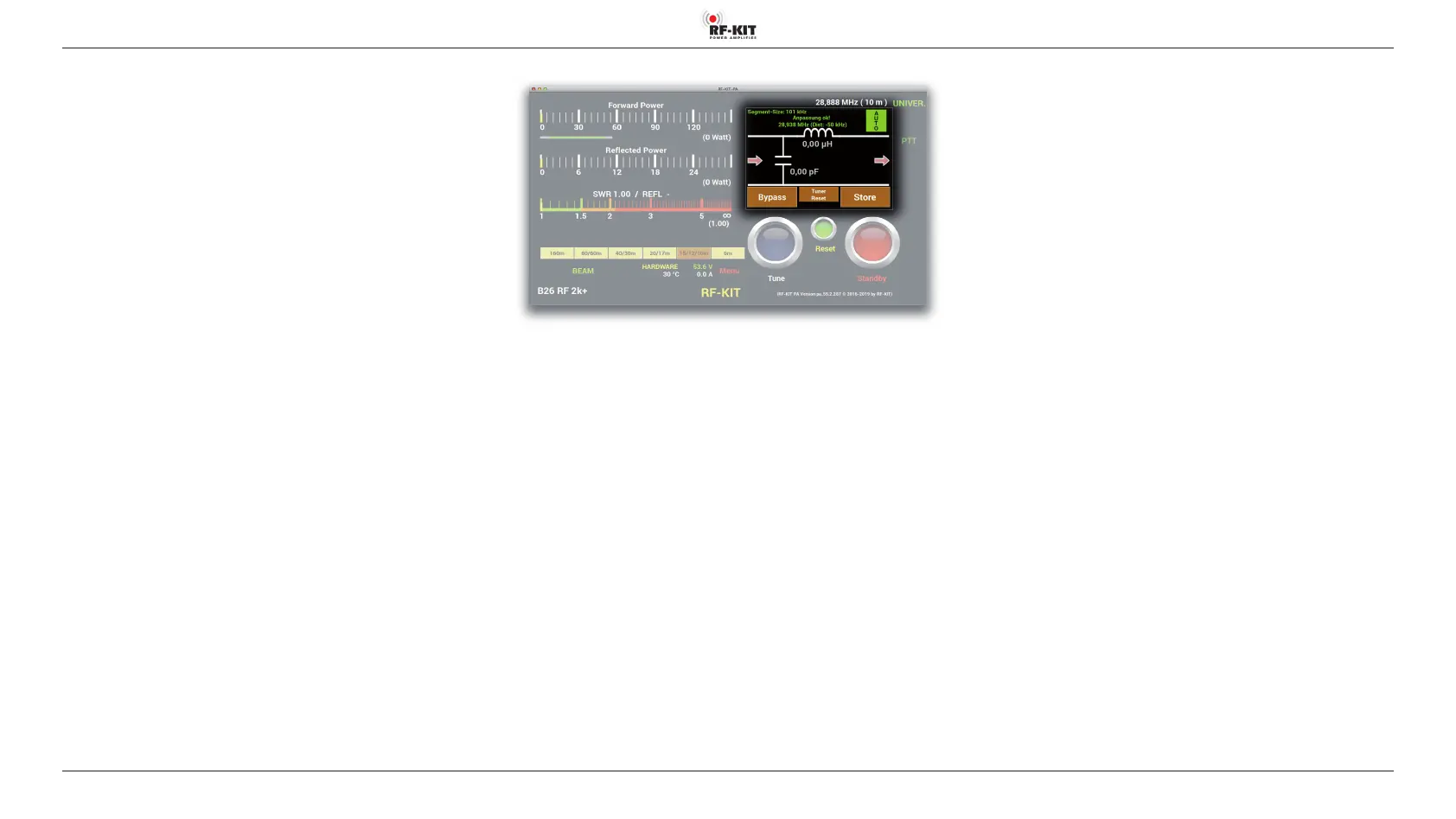
For automatic detection and to save a tuner configuration and settings
for a given antenna / frequency combination, proceed as follows:
► Tap at switching area Tuner Mode until the the switching area
appears green and „AUTO“ will be displayed.
► If the antenna tuner is bypassed, tap at switching area Bypass until
„Bypass“ appears brown.
► Adjust input power between minimal 5 W and maximal 20 W.
► Tap at switching area Tune. The color of the switching area changes
from dark blue to light blue, indicating that the antenna tuner is
now active.
A full tuning process is triggered by a longer touch (about 1 s) of swit
-
ching area Tune:
A completely empty database requires a full tuning process that includes
all possible values and configurations; this tuning process takes about 28 s.
A normal tuning process is triggered by a tap at switching area Tune:
With already determined settings for frequencies that do not deviate
from the current working frequency by more than twice a segment size,
approx. 8 s are sufficient for a normal tuning process.
An automatic tuning process will be performed and the settings of a
successful tuning will be stored in a database assigned to the antenna
connector used.
The results of the tuning can be seen by the value for SWR displayed in
indication area SWR.
After successful tuning „Match!“ will be diplayed.
► Tap at switching area Store to save the settings for the current
antenna / frequency combination.
Switching area Store ashes 2x briey green to indicate the storing
process.



 To Next Page