16
Operating and installation instructions RF-KIT Power Amplifier RF2K-S
5.2.5 Status
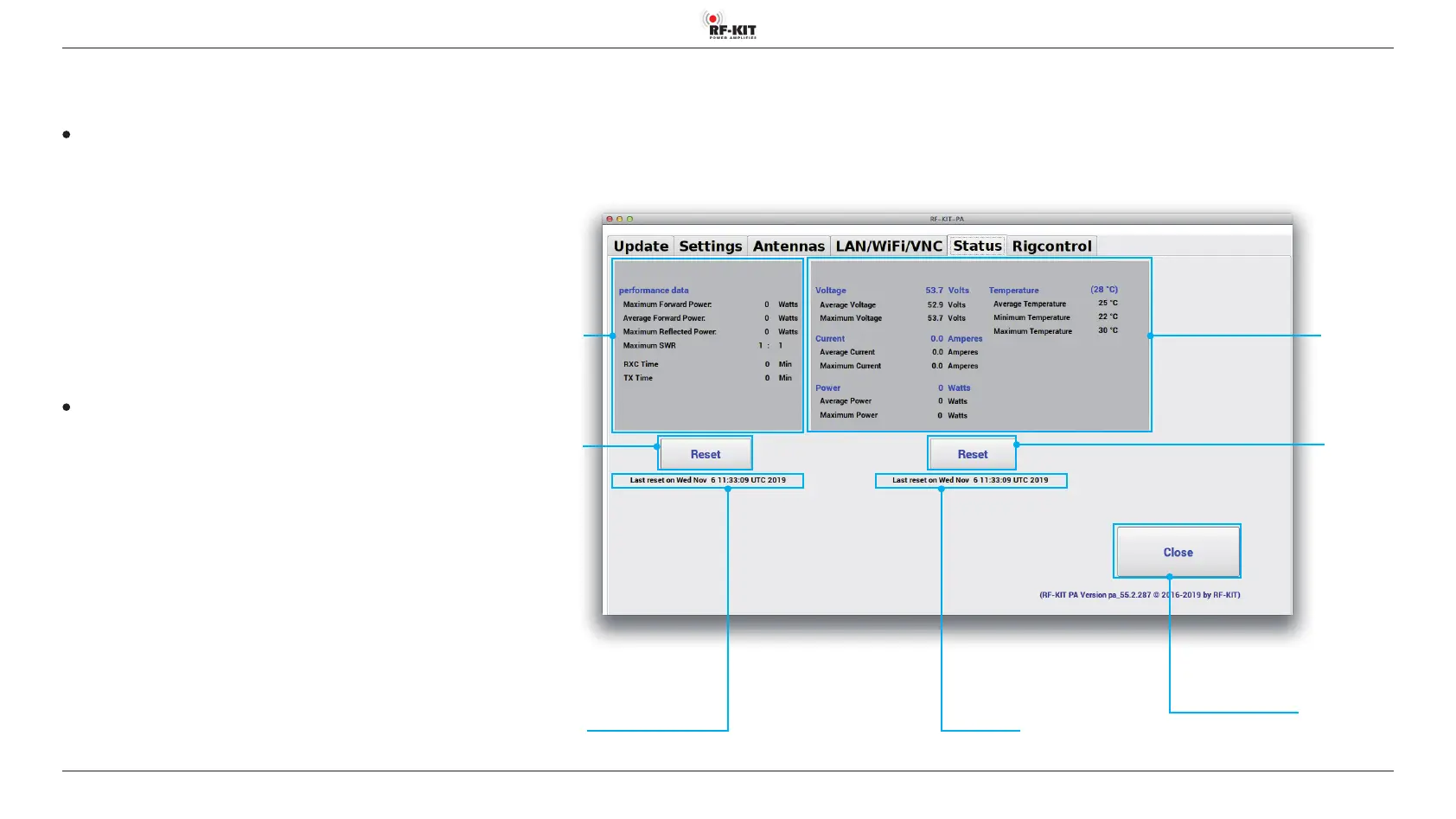
Indication of current performance and operating data (maxima, minima,
average values, statistics).
Indication area performance data
Indication of
- Maximum Forward Power
- Average Forward Power
- Maximum Reected Power
- Maximum SWR (Maximalwert SWR)
- RXC Time (duration RX-mode)
- TX Time (duration TX-mode)
since the last reset of data. The date of the last reset of performance data
is displayed in indication area performance data.
► To perform a reset of the performance data, tap at switching area
Reset performance data.
Indication area operating data
This indication area informs you about
- Voltage (voltage Dual LDMOS transistors)
Average / Maximum
- Current (current consumption Dual LDMOS transistors)
Average / Maximum
- Power (HF-output power)
Average / Maximum
- Temperature (temperature Dual LDMOS transistors)
Average / Maximum
since the last reset of data. The date of the last reset of operating data is
displayed in indication area operating data.
► To perform a reset of the performance data, tap at switching area
Reset operating data.
Indication area
performance
data
Switching area Close
Touching this switching area closes the user menu;
subsequently the main screen will be displayed
Indication area
operating data
Switching area
Reset
operating data
Switching area
Reset
performance
data
Indication area
performance data last reset on:
Indication area
operating data last reset on:



 To Next Page