15
Operating and installation instructions RF-KIT Power Amplifier RF2K-S
Virtual Network Computing (VNC)
The device can be operated remotely by a VNC connection from any PC,
tablet PC or smartphone connected to the Internet or local network using
a VNC software.
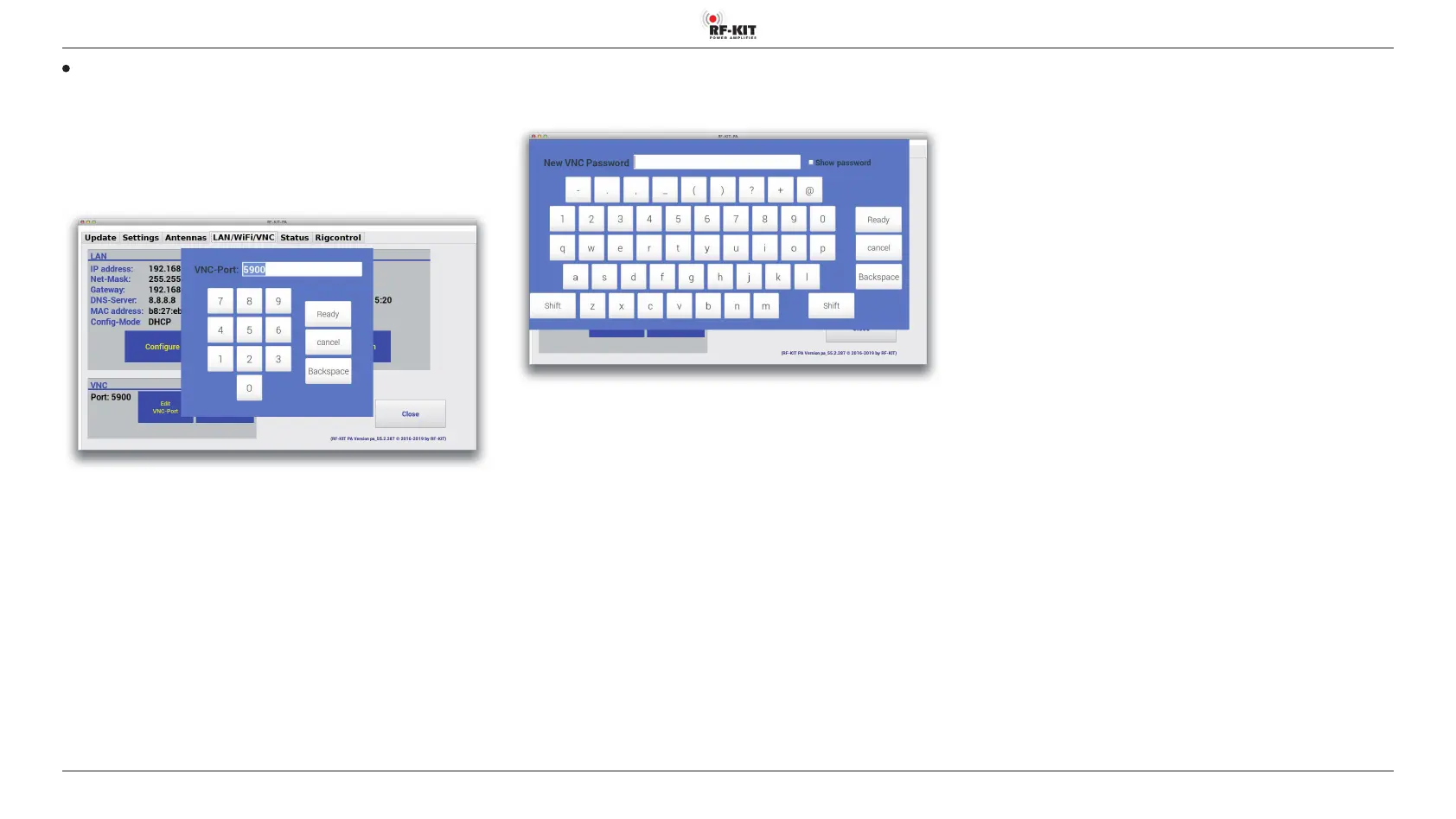
Configure VNC port:
► Touch switching area Edit VNC-Port.
The following input mask appears:
► Tap at Backspace to erase the shown value.
► Enter the value for the VNC port via the virtual keyboard.
► Tap to Ready to confirm the entries or at cancel to discard entries
and return to „LAN/WiFi/VNC“.
Create VNC Password:
► Touch switching area Edit VNC-Password.
The following input mask appears:
► Tap at Backspace to erase the password to replaced.
► Enter the new password using the virtual keyboard.
► Tap at Ready to confirm the entries or at cancel to discard entries
and return to „LAN/WiFi/VNC“.



 To Next Page