17
Operating and installation instructions RF-KIT Power Amplifier RF2K-S
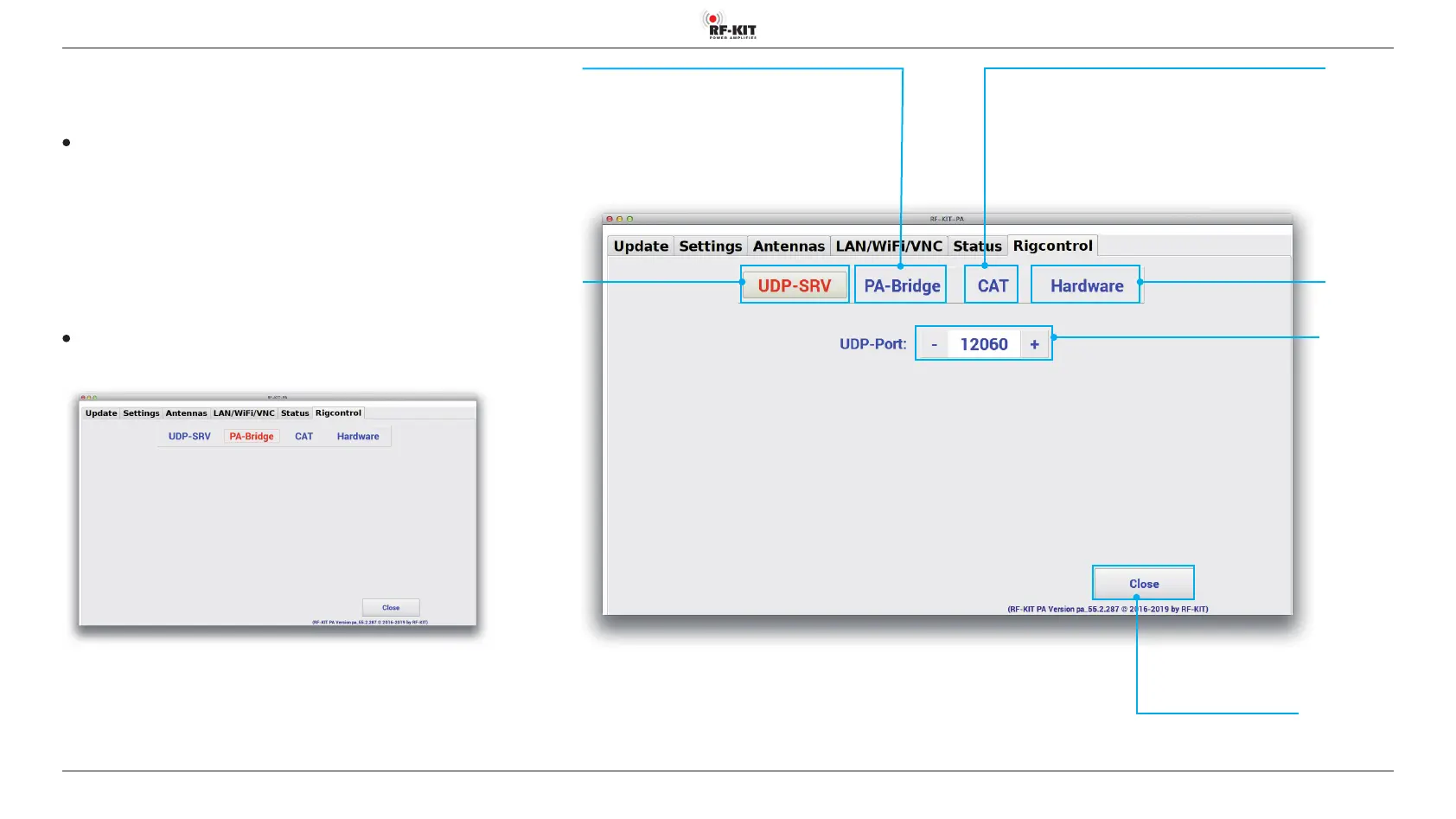
5.2.6 Rigcontrol
This screen is used to congure the data connection between exciter /
transceiver and PA.
UDP-SRV
The device receives frequency data from the logbook program of a
connected PC via the UDP protocol.
This type of data exchange is performed by common logbook pro-
grams (eg „N1MM“, „HamOce“, „DX Lab“, „N4PY“, „Wintest“,
„Logger“, „Log 4 OM“ and others).
► Set port address with „-“ or „+“ in switching area UDP-Port.
Default: port 12060.
PA-Bridge
With this function selected, the PA provides the frequency data for
the devices connected to it.
Switching area
UDP-Port
Switching area Close
Touching this switching area closes the user menu;
subsequently the main screen will be displayed
Switching area
UDP-SRV
Switching area
PA-Bridge
Switching area
UDP-SRV
Switching area
PA-Bridge



 To Next Page