mini User Manual
Chapter 3 Use Your Product
3.1 Menu
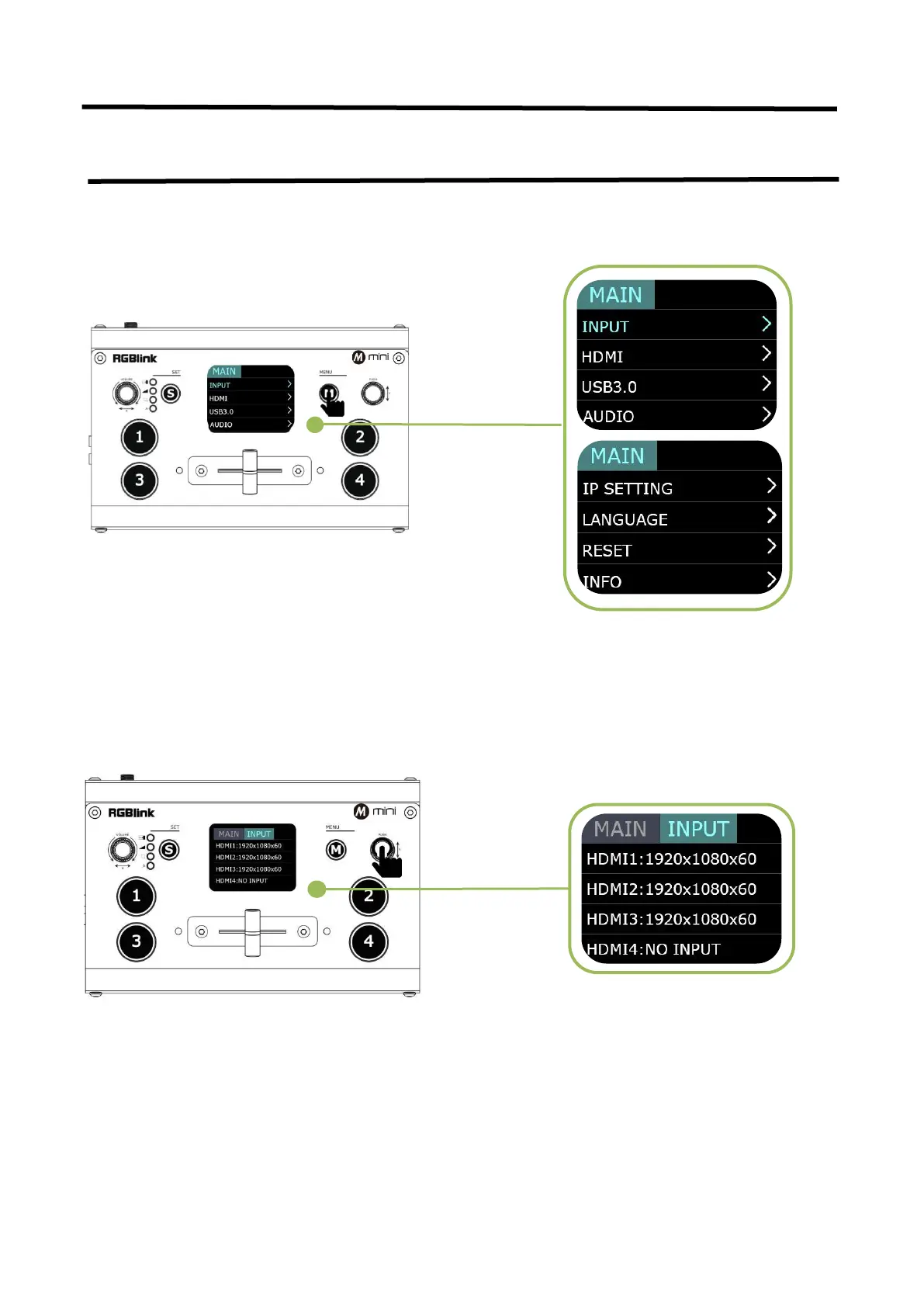
3.1.1 Input
The input menu displays the information of the
input signal source.
If there is no input source, it displays: NO INPUT.
After mini is powered on, push button M to enter
the main menu. Main Menu include:Input, HDMI,
USB 3.0. Audio, Logo Overlay, Ip Setting, Language,
Reset
Push
「
M
」
button(MENU) to enter main menu
and select first menu item<INPUT>,push
「
Y
」
knob to enter <INPUT>menu.



 To Next Page