mini+ User Manual
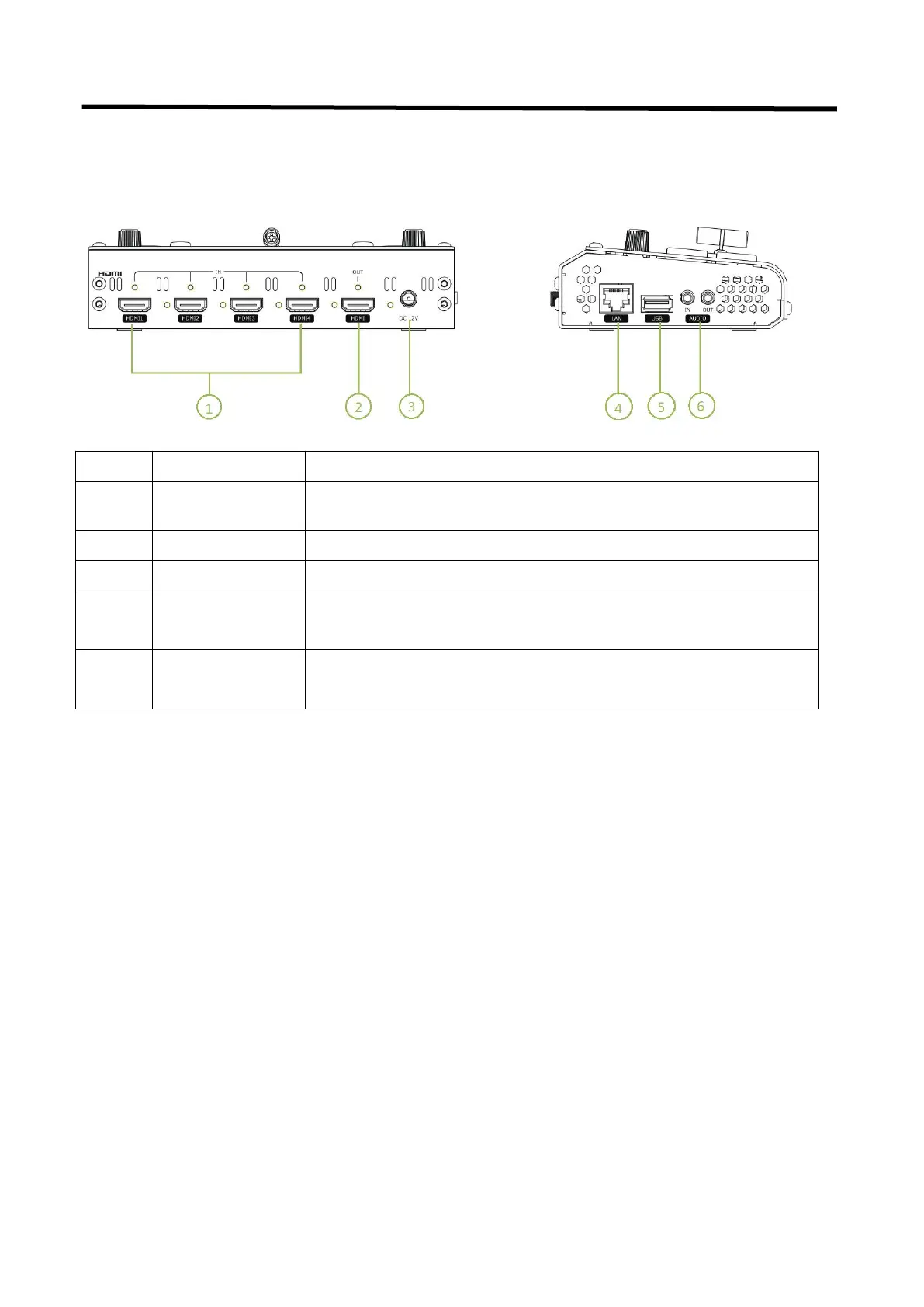
1.2.3 Interface Panel
4 HDMI Inputs, connect to input source from HD camera or PC
1 HDMI Output port, connect to display to show Preview (6 pictures) or
PGM.
1 DC Jack for power input, connect to 12V/4A power adapter.
Communication port to link dedicated software for control
USB3.0 output, capture signal via third party streaming software and push
to live broadcasting websites
AUDIO In, analog audio input port, connect to microphone with power
AUDIO OUT, analog audio output port, connect to loudspeaker


 To Next Page