Owner’s Manual
16
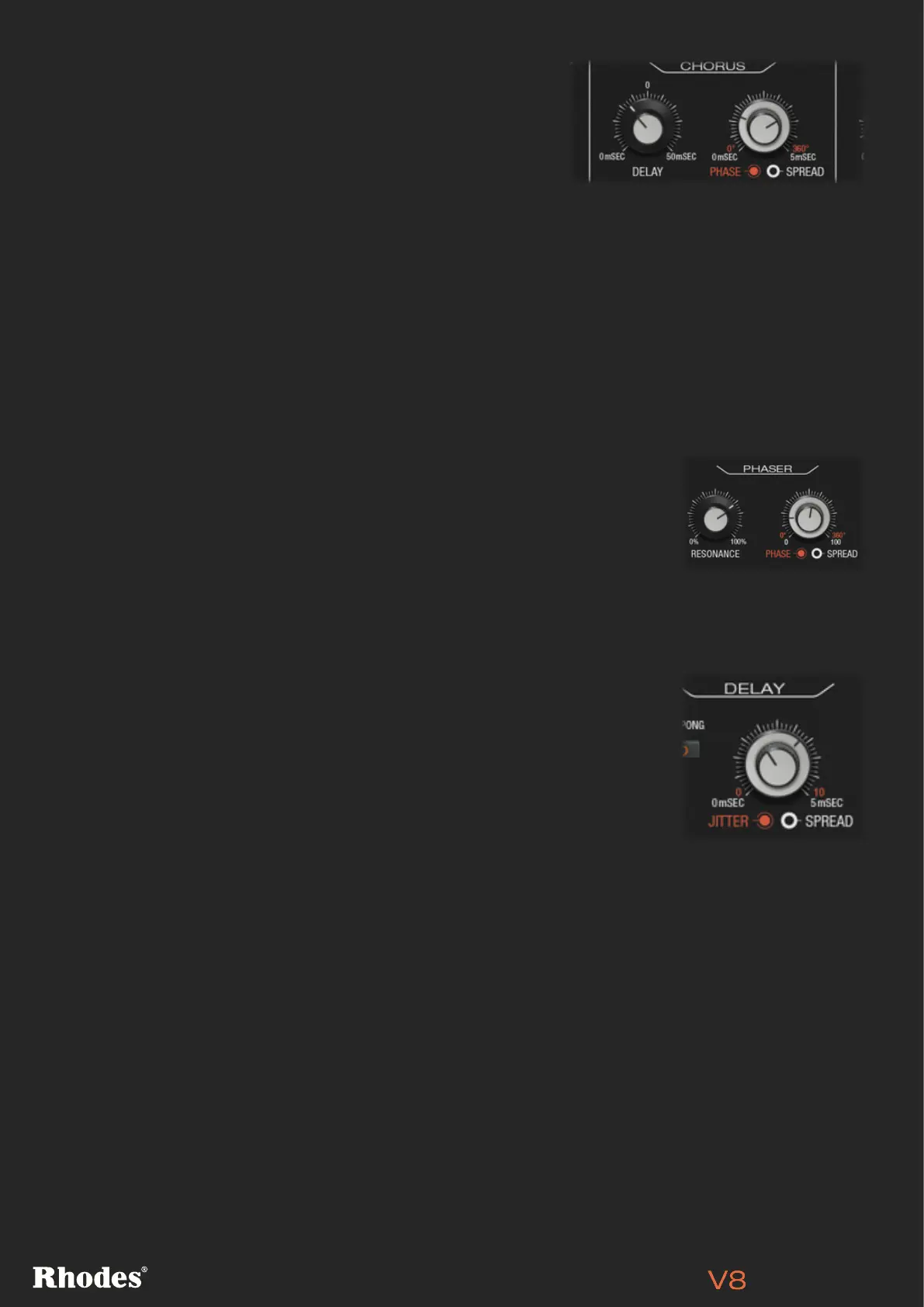
CHORUS DELAY, PHASE, SPREAD
[PRO VERSION ONLY]
Turning up the Chorus Delay parameter delays the two
channels of Chorus effect. You can create pseudo reverb and
flam’d effects here, plus other more ambient-sounding Chorus.
There are two chorus voice channels, and the Phase parameter
changes the phase of the channels (in degrees) from 0 to 360 for more hollow (mono-sounding) or lush
characters, whilst also subtly changing the stereo imaging.
The Spread collar allows you to place the Chorus channels closer or further apart within the stereo
field. A higher Spread value gives the Chorus more stereo width. Try setting Phase to 0 and moving the
Spread dial to hear its effect on the sound – you can dial in more mono-sounding chorus effects here.
DELAY JITTER & SPREAD [PRO VERSION ONLY]
Turning up the Delay’s Jitter knob introduces analogue style unpredictability
in the delay’s timing, creating interesting shifting delay lines.
The Spread collar controls the stereo spread of the delayed signal. Higher
Delay Spread values increase the time variation between the left and right
channels, resulting in a wider stereo field when increased, or a tighter,
narrower effect when reduced.
PHASER RESONANCE, PHASE, SPREAD
[PRO VERSION ONLY]
The Phaser’s Resonance dial introduces a juicier character to the sound
at higher values (much like any synth’s resonant filter). The Phase control
changes the phase (in degrees) of the two Phaser channels for different
sonic results.
The Spread collar allows you to place the Phaser’s two channels closer
or further apart within the stereo field. To hear the effect of the Spread
parameter, turn up resonance to a high level and experiment by moving the
Spread collar. Also try turning phase to 0 and move the spread dial to hear
its effect on the sound in more detail.


 To Next Page