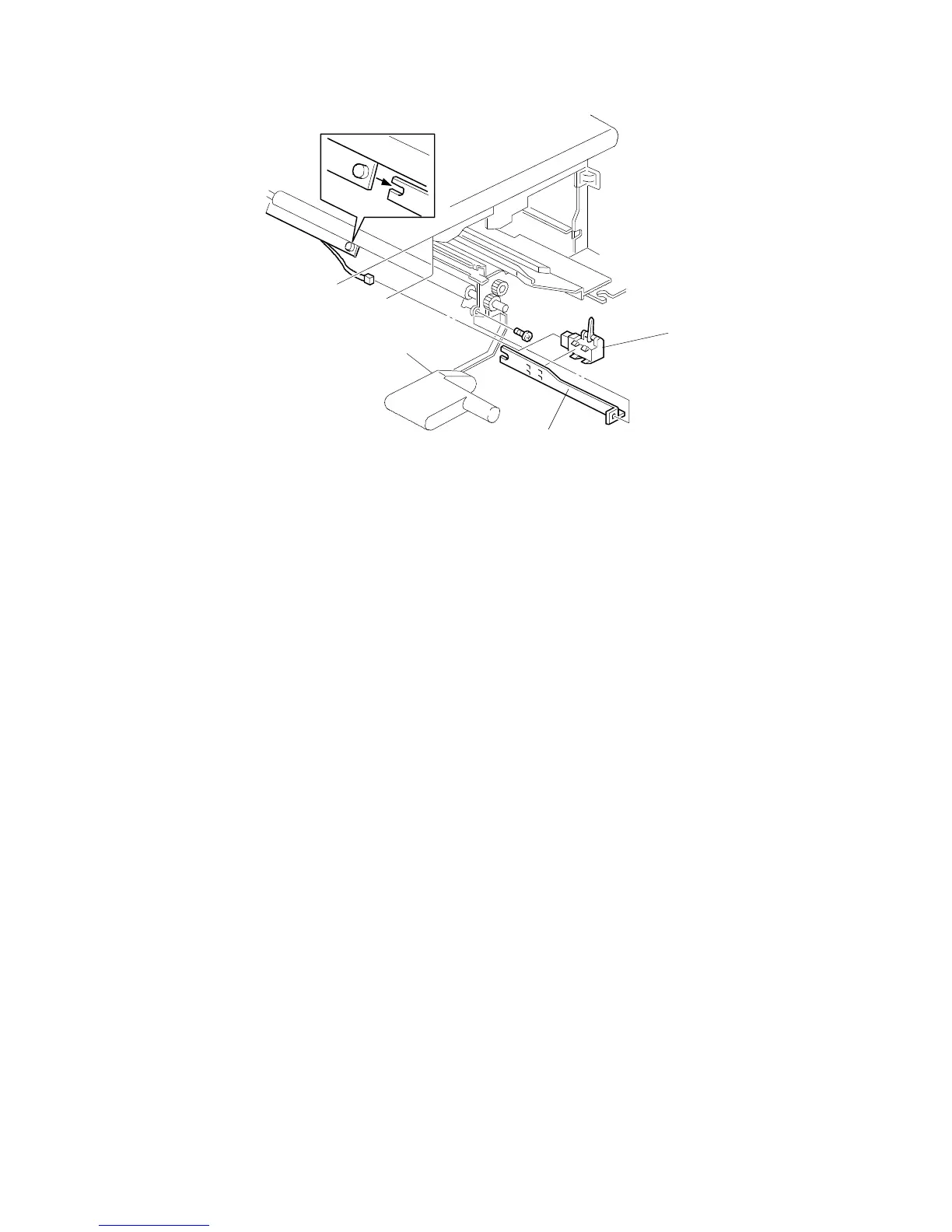
6.6 REGISTRATION SENSOR REPLACEMENT
1. Remove the front cover (see "Outer Cover Removal").
2. Remove the lower right inner cover (see "Inner Cover Removal").
3. Remove the transfer belt assembly (see "Transfer Belt Unit Removal").
4. Remove the registration sensor bracket [A] (1 screw, 1 connector).
5. Remove the registration sensor [B].
[B]
[A]
FSM 5-37 FT5535/4527/4522













 To Next Page