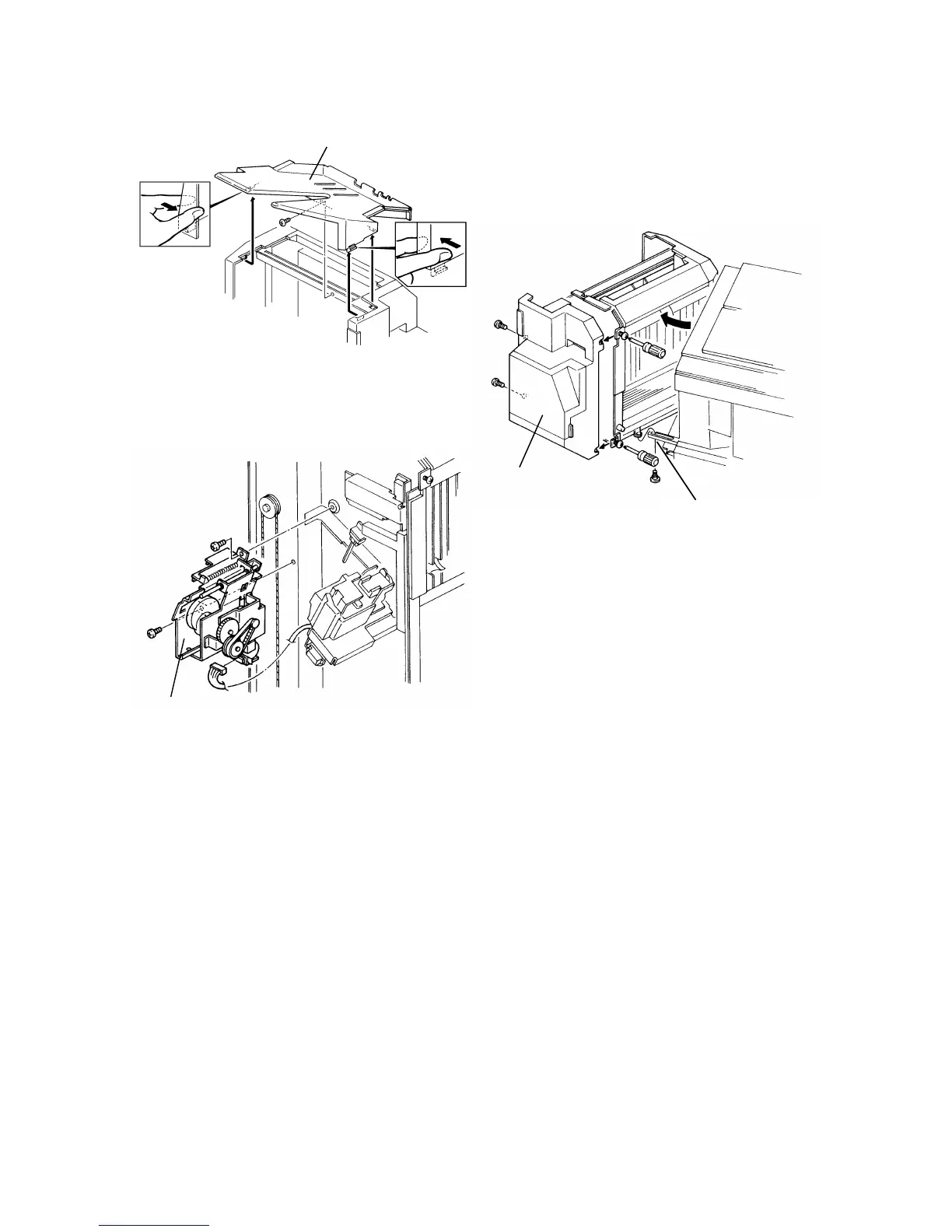
6.2 GRIP ASSEMBLY REMOVAL
1. Remove the proof tray [A] (1 screw).
2. Swing out the sorter stapler and disconnect the link lever [B] (1 stepped
screw).
3. Remove the front cover [C] (remove 2 screws and loosen 2 screws).
4. Remove the grip assembly [D] (2 screws and 1 connector).
[A]
[B]
[C]
[D]
FT5535/4527/4522 10-16 FSM













 To Next Page