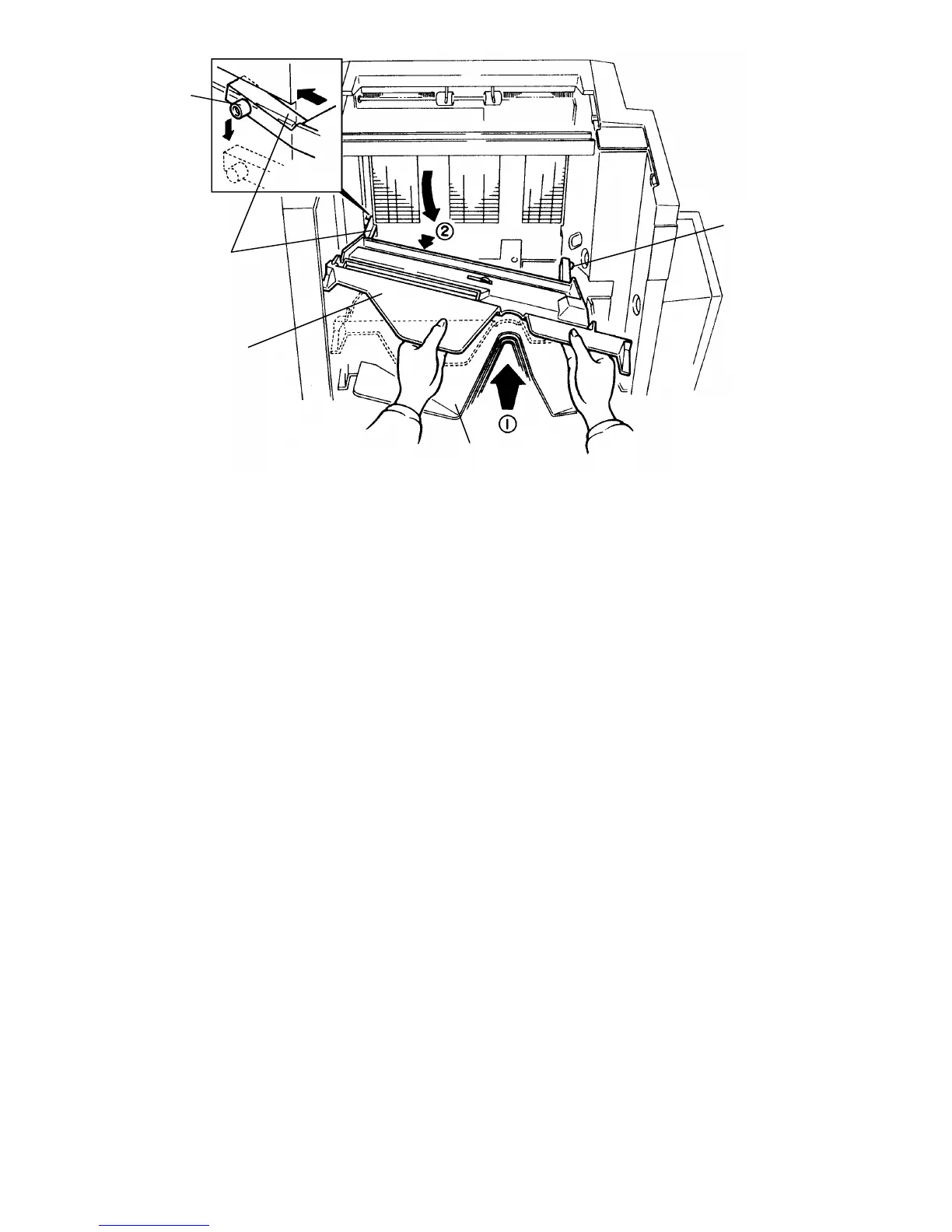
6. Install the support bin [A] and the bins [B] one by one.
(1) Hold the bin top side up with both hands.
(2) Tilt the bin so the left side is higher then the right side.
(3) Pass the left wheel [C] through the slot [D]. At the same time, pass
the right wheel [E] just below the stapler opening.
(4) Set the left wheel into the left track, then push the right wheel into the
right track.
[A]
[C]
[D]
[B]
[E]
FSM 10-19 FT5535/4527/4522













 To Next Page