- Front side -
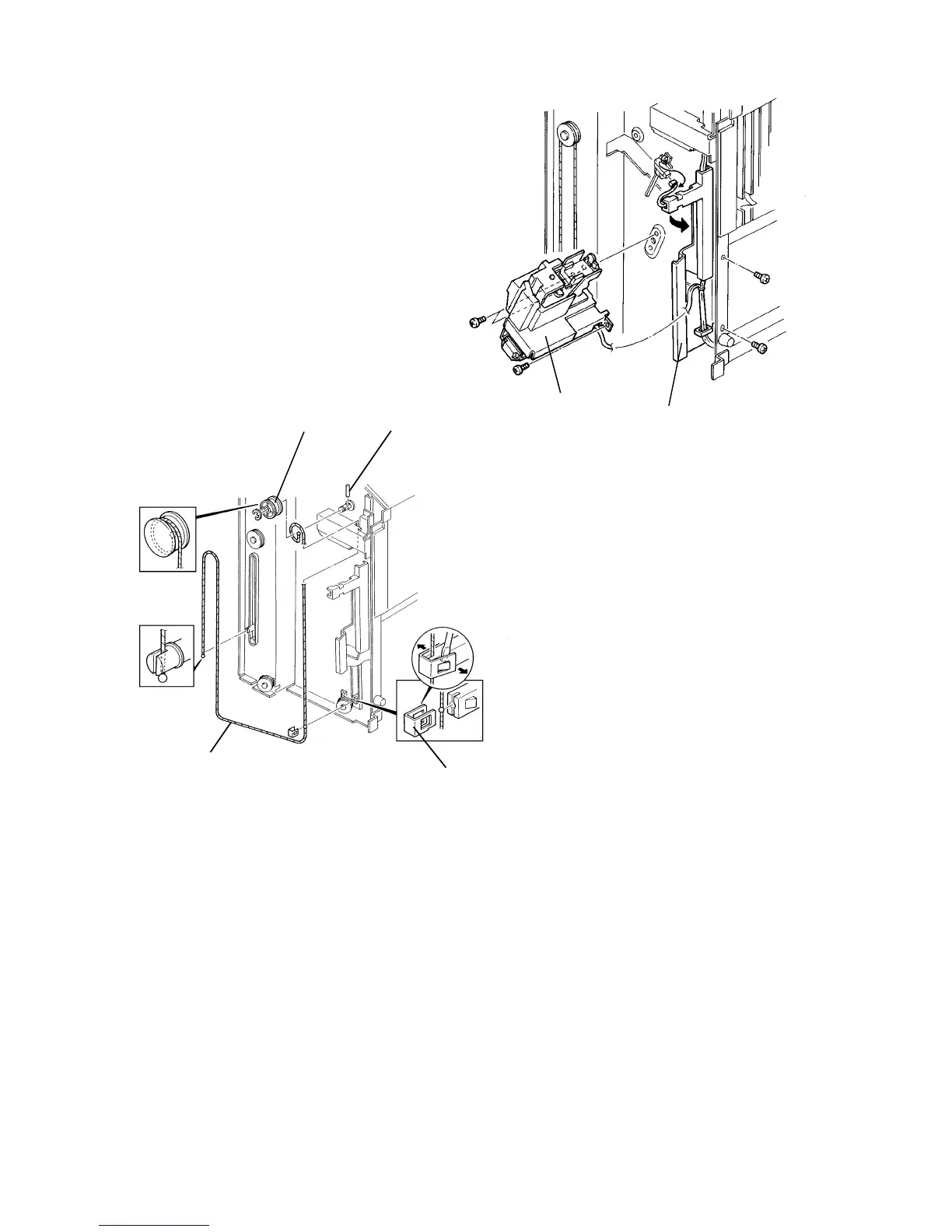
4. Remove the stapler unit [A] (3 screws and 1 connector [9P]).
5. Swing the bin shaft cover [B] as shown (2 screws and 1 connector).
6. Remove the bin support block stopper [C] as shown.
7. Remove the wire pulley [D] (1 E-ring).
NOTE: Be careful not to lose the pin [E].
8. Remove the bin lift wire [F].
[E]
[F]
[C]
[D]
[A]
[B]
FSM 10-21 FT5535/4527/4522













 To Next Page