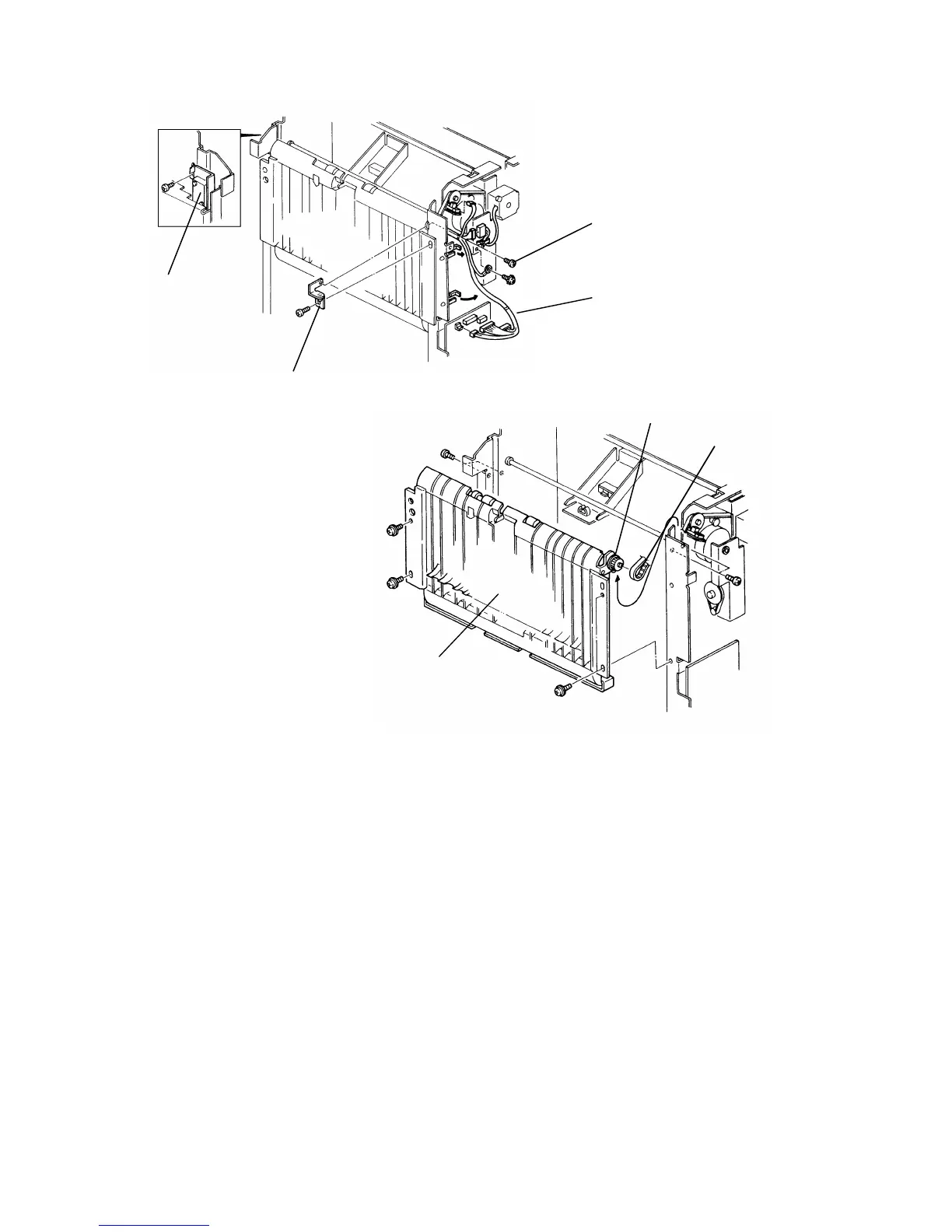
6.5 VERTICAL TRANSPORT UNIT REMOVAL
1. Remove the sorter stapler from the copier.
2. Remove the proof tray, the front cover, the rear cover, and the upper cover.
3. Remove the upper hinge [A] (2 screws) and the sorter stapler set switch
bracket [B] (1 screw).
4. Remove the grounding screw [C] and disconnect the main harness [D] (5
connectors and 3 harness clamps).
5. Remove the timing belt [E] from the pulley [F].
6. Remove the vertical transport unit [G] (8 screws).
[B]
[A]
[E]
[G]
FSM 10-25 FT5535/4527/4522













 To Next Page