3. Enter an IP address or a host name of the client-side machine to connect.
4. Press [Set], and [Exit] to exit from the setting.
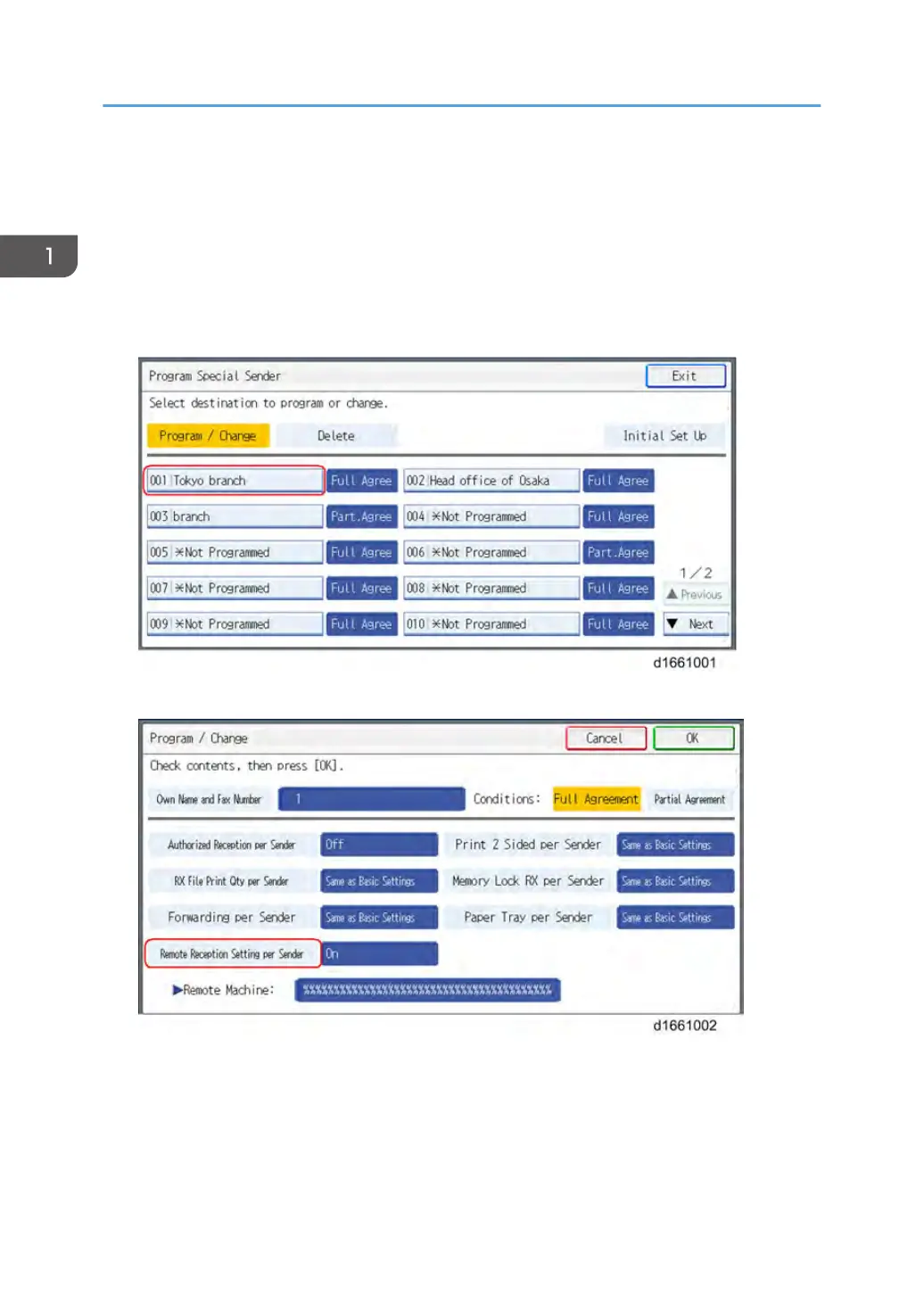
2) If you use "Remote Reception per Sender"
1. Press [Facsimile Features].
2. Press [Program Special Sender] in [Reception Settings].
3. Select the Special Sender.
4. Press [Remote Reception Setting per Sender].
1. Installation
18



 To Next Page