EasyManua.ls Logo

Ricoh MP 2501L - User Manual

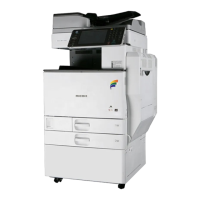
Ricoh MP 2501L
120 pages
Print Icon
To Next Page IconTo Next Page
Loading...
Placing Originals
Copying
Troubleshooting
User Tools (Copier Features)
Remarks
Specifications
1
2
3
4
5
6
Read this manual carefully before you use this machine. For safe and correct use, be sure to read the Safety Information in this manual before using
the machine.
Copy Reference
Operating Instructions

Table of Contents

Questions and Answers

  • A
    Amanda MartinezSep 9, 2025
    Why is Rotate Sort unavailable with this paper size on my Ricoh Copier?
    • X
      xjacksonSep 9, 2025
      Rotate Sort is unavailable on your Ricoh Copier because the selected paper size does not support this function. To resolve this, select a paper size that is compatible with the Rotate Sort feature.
  • J
    Joshua AdamsSep 12, 2025
    How to turn on the display on Ricoh All in One Printer?
    • C
      Carlos BoothSep 12, 2025
      The display might be off because either the Energy Saver mode is active or the operation switch is turned off. To resolve this, turn on the operation switch.
  • J
    Jeremy RollinsSep 13, 2025
    What to do if nothing happens when the operation switch is turned on in Ricoh All in One Printer?
    • C
      Christopher FloresSep 13, 2025
      If nothing happens when you turn on the operation switch, the main power switch may be turned off. Turn on the main power switch.
  • N
    Nicholas StricklandSep 15, 2025
    Why does "Please wait" appear on my Ricoh All in One Printer?
    • T
      Terry WoodSep 15, 2025
      This message appears when you turn on the operation switch or change the toner bottle. Wait for the machine to get ready.
  • T
    Tina TorresSep 17, 2025
    Why does the main power indicator continue blinking on my Ricoh All in One Printer?
    • C
      cassandra57Sep 18, 2025
      The main power indicator blinks when the machine is communicating with external equipment. Check if the machine is communicating with a computer.

Summary

Copying

Basic Copying Procedure

Step-by-step guide to perform a basic copy operation on the machine.

Duplex and Series Copies

Instructions for making two-sided copies and series copies of originals.

Troubleshooting

Message Display Issues

Explains common error messages and provides solutions for machine operation problems.

Poor Copy Quality

Solutions for issues like dirty copies, light or dark output, and blank pages.

Unexpected Copy Results

Addresses causes and remedies for copy results that are not as expected.

Paper Loading Procedures

Provides precautions and step-by-step instructions for loading paper correctly.

Toner Management

Instructions for adding, handling, storing, removing, and inserting toner.

Remarks

Usage Guidelines

Important do's and don'ts for safe and proper operation of the machine.

Moving and Power Safety

Precautions for safely moving the machine and connecting the power cord.

Machine Maintenance

Instructions for cleaning the exposure glass, its cover, and the ADF.

Specifications

Duplex Copying Options

Details on duplex copying capabilities and incompatible paper types.

Ricoh MP 2501L Specifications

General IconGeneral
BrandRicoh
ModelMP 2501L
CategoryCopier
LanguageEnglish

Related product manuals