EasyManua.ls Logo

Ricoh PJ WX4130n - User Manual

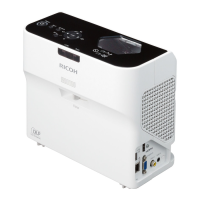
Ricoh PJ WX4130n
152 pages
Print Icon
To Next Page IconTo Next Page
Loading...
Operating Instructions
For safe and correct use, be sure to read "Safety Information" before using the machine.

Table of Contents

Other manuals for Ricoh PJ WX4130n

Questions and Answers

  • R
    Robert SparksSep 23, 2025
    How to enable wireless LAN on Ricoh PJ WX4130n?
    • S
      sarakingSep 23, 2025
      To enable wireless LAN on a Ricoh Projector: * Check the settings of [Wireless LAN Settings] in [Network Settings] under [Network/USB Settings]. * Make sure there are no obstructions between the computer and the projector. * Ensure the computer's operating system is compatible with Network Utility. Log in with administrator privileges to configure wireless LAN settings using Simple 1:1 Connection or a USB memory device. * Make sure that the projector is not in standby.
  • R
    Rachel MorganAug 23, 2025
    Why does my Ricoh PJ WX4130n display 'Hardware Error' and turn off?
    • P
      Penny HicksAug 23, 2025
      If your Ricoh Projector displays a 'Hardware Error' and turns off, it indicates an internal malfunction. Disconnect the power cord, wait a while, and then turn the projector on again. If the problem persists, contact your service representative.
  • V
    vincent08Aug 25, 2025
    Why does my Ricoh PJ WX4130n lamp turn off?
    • K
      Kimberly BrownAug 26, 2025
      If the Ricoh Projector lamp turns off or doesn't turn on, it could be due to overheating, expired service life, or a projector malfunction. Try disconnecting the power cord, waiting, and then turning the projector back on. If the lamp is burnt out, replace it.
  • C
    Chad LopezAug 27, 2025
    What to do if Ricoh PJ WX4130n Projector shows temperature error?
    • D
      David MooreAug 27, 2025
      If the Ricoh Projector displays "Temperature Error" and turns off, ensure that the intake and exhaust vents are not blocked and that the projector is not being used in a high-temperature environment. Disconnect the power cord, wait, and then turn the projector on again.
  • P
    pamela84Aug 27, 2025
    What to do if Ricoh PJ WX4130n Projector turns off and flashes every second?
    • C
      Chad GreeneAug 27, 2025
      If the Ricoh Projector turns off during operation or does not turn on and the interval is flashing every 1 second, the lamp cover may not be installed correctly. Disconnect the power cord and reinstall the lamp cover correctly.
  • S
    Spencer PorterSep 17, 2025
    Why no images from USB devices on Ricoh PJ WX4130n Projector?
    • D
      Dr. Carolyn MilesSep 17, 2025
      To resolve issues with no images from USB devices on the Ricoh Projector: * Make sure the USB memory device is connected correctly. * Ensure the connected USB memory device is compatible with the projector. * Make sure there are JPEG or MPEG files saved on the USB memory device. * Ensure the compression format, file size, and other conditions are compatible with the projector.
  • D
    Dawn HernandezSep 14, 2025
    Why is Ricoh PJ WX4130n Projector color faded?
    • D
      David McfarlandSep 14, 2025
      If the color is faded or the tint is poor on the Ricoh Projector: * Check the settings of [Color Saturation], [R-level], [G- level], and [B-level] in [Image Adjustment]. * Make sure the screen is clean. * Check the settings of [Wall Color Correction] in [Display Settings]. * Make sure the lamp is not near the end of its service life.
  • E
    Evan UnderwoodSep 15, 2025
    How to change language on Ricoh Projector?
    • J
      Julie RiggsSep 15, 2025
      If the display language is unknown on the Ricoh Projector, press the [Menu] button, and then select the display language in [XXX/Language] (XXX differs from the current display language) under the tab.
  • G
    Gregory FischerSep 6, 2025
    Why Ricoh PJ WX4130n Projector power does not turn on?
    • D
      Deanna BeckSep 6, 2025
      If the Ricoh Projector's power does not turn on, ensure the power plug or connector is correctly connected and the lamp cover is correctly mounted.
  • J
    Joseph RichardsSep 3, 2025
    How to troubleshoot no sound on Ricoh PJ WX4130n Projector?
    • F
      Frank MelendezSep 3, 2025
      To troubleshoot a Ricoh Projector with no sound: * Press the [Input] button. * Ensure the mute function is not turned on. * Check the speaker's volume adjustment. * Make sure the computer or AV equipment is connected correctly. * Confirm the computer or AV equipment is working properly.

Summary

Preparations for Using the Projector

Main Functions

Overview of the key functions and features available on the projector.

Projector Parts and Their Functions

Identification and description of the projector's external parts and controls.

Remote Control Parts and Their Functions

Detailed description of each button and component on the remote control.

How to Use the Remote Control

Instructions and precautions for operating the projector using the remote control.

Operating a Computer with the Remote Control

Instructions on how to control a computer using the projector's remote control.

Connecting Equipment to the Projector

Instructions for connecting various external devices to the projector.

Projecting an Image

Turning On the Projector

Step-by-step instructions for powering on the projector.

Adjusting the Image

Guide to adjusting image focus, size, and keystone distortion.

Projecting Images from a USB Memory Device or Digital Camera

Steps for projecting JPEG and MPEG files from USB devices or digital cameras.

Using the Projector via a Network

Connecting the Projector to a Network

Overview of settings required for network connection via wired or wireless LAN.

Projecting Images Using Network Utility

Guide to using Network Utility software for network-based image projection.

Changing the Projector Settings

Troubleshooting

Indicator Display List

Explanation of projector indicators and their meanings for diagnosing issues.

Common Problems

Solutions for frequently encountered problems with the projector.

Maintenance

Replacing the Lamp

Step-by-step guide for safely replacing the projector lamp unit.

Ricoh PJ WX4130n Specifications

General IconGeneral
Resolution1280 x 800 (WXGA)
Display TechnologyDLP
Projection Size30 - 300 inches
ConnectivityHDMI, VGA, USB, LAN
Noise Level35 dB (Eco mode)

Related product manuals