EasyManua.ls Logo

Ricoh PJ WX4130 - User Manual

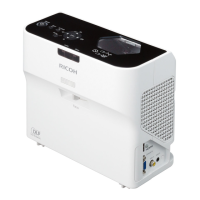
Ricoh PJ WX4130
100 pages
Print Icon
To Next Page IconTo Next Page
Loading...
Operating Instructions
For safe and correct use, be sure to read "Safety Information" before using the machine.

Table of Contents

Other manuals for Ricoh PJ WX4130

Questions and Answers

  • K
    Kathryn CruzAug 20, 2025
    How to change display language on Ricoh PJ WX4130?
    • T
      taylorrayAug 20, 2025
      If the display language on your Ricoh Projector is unknown, press the [Menu] button, and then select the display language in [XXX/Language] (XXX differs from the current display language) under [ ] tab.
  • A
    Amanda MartinAug 22, 2025
    What to do if my Ricoh PJ WX4130 shows no image?
    • D
      Daniel WilliamsAug 22, 2025
      If your Ricoh Projector displays no image, ensure the input signal is correctly switched if [Auto Input Search] in [Default Settings] is set to [Off]. Also, check that the mute function is not turned on and verify the [Brightness] settings in [Image Adjustment]. Confirm that your computer or AV equipment is properly connected to the projector and is functioning correctly. Finally, ensure the computer's image output is correctly switched.
  • J
    Janet LozanoAug 25, 2025
    Why my Ricoh Projector power does not turn on?
    • N
      Nicole MeadowsAug 25, 2025
      If the power on your Ricoh Projector does not turn on, ensure that the power plug or connector is connected correctly and that the lamp cover is mounted correctly.
  • N
    Nancy WatkinsAug 26, 2025
    How to troubleshoot no sound on Ricoh PJ WX4130?
    • J
      Jennifer BurgessAug 27, 2025
      If there is no sound from your Ricoh Projector, press the [Input] button. Ensure the mute function is not turned on and check the speaker's volume. Verify that the computer or AV equipment is correctly connected to the projector and is working properly.
  • K
    kristen44Aug 28, 2025
    Why is the image dark on my Ricoh Projector?
    • N
      Natasha BeanAug 28, 2025
      If the image on your Ricoh Projector is dark, check the [Brightness] and [Contrast] settings in [Image Adjustment]. Also, verify that the lamp is not near the end of its service life and check the settings of [RGB Input Range] in [Image Adjustment]. Ensure that [3D Projection] in [Default Settings] is set to [Off].
  • M
    michellejohnsonAug 30, 2025
    What to do if Ricoh Projector power turns off during use?
    • M
      Mary RoweAug 30, 2025
      If your Ricoh Projector's power turns off during use, ensure the environment's temperature is within the acceptable range and that the vents are not blocked.
  • X
    xbuckleyAug 31, 2025
    How to fix Ricoh Projector remote control that does not respond?
    • J
      johnsoncynthiaAug 31, 2025
      If the remote control for your Ricoh Projector is not responding, ensure the ID assigned to the remote control and in the settings of [Remote Control ID] in [Default Settings] are the same. Check that the batteries in the remote control are not dead and are correctly loaded. Also, make sure the remote control is within its effective range, there is nothing between it and the projector, and the remote control receiver is not exposed to strong light.
  • S
    Stephanie MendozaSep 2, 2025
    What to do if Ricoh PJ WX4130 lamp turned off or does not turn on?
    • C
      Cindy AndersonSep 3, 2025
      If the lamp in your Ricoh Projector turned off during operation or does not turn on, it may have overheated or its service life may have expired, or the projector has malfunctioned. Disconnect the power cord, wait a while, and then turn on the projector again. If the lamp burns out, replace it with a new lamp.
  • M
    mullinschristopherSep 4, 2025
    What to do if Ricoh PJ WX4130 displays 'Temperature Error'?
    • J
      jonathan25Sep 4, 2025
      If your Ricoh Projector displays a "Temperature Error" and turns off, it means the interior has overheated or the projector is being used in a high-temperature environment. Place the projector so that the intake and exhaust vents are not blocked. Disconnect the power cord, wait a while, and then turn on the projector again.
  • S
    Shane McmahonSep 6, 2025
    Why is the color faded on my Ricoh PJ WX4130?
    • A
      Allison ChanSep 6, 2025
      If the color on your Ricoh Projector is faded or the tint is poor, check the settings of [Color Saturation], [R-level], [G- level], and [B-level] in [Image Adjustment]. Also, make sure the screen is clean, check the settings of [Wall Color Correction] in [Display Settings], and verify that the lamp is not near the end of its service life.

Summary

Remote Control and Placement

Projector Positioning and Setup

Instructions on projector positioning, projection modes, and distance considerations for screen size.

Connecting and Powering Devices

Powering the Projector

Detailed safety precautions and steps for connecting the projector to a power source.

Projecting Images

Basic Operations and Powering On

General operating procedures, safety warnings, and steps for turning on the projector.

Troubleshooting and Error Resolution

Indicator Lights and Common Problems

Explains projector indicators and troubleshooting for common issues like power, image, and audio problems.

Projector Maintenance and Care

Operating Precautions and Cleaning

Important guidelines for safe operation, handling, environmental considerations, and cleaning procedures.

Lamp Replacement and Consumables

Critical safety warnings, procedures for lamp replacement, and information on consumables.

Ricoh PJ WX4130 Specifications

General IconGeneral
Resolution1280 x 800 (WXGA)
Screen Size30 - 300 inches
Display TechnologyDLP
Weight3 kg
Input TerminalsHDMI, VGA, USB
Power Consumption310W (Normal mode)
Lamp Life5000 hours (Normal Mode), 8000 hours (Eco Mode)

Related product manuals