Paper and Other Media
13
• Torn paper
• Wrinkled paper
• Damp paper
• Paper that is dry enough to emit static electricity
• Paper that has already been printed onto, except a preprinted letterhead.
Malfunctions are especially likely when using paper printed on by other than
a laser printer (e.g. monochrome and color copiers, ink-jet printers, etc.)
• Special paper, such as thermal paper, aluminum foil, carbon paper and con-
ductive paper
• Paper whose weight is heavier or lighter than the limitation
• Paper with windows, holes, perforations, cutouts, or embossing
• Adhesive label paper on which glue or base paper is exposed
• Paper with clips or staples
Print Area
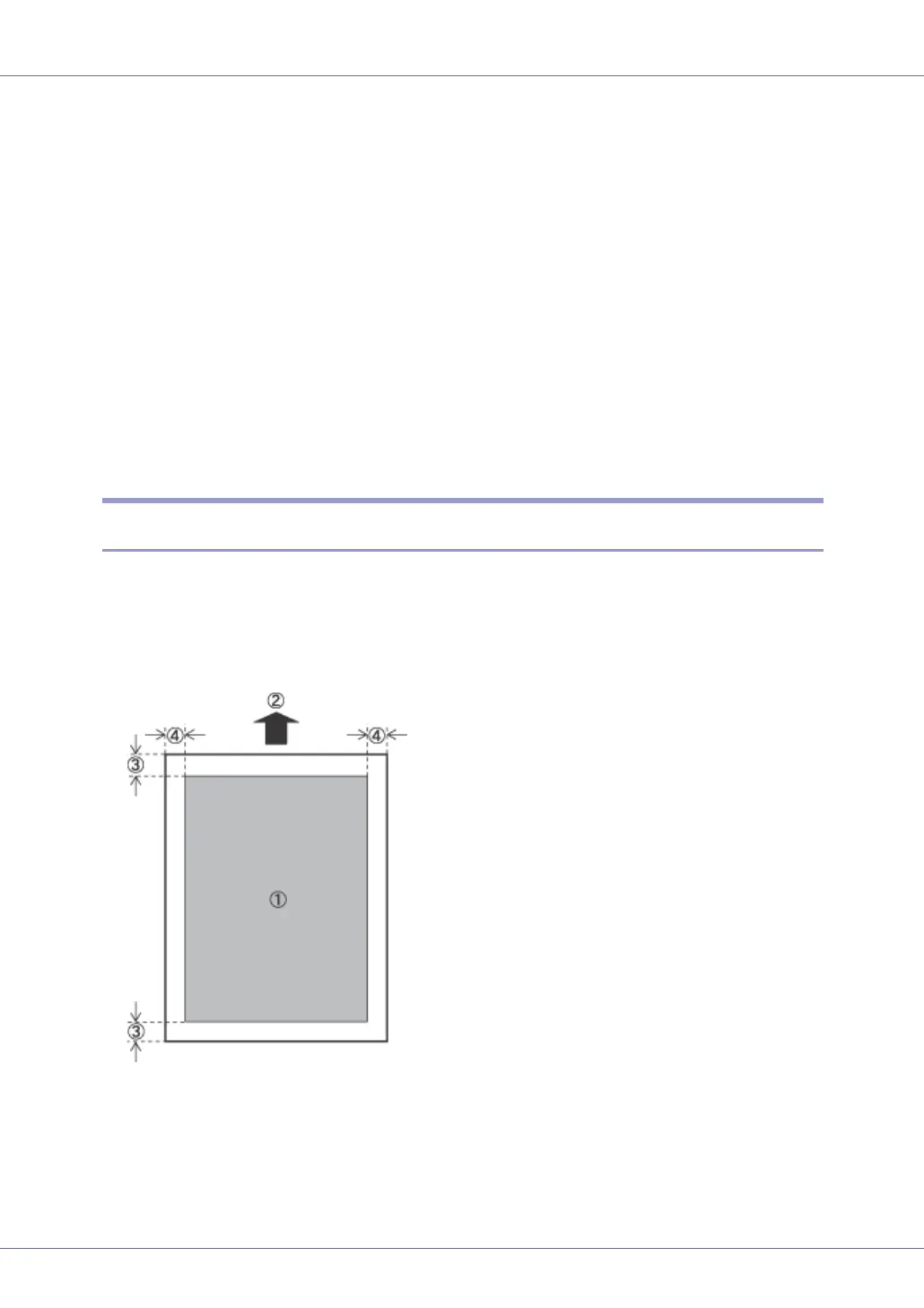
The following shows the print area for this printer. Be sure to set the print margins
correctly by the application.
❖ Paper
A Print area
B Feed direction
C Approx. 4.2 mm (0.17 inches)
D Approx. 4.2 mm (0.17 inches)








 To Next Page