Notes:
The PC Software and Smartphone App from Ruideng DO NOT recognize this Error.
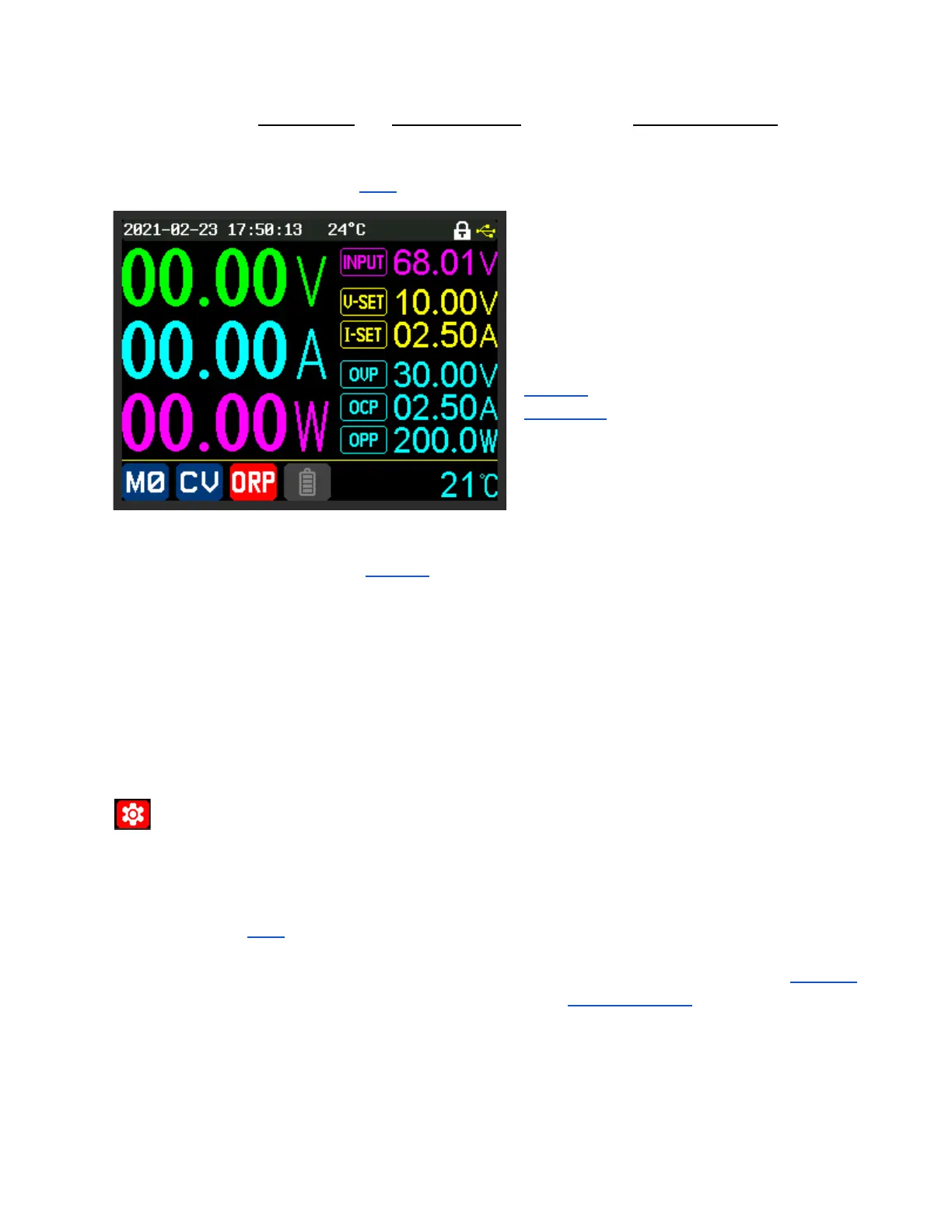
IF the RD60xx enters Protection mode due to ORP:
Connected (Riden) Software, using any interface (USB, UART), will report
an OCP Error.
An example of ORP being tripped.
In this example:
ORP turned ON.
‘ORP set’ value: 6.00 Ω.
‘ORP delay’ Set to: Auto.
The RD60xx was connected to a 5 Ω, 20 W
resistor.
When the RD60xx calculated its effective load
resistance (output Voltage divided by output Current measurements) as 5 Ω, the ORP was triggered
(as this is less than the 6 Ω from ‘ORP set’).
Example Note:
It took 1.8 seconds to trip after the ON/OFF button enabled the output.
(With the resistor pre-connected)
It took 1.2 seconds to trip when the resistor was connected while the output was already
enabled.
ORP delay
➥Power Settings or Quick Setting Menu (“SHIFT” + “▼”)
Auto Waits until the Voltage has stopped rising for at least 500ms.
Value Set in 0.1s (seconds) steps, up to a maximum of 10 seconds.
IF ‘ORP’ ON:
Time the load at the resistance across the Battery (Green) Binding Post and
Negative (Black) binding post can be in a fault state, as defined by ‘ORP Set’,
before the ORP puts the RD60xx into Protection Mode.
To demonstrate the ‘ORP delay’ setting: (Using a RD6018)
● ‘ORP delay’ was set to its maximum value of 10 seconds.
● ‘ORP’ was set to 1.12 Ω.
● ‘Graph Window’ was set to 1 minute (its minimum).
● An attached electronic load was set to 1 Ω.



 To Next Page