EasyManua.ls Logo

RIDGID K-750 - User Manual

RIDGID K-750
67 pages
Print Icon
To Next Page IconTo Next Page
Loading...
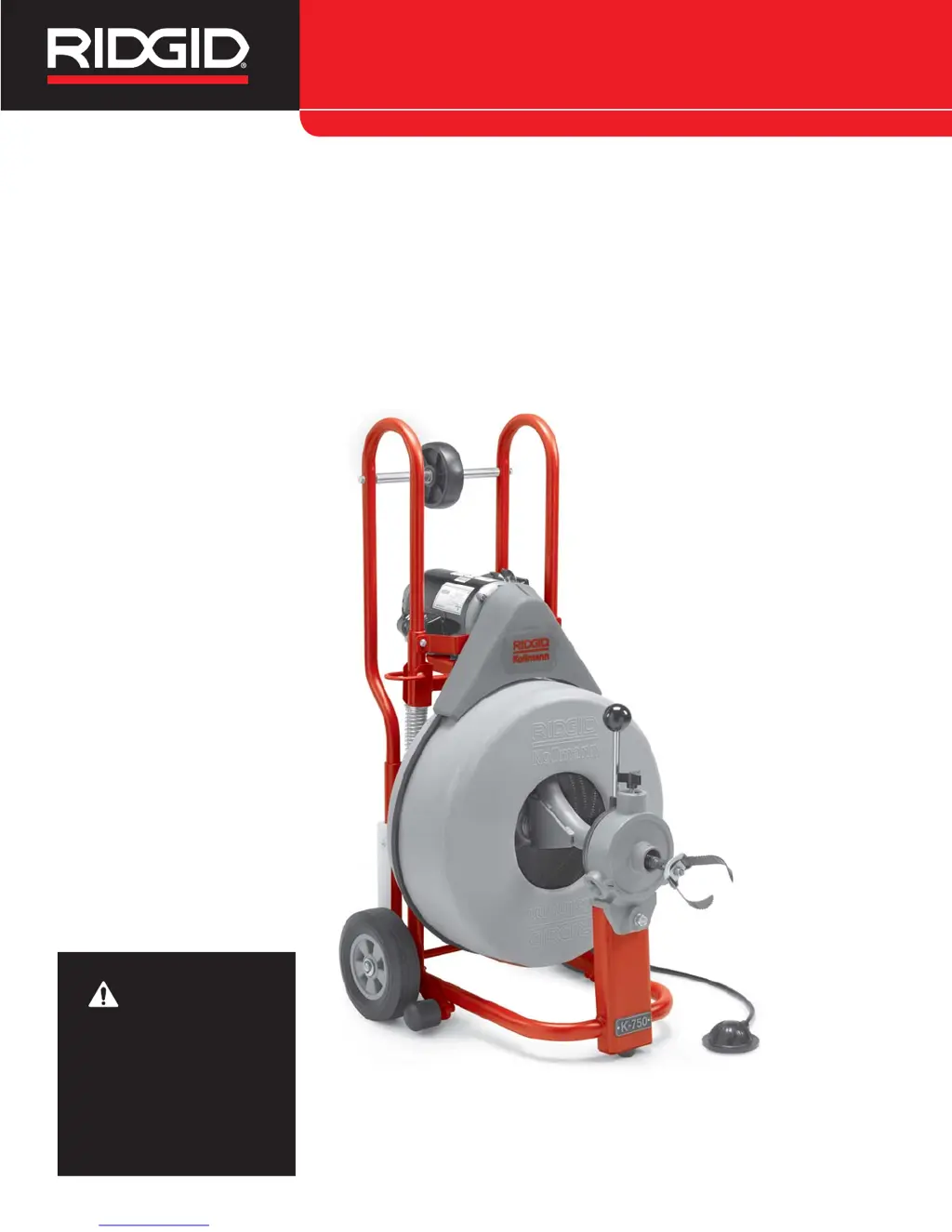
K-750 Drain Cleaning
Machine
Français – 19
Castellano – pág. 41
WARNING!
Read this Operator’s Manual
carefully before using this
tool. Failure to understand
and follow the contents of
this manual may result in
electrical shock, fire and/or
serious personal injury.
Drain Cleaner Manual

Table of Contents

Other manuals for RIDGID K-750

Questions and Answers

  • T
    Thomas WardJul 26, 2025
    What to do if my RIDGID K-750 Cleaning Equipment machine wobbles while cleaning a drain?
    • B
      Brenda RoweJul 27, 2025
      If your RIDGID Cleaning Equipment wobbles or moves while cleaning a drain, there are a couple of potential causes: * The kickstands may not be on the ground. Move the kickstands to the use position. * The ground may not be level or stable. Place the equipment on a level, stable surface.
  • B
    Brittany SanchezJul 30, 2025
    What to do if my RIDGID K-750 Cleaning Equipment AUTOFEED doesn’t work?
    • K
      Kimberly SmithJul 31, 2025
      If the AUTOFEED on your RIDGID Cleaning Equipment isn't working, there are several potential causes and solutions: * The AUTOFEED may be full of debris. Try cleaning it. * The AUTOFEED may need lubrication. Try lubricating it. * The AUTOFEED may not be set properly for the cable size. Ensure it is properly set according to the instructions. * The cable may not be evenly distributed. Pull all the cable out and refeed it in, making sure to distribute it evenly.
  • C
    Christina JenkinsAug 4, 2025
    Why does my RIDGID Cleaning Equipment cable keep kinking or breaking?
    • K
      Karen BarkerAug 4, 2025
      The cable on your RIDGID Cleaning Equipment might be kinking or breaking because it is being forced. To prevent this, do not force the cable; let the cutter do the work.
  • B
    Barbara BarnesAug 8, 2025
    What to do if the Ground Fault Circuit Interrupter trips when using my RIDGID Cleaning Equipment?
    • M
      martinpatriciaAug 8, 2025
      If the Ground Fault Circuit Interrupter (GFCI) trips when your RIDGID Cleaning Equipment is plugged in or when the foot pedal is depressed, it may be due to a faulty GFCI. Replace the cord set, which includes the Ground Fault Circuit Interrupter.
  • K
    Kara McfarlandAug 13, 2025
    What to do if my RIDGID Cleaning Equipment motor is turning but the drum is not?
    • A
      andersoncindyAug 13, 2025
      If the motor of your RIDGID Cleaning Equipment is turning but the drum isn't, the belt may be slipping because the cable is being forced. Try re-installing the belt.
  • J
    Jennifer HallAug 17, 2025
    Why does my RIDGID K-750 drum turn in only one direction?
    • E
      Evan NewmanAug 17, 2025
      If the drum on your RIDGID Cleaning Equipment turns in only one direction, the motor may be switched to reverse. Use reverse only if the cable gets caught in the pipe.
  • A
    Allison WestNov 20, 2025
    Why is my RIDGID Cleaning Equipment cable kinking or breaking?
    • T
      Todd OrtizNov 20, 2025
      Cable kinking or breaking in your RIDGID Cleaning Equipment can occur for several reasons: * The cable is being forced. Solution: Do not force the cable; let the cutter do the work. * The cable is used in the incorrect pipe diameter. Solution: Use 5/8? cables in 3? to 6? lines and 3/4? cables in 4? to 10? lines. * The motor is switched to reverse. Solution: Use reverse only if the cable gets caught in the pipe. * The cable is exposed to acid. Solution: Clean and oil cables routinely. * The cable is worn out. Solution: Replace the cable if it is worn. * There is a hole in the pedal or hose. Solution: Replace the damaged component. * There is a hole in the diaphragm switch. Solution: If no problem is found with the pedal or hose, replace the diaphragm switch. * The reverse s...

Summary

Safety Symbols and General Safety Rules

General Safety Rules

Essential safety guidelines for operating the machine.

Work Area Safety

Precautions for maintaining a safe work environment.

Electrical Safety

Guidelines for safe use of electrical components.

Personal Safety and Tool Use

Personal Safety

Recommendations for operator protection and awareness.

Tool Use and Care

Proper methods for using and maintaining the tool.

Drain Cleaner Safety Warnings

Drain Cleaner Safety

Specific safety precautions for drain cleaning operations.

Description, Specifications and Standard Equipment

Description

Overview of the K-750 Drain Cleaning Machine's features.

Specifications

Technical details and performance metrics of the machine.

Machine Assembly

Installing Handles

Instructions for attaching the machine handles.

Cable Installation and Coupling

Installing Cable

Procedure for installing the drain cleaning cable.

Connecting;Disconnecting Cable Couplings

Steps for connecting and disconnecting cable couplings.

Pre-Operation Inspection

Inspect Drain Cleaning Gloves

Procedure to check the condition of safety gloves.

Inspect Power Cord and GFCI

Check the power cord and GFCI for damage.

Clean and Inspect Cables

Examine cables for wear, kinks, and damage.

Machine and Work Area Set-Up

Check Work Area

Ensure the work area is safe and prepared.

Inspect the Drain

Determine drain access, size, and blockage nature.

Determine Drain Cleaning Equipment

Select the correct cable size and type for the drain.

Machine Positioning and Tool Selection

Tilt Machine and Set Kickstands

Properly position the machine using kickstands for stability.

Select Proper Tool

Choose the appropriate cutter for the obstruction.

Operating Instructions

Assume Proper Operating Position

Adopt a stable stance for control and safety.

Operation Modes

Manual Operation

Step-by-step guide for manual cable feeding.

AUTOFEED Operation

Steps for using the AUTOFEED system for cable feeding.

Working The Blockage

Manual Operation

Techniques for clearing blockages manually.

AUTOFEED Operation

Techniques for clearing blockages with AUTOFEED.

Cable Handling and Retrieval

Handling A Stuck Tool

Procedures to follow if the tool becomes stuck.

Retrieving The Cable

Steps for retrieving the cable from the drain.

Adding Cable and Drum Maintenance

Using Machine With A Front Guide Hose

Instructions for using the optional front guide hose.

Adding Additional Cable

Procedure to add more cable to the drum.

Maintenance Instructions

Cleaning

How to clean the drain cleaning machine.

Cables

Maintenance guidelines for the drain cleaning cables.

Lubrication

Lubrication points and schedule for the machine.

Accessories and Services

Accessories

List of available accessories for the machine.

Tools and Replacement Blades

Details on cutter heads and replacement blades.

Service and Repair

Information on obtaining service and repair.

Troubleshooting

Cable Kinking or Breaking

Reasons and solutions for cable kinking or breaking.

Drum Stops

Troubleshooting for when the drum stops during operation.

Motor Turning, Drum Not

Resolving issues where the motor runs but the drum doesn't.

Warranty Information

What is covered

Details on what the product warranty includes.

How long coverage lasts

Information on the duration of the product warranty.

What is not covered

Limitations and exclusions of the product warranty.

RIDGID K-750 Specifications

General IconGeneral
Power SourceElectric
Voltage115 V
Cable Diameter5/8 in. (16 mm)
Motor3/4 HP
Weight83 lbs. (38 kg)
Drain Line Capacity3 - 6 in
Dimensions21 in. L x 20 in. W x 41 in. H

Related product manuals