EasyManua.ls Logo

RIDGID Scout - User Manual

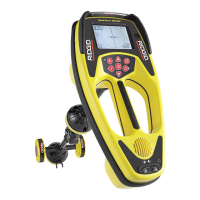
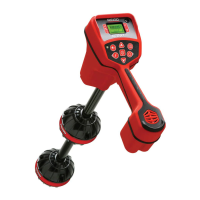
RIDGID Scout
21 pages
Print Icon
To Next Page IconTo Next Page
Loading...
Click Here To View
Item at
www.GapPower.com

Questions and Answers

  • K
    Kayla BradshawSep 9, 2025
    What does it mean if the distance between sonde and either Pole is not equal on RIDGID Measuring Instruments?
    • S
      Sarah WilliamsSep 9, 2025
      If the distance between the sonde and either Pole is not equal, this indicates that the Scout is not picking up the signal or there is interference.
  • M
    maria57Sep 12, 2025
    Why are the lines “jumping” all over the screen in micro map on my RIDGID Measuring Instruments?
    • A
      amorganSep 12, 2025
      If the lines are “jumping” all over the screen in micro map on your RIDGID Measuring Instruments, make sure that the transmitter is well connected and grounded.
  • S
    Susan FernandezSep 14, 2025
    How to fix no sound on RIDGID Measuring Instruments?
    • T
      Timothy MorrisSep 14, 2025
      If there is no sound on your RIDGID Measuring Instruments, adjust the sound level in the sound menu.
  • M
    Martha StanleySep 16, 2025
    What to do if display appears completely dark, or completely light when it is turned ON on RIDGID Measuring Instruments?
    • S
      Shawn BenderSep 16, 2025
      If the display appears completely dark or completely light when turned on for your RIDGID Measuring Instruments, turn the unit off, then back on.

Summary

General Safety Information

Service and Safety Information

Specifications and Standard Equipment

Introduction to the Scout

Scout Unique Features

Details the multi-directional antenna system and Micro Map view.

Scout Capabilities

Explains how the Scout senses electromagnetic fields from lines and sondes.

Scout Advantage

Highlights advantages over conventional locators, including signal clarity.

Micro Map Advantage

Describes the graphical display for tracing underground lines and pinpointing sondes.

Icon Legend

Scout Advantage Details

Micro Map Advantage Details

Scout Components

Display Screen Overview

Keypad Functions

Getting Started

Installing and Changing Batteries

Instructions for accessing the battery compartment and inserting batteries.

Battery Operation Time

Details typical operation time and factors affecting battery life.

Powering Up and Down

Low Battery Warning

Initial Setup and Frequency Selection

Menu Choices and Tools Menu

Auto Backlight Setting

Scout Sound Features

LCD Contrast Adjustment

Locating the Sonde

Method 1: Maximize Signal Strength

Step-by-step guide to find sonde by maximizing signal strength.

Method 2: Follow the Equator

Verifying Sonde Location

Measuring Sonde Depth

Operating Tips for Sonde Locating

Micro Map Examples - Sonde Mode

Tilted Sondes

Tracing a Line with Scout

Tracing a Passive AC Line

Operating Tips for Line Tracing

Micro Map Example - Line Trace

Notes On Accuracy

Locating Faulty Components

Service and Repair

Chart 1 Troubleshooting

Appendix A: Understanding Sondes and The Scout

RIDGID Scout Specifications

General IconGeneral
BrandRIDGID
ModelScout
CategoryMeasuring Instruments
LanguageEnglish

Related product manuals