22
Shackmaster™ Power 500 DC Power Supply Instruction Manual
Service Functions
When REAMP Logger software communicates with the Power 500 power supply the
software is in measurement mode. The measurement mode (logging) is the operating
mode which dispays instantaneous sampling of the measured value digitized and
shown in the form of a graph on the screen and saves data to a log file.
Several parameters can be recorded and displayed simultaneously using the controls.-
You can also set lenght of hte period when these parameters will be recorded and
the sample rate. Please remember that after the parameters have been changed, you
must restart the measurements by clicking Stop and Play buttons sequentially. In
this case, the previous measurement results will be saved in a separate tab in the
«Sampled Data Representation» window.
Logging Process
Better to see once
Let’s try to register the parameters of the power supply unit
together. As an example, we record data about the amount of
current consumed by your mobile phone when it is charged.
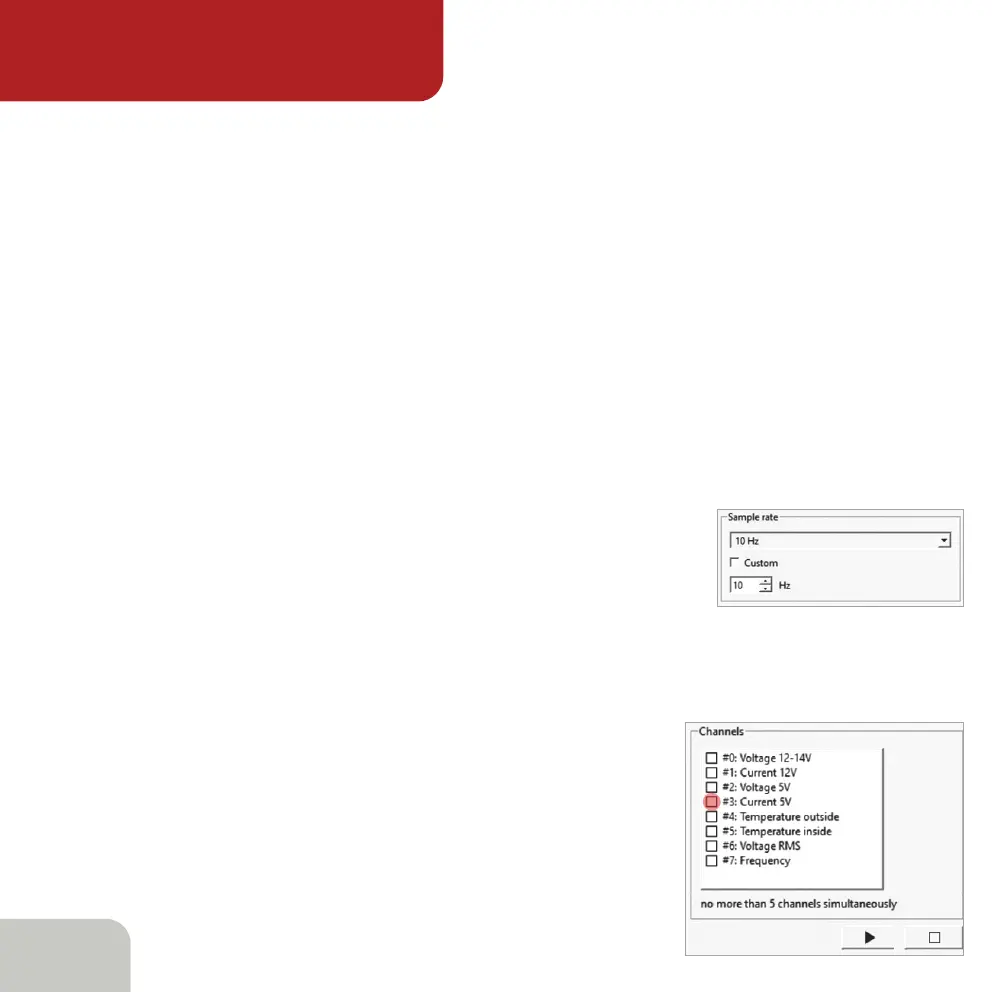
And, most importantly, let’s see what the nature of this consumption is. First of all,
we will select the sample rate- the frequency with which we will measure the current
consumption value. Let it be 100 Hz. Use the dropdown list to select the desired value.
The next step is to choose the specific
parameter to be monitored.
As we agreed at the beginning, we take
a current consumption at 5V line.



 To Next Page