23
Shackmaster™ Power 500 DC Power Supply Instruction Manual
Service Functions
Connect your phone to one of the USB outputs on the front panel. Immediately
afterwards, you will see that the phone is consuming current. And the consumption is
intermittent.
Very interesting.
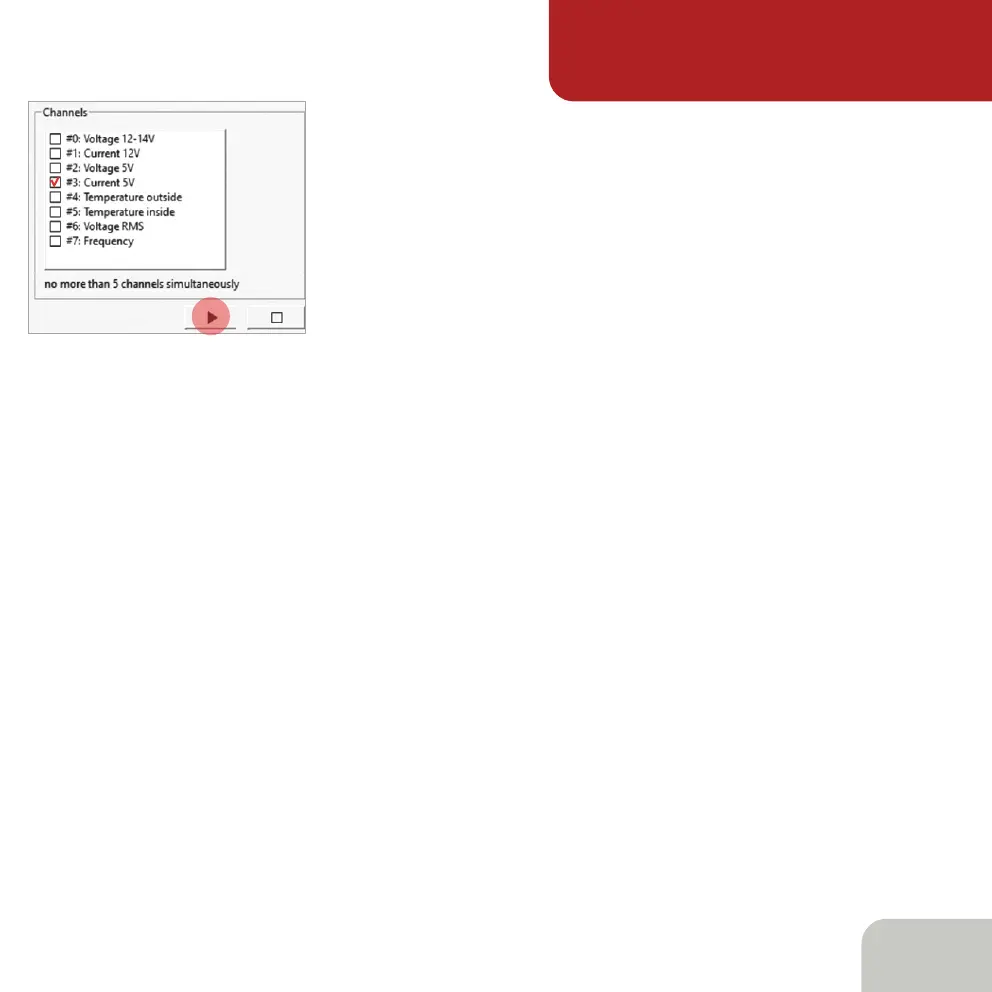
It’s time to examine the operation of your transceiver. To do this, just stop logging,
select a measurement in the Channels window, for example, the value of current
consumption along a 12V line, and start logging again.
To stop logging press the Stop button.
To see the accumulated data that is outside the screen, use the mouse to drag the time
arrow in the desired direction.
Please remember that although the internal measurement circuits of the power supply
have good accuracy, this device is not a laboratory meter. The main task of the logger
is to show you the nature of the load that you connect to the power supply, as well as
to identify short-term anomalies in operation of that load which cannot be noticed by
the unaided eye.
By the way, if you need to measure currents less than 100 µA, use our other product -
the REAMP laboratory logger.
Click on the corresponding box in the Channels window.
We are almost done. All you have to do is to click the
Play button.



 To Next Page