Menu Operation
Page 9
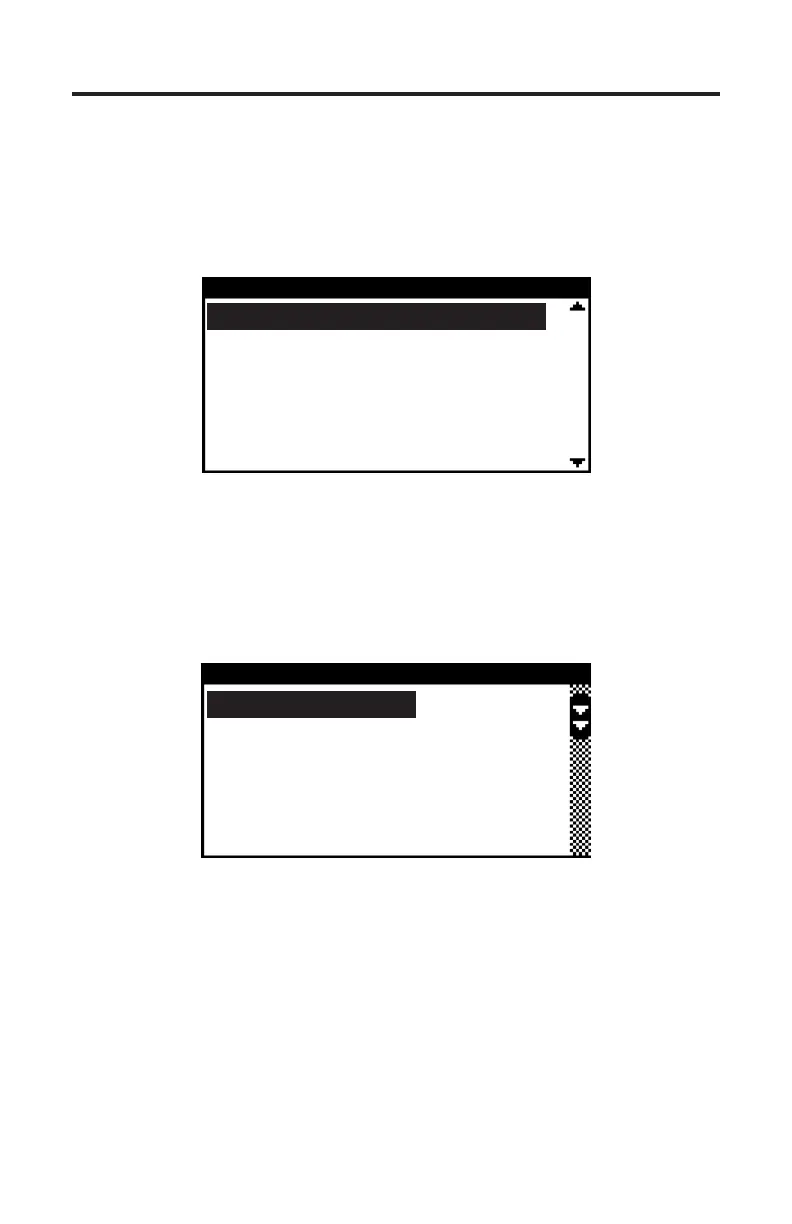
MAIN MENU
Sterndrives/Inboards
Mercury Outboards
D-Tronic Diesels
Thunderbolt V
Tool Setup
Menu Operation
e ▲ and ▼ keys are used to access all menu choices throughout the operation
of the scan tool. e scan tool’s main menu is shown below in Figure 2.
e YES key is used to select or activate the currently highlighted menu item.
Figure 2 Main Menu
Up and down arrows located on right side of the menu indicate that the menu
selector bar can be moved up or down to highlight a menu item. If there are
more items in the menu than can be displayed on a single screen a scroll bar will
appear on the right side of the menu items as shown in Figure 3 below.
e presence of a scroll bar indicates additional menu choices are available which
are not presently displayed. e two arrow indicators within the scroll bar show
the direction(s) the highlight bar may be moved. Use the ▲ and ▼ keys to
move the highlight bar and the YES key to select the highlighted item.
Use the NO key to exit the current menu.
LCD Contrast
English/Metric Units
MAP Type
Fuel Scaling
Tool Information
SETTINGS
Figure 3 Menu with scroll bar


 To Next Page