EasyManua.ls Logo

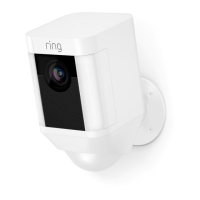
ring Spotlight Cam Battery - User Manual

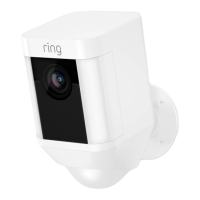
ring Spotlight Cam Battery
19 pages
Print Icon
To Next Page IconTo Next Page
Loading...
Spotlight Cam Battery
Question and Answer IconNeed help?

Do you have a question about the ring Spotlight Cam Battery and is the answer not in the manual?

Summary

Charge the Battery

Prepare the Battery

Fully charge the battery using the provided USB cable until the light turns green.

Insert the Battery

Insert the charged battery into the Spotlight Cam until it clicks, then close the door.

Set up your Spotlight Cam

Get the Ring App and Connect

Download the Ring app, select 'Set Up Device', then 'Spotlight Cam' and follow in-app instructions near your router.

Verify Setup and Software Update

Tap Live View to test video. If the light flashes, wait for software update to complete.

Install your Spotlight Cam

Pre-Installation Checks

Test video quality outside near the installation spot.

Installation Components and Preparation

Review box contents and learn how to remove the mounting plate.

Mounting Location and Height

Determine wall vs. eave installation and choose optimal mounting height (9 feet for 30ft detection).

Install Mounting Bracket and Arm

Install bracket, mark holes, drill if needed, insert anchors, and screw mounting arm securely.

Solar Panel Installation Steps

Mark holes for solar panel, install anchors if needed, screw in arm, attach panel, and adjust angle.

Connect Solar Panel to Camera

Remove seal, slot mounting plate, plug in solar panel, and secure the connection.

Attach Camera to Mount and Adjust Angle

Attach Spotlight Cam to bracket, loosen collar, push ball into socket, and adjust camera angle.

Troubleshooting Setup Issues

Verify Wi-Fi Password

Ensure correct, case-sensitive Wi-Fi password entry to avoid common setup issues.

Reboot Your Router

If setup fails with correct password, turn router off for 30 seconds, then back on and retry.

Summary

Charge the Battery

Prepare the Battery

Fully charge the battery using the provided USB cable until the light turns green.

Insert the Battery

Insert the charged battery into the Spotlight Cam until it clicks, then close the door.

Set up your Spotlight Cam

Get the Ring App and Connect

Download the Ring app, select 'Set Up Device', then 'Spotlight Cam' and follow in-app instructions near your router.

Verify Setup and Software Update

Tap Live View to test video. If the light flashes, wait for software update to complete.

Install your Spotlight Cam

Pre-Installation Checks

Test video quality outside near the installation spot.

Installation Components and Preparation

Review box contents and learn how to remove the mounting plate.

Mounting Location and Height

Determine wall vs. eave installation and choose optimal mounting height (9 feet for 30ft detection).

Install Mounting Bracket and Arm

Install bracket, mark holes, drill if needed, insert anchors, and screw mounting arm securely.

Solar Panel Installation Steps

Mark holes for solar panel, install anchors if needed, screw in arm, attach panel, and adjust angle.

Connect Solar Panel to Camera

Remove seal, slot mounting plate, plug in solar panel, and secure the connection.

Attach Camera to Mount and Adjust Angle

Attach Spotlight Cam to bracket, loosen collar, push ball into socket, and adjust camera angle.

Troubleshooting Setup Issues

Verify Wi-Fi Password

Ensure correct, case-sensitive Wi-Fi password entry to avoid common setup issues.

Reboot Your Router

If setup fails with correct password, turn router off for 30 seconds, then back on and retry.

ring Spotlight Cam Battery Specifications

General IconGeneral
Audio system2-way
Built-in microphoneYes
Cables includedUSB
Number of cameras2
Form factorBox
Mounting typeWall
Product colorWhite
LED typeIR
Mobile operating systems supportedAndroid, iOS
Windows operating systems supportedWindows 10
Camera pan control-
Minimum illumination- lx
Wi-Fi standards802.11b, 802.11g, Wi-Fi 4 (802.11n)
Built-in HDDNo
Operating temperature (T-T)-20.5 - 48.5 °C
Power source typeBattery
TypeIP security camera
Placement supportedIndoor
Connectivity technologyWireless
Total megapixels- MP
Maximum resolution- pixels
Harmonized System (HS) code85258900
Weight and Dimensions IconWeight and Dimensions
Depth75.8 mm
Width69.1 mm
Height126 mm

Videos

How To Set Up Ring Spotlight Cam Battery

How to Install the Ring Solar Panel for Spotlight Cam Battery/Solar

How to Charge Ring Spotlight Cam Battery

How to Remove RING Spotlight Cam Battery

Related product manuals