
 Need help?
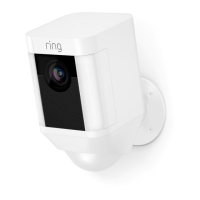
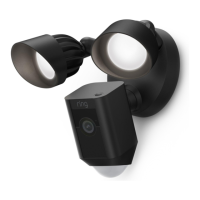
Do you have a question about the ring Spotlight Cam Wired and is the answer not in the manual?
Get the Ring app for setup and management. Available on App Store, Google Play, Windows Store.
Plug into an outlet near your Wi-Fi router and prepare your Wi-Fi password for setup.
Select 'Set Up Device' in the Ring app, choose your model, and follow on-screen instructions.
Test Live View and understand status lights, like flashing white during software updates.
Gather necessary tools like a screwdriver, Phillips bit, and drill bit for mounting.
Install the mounting bracket securely on the wall using provided hardware and a built-in level.
Attach the Spotlight Cam base to the mounting bracket and tighten the security screw.
Secure the power cable to the wall using provided clips and anchors as needed for a clean installation.
Navigate the Ring app's Device Dashboard to access various settings and features.
Set up Motion Zones and adjust sensitivity for customized motion alerts and notifications.
Customize light behavior, set schedules, and define motion zones for light activation.
Utilize two-way talk, siren, and Ring Video Recording for managing live events and past activity.
Troubleshoot power-up issues and in-app setup failures using status light indicators.
Resolve problems with finding the Ring network, poor audio, or incomplete setup procedures.
Diagnose and fix poor video or audio quality by testing Wi-Fi signal strength near the router.
Access customer support via the Ring website or provided phone numbers for further assistance.
 General
| Type | IP security camera |
|---|---|
| Auto-tracking | Yes |
| Placement supported | Outdoor |
| Connectivity technology | Wired |
| Audio input channels | 2 channels |
| Form factor | Box |
| Mounting type | Wall |
| Product color | Black |
| Maximum resolution | 1920 x 1080 pixels |
| Supported video modes | 1080p |
| Supported graphics resolutions | 1920 x 1080 (HD 1080) |
| Power source type | AC |
| Power over Ethernet (PoE) | No |
| Minimum illumination | - lx |
| Field of view (FOV) angle | 140 ° |
| Operating temperature (T-T) | -20.5 - 48.5 °C |
| Mobile operating systems supported | Android, iOS |
| Windows operating systems supported | Windows 10 |
| Sensor type | - |
| Number of cameras | 1 |
| LED type | IR |
| Frequency band | 2.4 GHz |
| Wi-Fi standards | 802.11b, 802.11g, Wi-Fi 4 (802.11n) |
| Harmonized System (HS) code | 85258900 |
 Weight and Dimensions
| Depth | 75.9 mm |
|---|---|
| Width | 69.1 mm |
| Height | 126 mm |





 To Next Page
