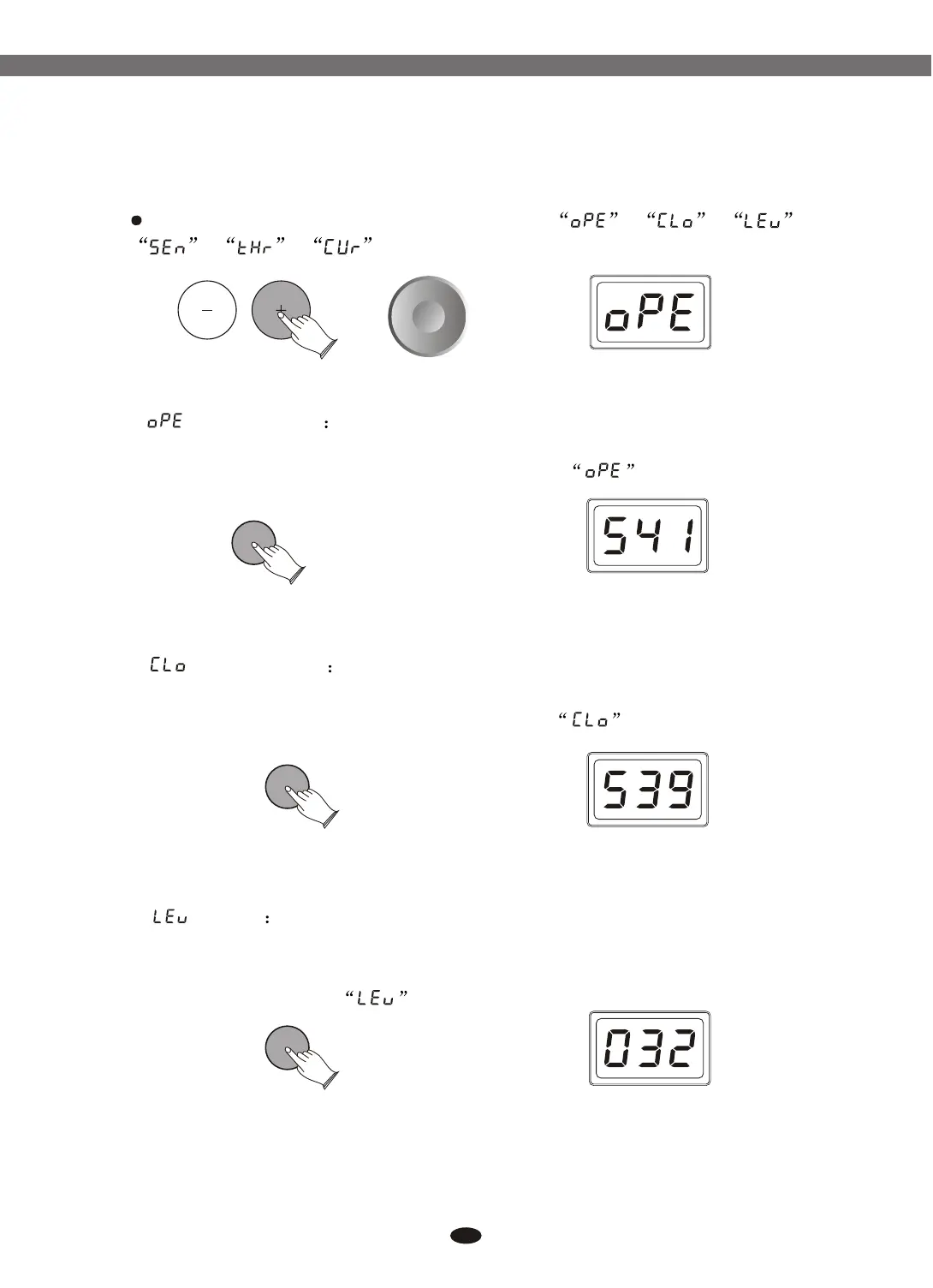
Use data dial or buttons to select , , ,
, , .
(Open Hi-Hat) Press [ENTER] button, use data dial or
buttons to select open Hi-Hat . To confirm this selection, press [ENTER] again,
and the content of LED-display will return to the mode.
[+] and [-]
[+] and [-]
ENTERENTER
ENTERENTER
ENTERENTER
(Close Hi-Hat) Press [ENTER] button, use data dial or
buttons to select close Hi-Hat . To confirm this selection, press [ENTER] again,
and the content of LED-display will return to the mode.
[+] and [-]
(Level) Press [ENTER] button, use data dial or buttons
to set level value. Range: 000-032.
To confirm this selection, press [ENTER] again, and the content of LED-
display will return to the mode.
[+] and [-]
16
6.1.2.1 Open Hi-Hat
6.1.2.2 Close Hi-Hat
6.1.2.3 Hi-Hat Level
Reference:6.1.1.1 Select voice
Reference:6.1.1.1 Select voice
Electronic Drum


 To Next Page