14. Factory Set
29
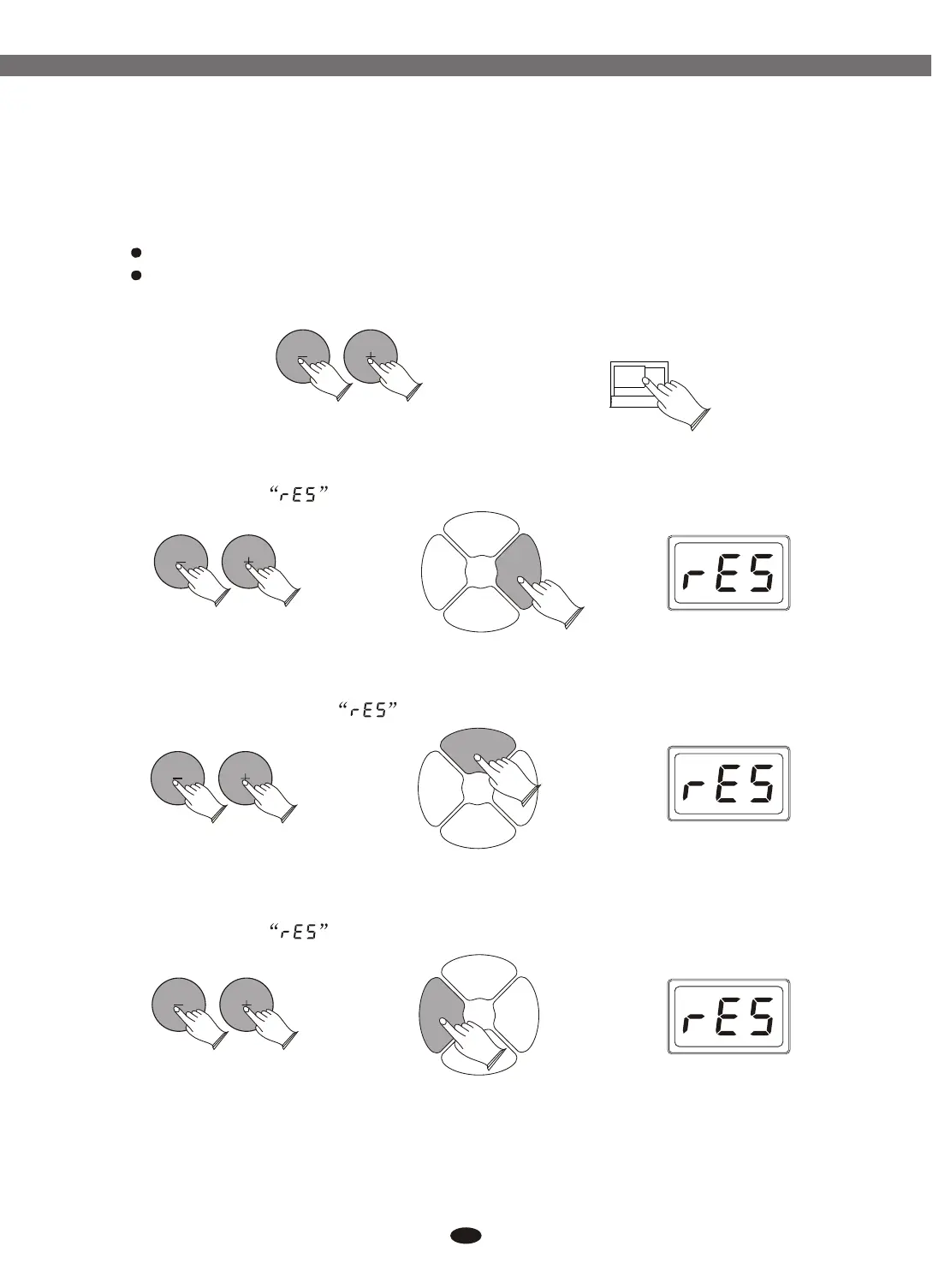
Turn off the power.
Hold down buttons, then turn the power on, it can restore all
internalsettings to factory set.
[+] and [-]
POWERPOWER
ON ON OFFOFF
14.1 Restoring the Pad Settings
In power on mode, hold down buttons, then press [PAD] button.
LED shows
[+] and [-]
KITKIT PADPAD
EFFECTEFFECT
CLICKCLICK
14.2 Restoring the Effect Settings
In power on mode, hold down buttons, then press [EFFECT]
button. LED shows
[+] and [-]
KITKIT PADPAD
EFFECTEFFECT
CLICKCLICK
14.3 Restoring the Kit Settings
In power on mode, hold down buttons, then press [KIT] button.
LED shows
[+] and [-]
KITKIT PADPAD
EFFECTEFFECT
CLICKCLICK
To restore the kit settings, it also can restore the pad and effect settings at
the same time.
Electronic Drum


 To Next Page