
 Need help?
Do you have a question about the Rinnai Avenger 25 Plus and is the answer not in the manual?
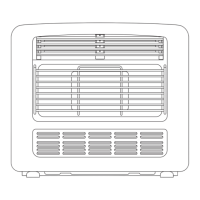
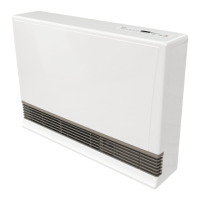
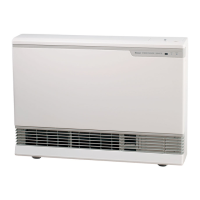
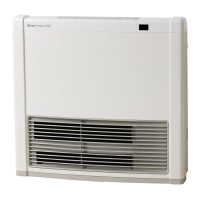
Identifies key external parts and features of the portable gas convection heater.
Details all indicators, buttons, and display elements on the heater's control panel.
Describes the remote's parts, battery, caddy, and usage guidelines.
Explains the ease of starting the heater with a single button press.
Details the safety feature to prevent accidental operation by children.
Describes how the heater stores settings for comfort and convenience.
Explains the feature that warms the room before a set time.
Describes the indicator for filter cleaning needs.
Outlines the convenience of operating the heater from a distance.
Details the programmable timer for different day schedules.
Explains energy-saving features for temperature control.
Covers unpacking, modification, authorized personnel, regulations, and ventilation.
Warns against misuse by children, sitting, sleeping in airflow, or covering.
Advises against painting areas, flammable materials, aerosols, and modifications.
Details correct handling, moving, unplugging, and liquid placement.
Covers power points, flooring heat effects, filter cleaning, and initial odors.
Specifies room size, ventilation, and safe installation locations.
Explains how to use the standby/on button and remote for basic operation.
Guides on setting and modifying the desired room temperature via panel or remote.
Describes continuous gas heating for maintaining set temperature.
Explains gas heating with progressive temperature reduction for economy.
Details gas heating with auto-off and progressive temperature reduction.
Describes combined gas and electric heating for cold rooms.
Explains combined gas/electric heating with economy and temp reduction.
Details combined gas/electric heating with auto-off and economy.
Describes heating solely by electric element to maintain set temperature.
Provides instructions for cycling through and selecting available heater modes.
Guides on setting the current time and day for timer functions.
Step-by-step instructions for setting timer ON/OFF times for weekdays and weekends.
How to activate programmed timers and interpret display indicators.
Details how the pre-heat function ensures room temperature by the timer start time.
Manual override of timer programs to start heating immediately.
Using the remote control when the heater is in standby, on, or override.
Instructions for enabling the child lock to prevent accidental operation.
Instructions for disabling the child lock function.
Explains the function of various safety devices like overheat switch and fuse.
Provides advice on cleaning the heater parts using a damp cloth.
Details how to remove, clean, and replace air filters for optimal performance.
Offers solutions for common problems and advises on regular servicing.
Lists error codes, their probable causes, and recommended comments.
Provides physical dimensions and weight of the heater models.
Lists key technical details like gas control, burner type, and safety devices.
Illustrates the electrical connections within the heater.
Shows the functional blocks and interconnections of the heater's internal systems.
The Rinnai Portable Unflued Gas Convection Heater with Electric Boost is designed to provide efficient and comfortable heating for your home. This appliance combines the power of gas convection with an electric boost function, offering versatile heating options to suit various needs and preferences. It is designed for ease of use, featuring a comprehensive control panel and a remote control for convenient operation.
The primary function of this Rinnai heater is to warm a room using gas convection, with an additional electric boost for enhanced heating when needed. The appliance operates by drawing in cool room air, heating it through a combustion process (gas) and/or an electric element, and then discharging warm air through its louvres. This convection process ensures even heat distribution throughout the room.
The heater offers multiple operating modes to optimize comfort and energy efficiency. These include:
The heater incorporates a "Pre-heat" function that automatically operates the appliance before a programmed start time, ensuring the room reaches the desired temperature by the scheduled time. This intelligent feature senses the room temperature one hour before the programmed ON time and adjusts its operation accordingly.
The Rinnai heater is designed for user-friendly operation, both through its control panel and a remote control.
The control panel features a clear digital display that shows the current room temperature, set room temperature, clock, and various indicators for mode, timer, child lock, and filter status.
The remote control provides convenient operation from a distance.
The Rinnai heater is equipped with several safety devices to ensure safe operation:
Regular maintenance is crucial for the efficient and safe operation of your Rinnai heater.
The heater also has a self-diagnostic system that displays "Error Codes" on the control panel if a fault occurs. These codes assist in diagnosing problems and may help resolve issues without a service call. If an error persists, contact Rinnai Australia or your local agent, quoting the displayed error code.
 General
| Gas Type | Natural Gas or LPG |
|---|---|
| Ignition | Electronic ignition |
| Control | Electronic |
| Safety Features | flame failure device |
| Room Size | Large |
| Features | Timer |





 To Next Page