• Push START/STOP the Hour will flash. Advance the Hour with LAP/RESET
until correct.
When all new settings are done, you must push the MODE button to save.
Your alarm is not set and ON.
ALARM ON / OFF:
To switch your alarm ON or OFF when in [ AL ] mode press LAP/RESET
repeatedly and the alarm signal ( ) will appear or disappear.
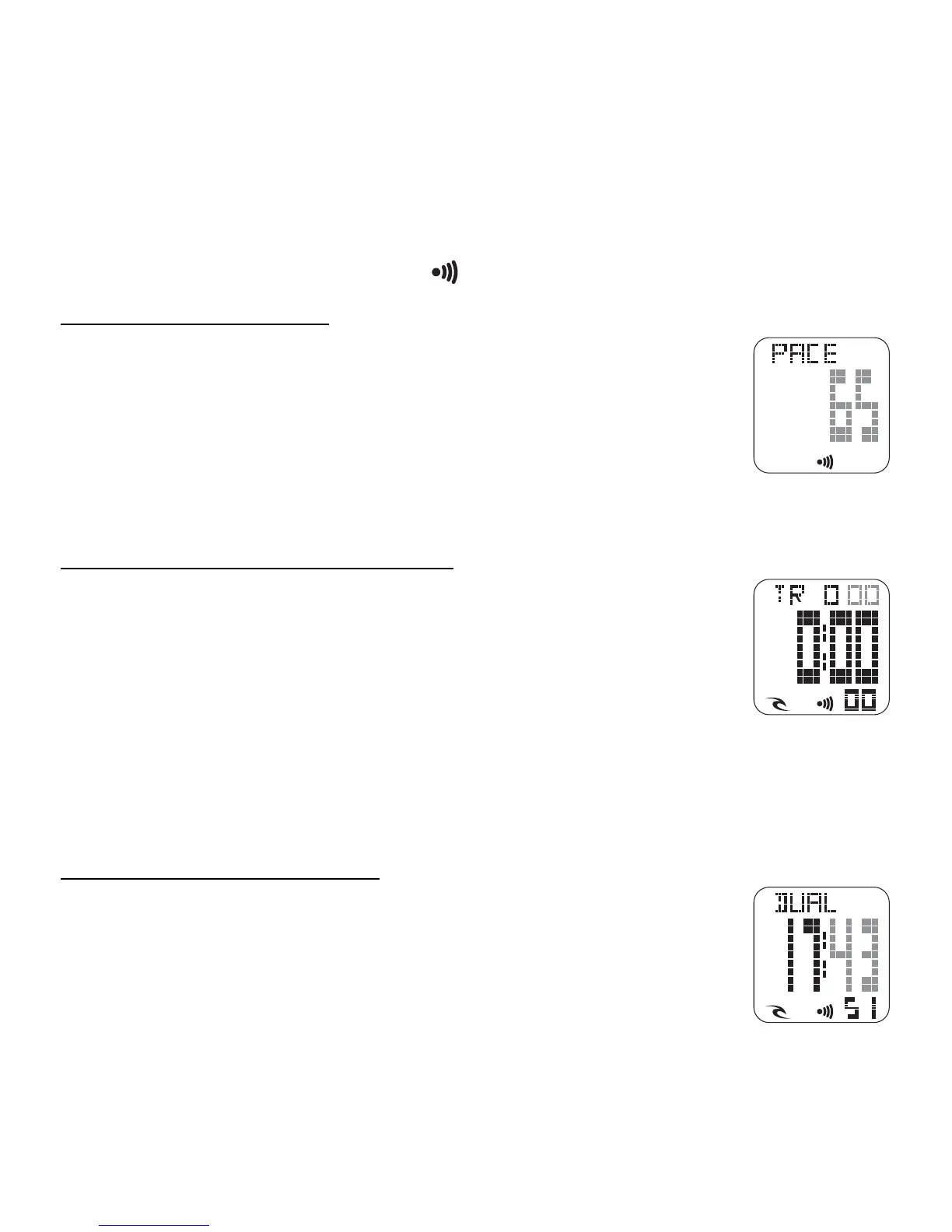
[ PACE ] SETTING PACER:
• From Normal Time mode push the MODE button twice.
[ PACE ] is displayed.
• Press and hold the MODE the BPM number will flash. Advance
beat rate with LAP/RESET until correct. (For quick advance
hold in the START/STOP button)
You must push the MODE button to save
[ TR ] SETTING COUNTDOWN TIMER:
• From Normal Time mode push the MODE button four times.
[ TR ] is displayed.
• Press and hold the MODE, the top minute will flash. Advance
the minute with LAP/RESET until correct. (For quick advance
hold in the LAP/RESET button)
• Push START/STOP the Hour will flash. Advance the Hour with LAP/RESET
until correct.
When all new settings are done, you must push the MODE button to save.
[ DUAL ] SETTING DUAL TIME:
• From Normal Time mode push the MODE button five times.
[ DUAL ] is displayed
• Press and hold the MODE, the Minute will flash. Advance
the Minute with LAP/RESET until correct. (For quick advance
hold in the LAP/RESET button)
• Push START/STOP the Hour will flash. Advance the Hour with LAP/
RESET until correct.
When all new settings are done, you must push the MODE button to
save.
48













 To Next Page