2
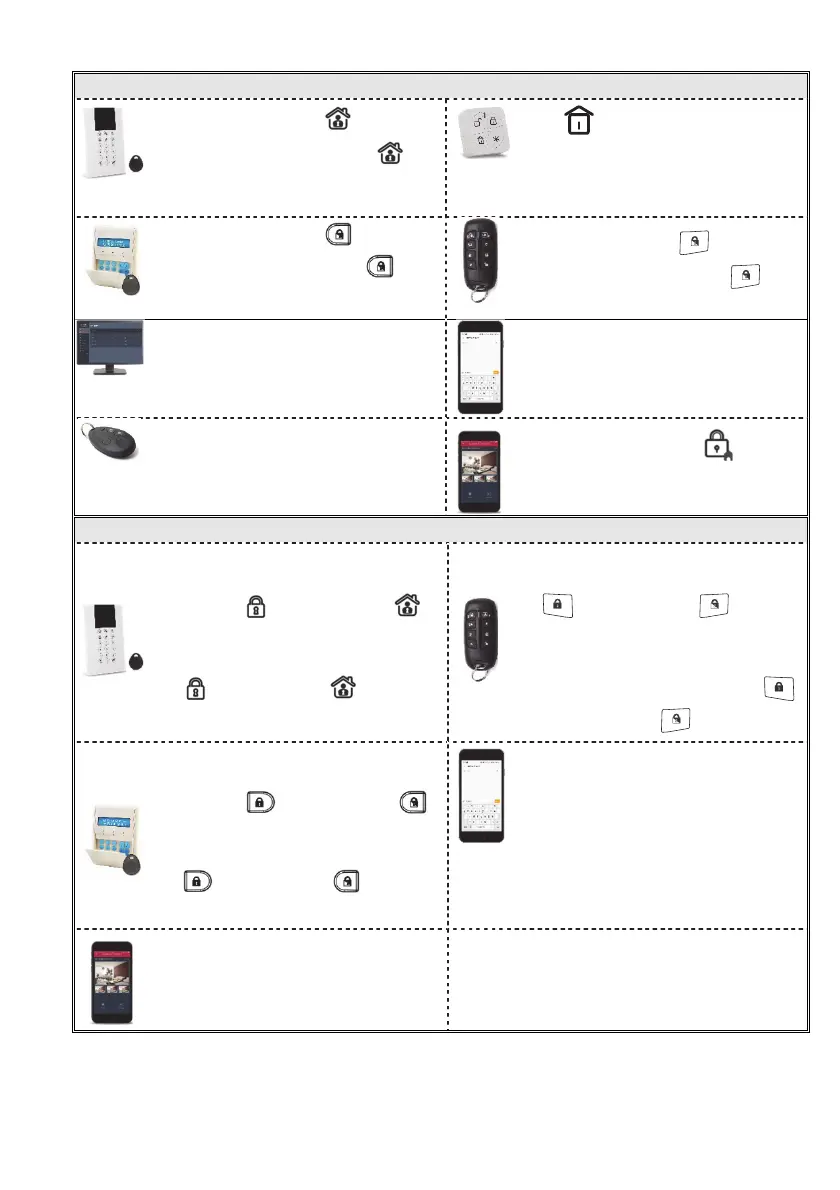
Stay (Home) Arming
Quick mode: Press .
High security mode: Press ,
then enter code or use proximity
tag.
Press
Quick mode: Press .
High security mode: Press ,
then enter code or use proximity tag.
Quick mode: Press .
High security mode: Press ,
then enter code.
[Web application]: Click Part Arm.
[SMS]: Enter code + H
Example: 1234H.
Press
[Smartphone app]: Press .
Partition Arming
Quick mode: Press partition
number (1–3), then press Away
arming ( ) or Stay arming ( ).
High security mode: Press partition
number (1–3), press Away arming (
) or Stay arming ( ), then
enter code or use proximity tag.
High security mode: Press partition
number (1–3), press Away arming
( ) or Stay arming ( ), then
enter code.
Quick mode: Press partition number
(1–3), then press Away arming (
) or Stay arming ( ).
Quick mode: Press partition
number (1–3), then press Away
arming ( ) or Stay arming ( ).
High security mode: Press partition
number (1–3), press Away arming (
) or Stay arming ( ), then
enter code or use proximity tag.
[SMS]: Enter code + A (Away) or H
(Home/Stay). Now enter partition
number (1–3). Example: 1234H3.
Partition arming (Away and Stay) via
Smartphone app.


 To Next Page
 Loading...










