Installation and Programming Manual
3-12
P
P
r
r
o
o
-
-
2
2
4
4
I
I
n
n
s
s
t
t
a
a
l
l
l
l
e
e
r
r
P
P
r
r
o
o
g
g
r
r
a
a
m
m
m
m
i
i
n
n
g
g
M
M
a
a
p
p
(
(
P
P
a
a
g
g
e
e
1
1
o
o
f
f
2
2
)
)
HOME
IMPORTANT
:
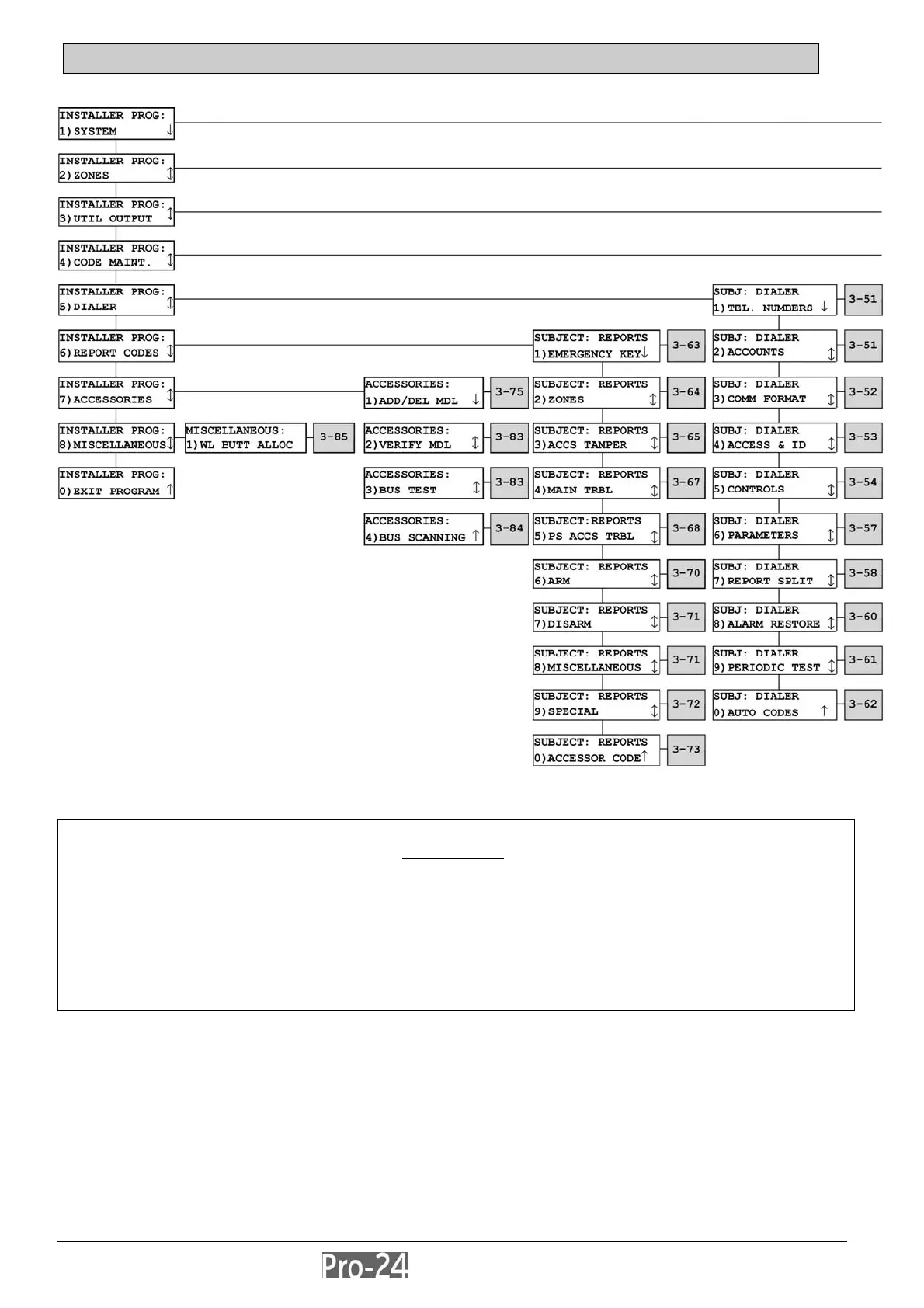
1. The shaded boxes refer to pages where more information about the topic can be found.
2. Confirm all programmed selections by pressing the [ENTER] key before going on to the next item.
3. To return to the “HOME” column, press the [.] key, as required, until any one of the categories in
the “HOME” column appears in the display.



 To Next Page