26 ProSYS Installation and Programming Manual
Connecting to Ground (Earth)
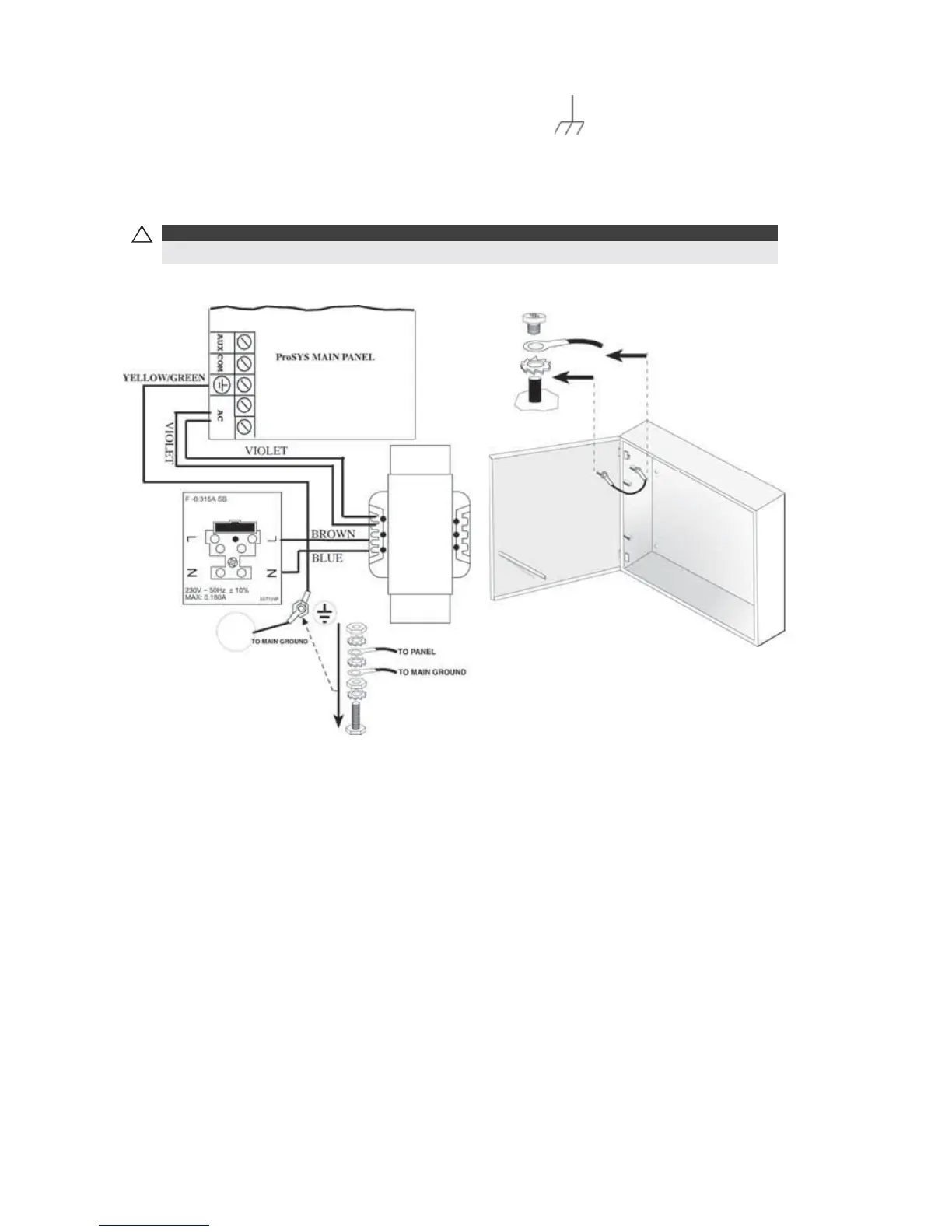
To connect to ground (earth):
Connect the metal box and the door of the metal box to mains earth (ground), as shown in
the diagrams on the following page. Refer also to What Makes a Good Ground?, page 17.
!
IMPORTANT:
Connecting to ground must be performed according to the local National Electrical Code.
Figure 9: Grounding the Metal Box Figure 10: Grounding the Metal Box
Door
Connecting Telephone Lines
These lines are typically derived from an installed RJ31X jack.
To connect telephone lines:
1 Connect the incoming telephone line to the Main Panel's LINE terminals.
2 Connect any telephone on the premises to the SET terminals.



 To Next Page