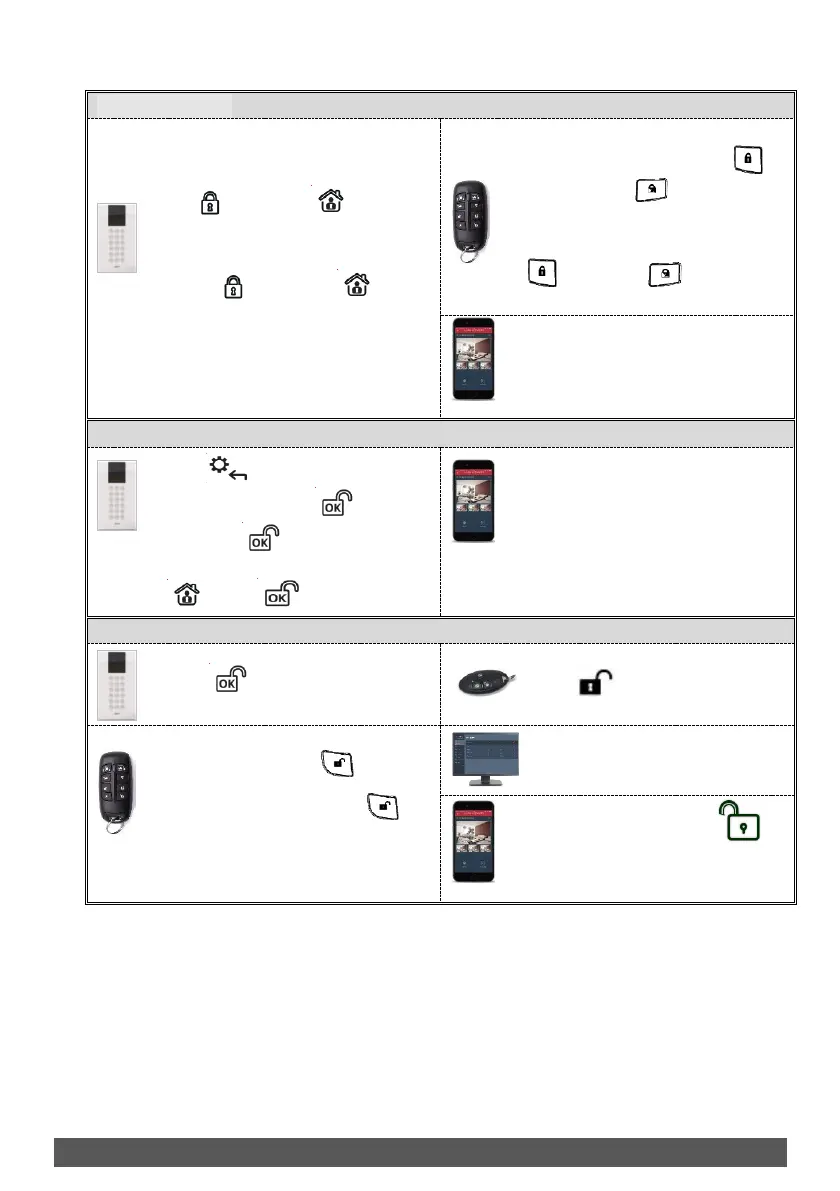
❖ Quick mode: Press partition
number (1–3), then press Full Set
( ) or Part Set ( ).
❖ High security mode: Press
partition number (1–3), press Full
Set ( ) or Part Set ( ), then
enter code or use proximity tag.
❖ Quick mode: Press partition number
(1–3), then press Full setting ( )
or Part setting ( ).
❖ High security mode: Press partition
number (1–3), press Away setting
( ) or Part set ( ), then enter
code.
[Smartphone app]: Partition setting
(Full and Part) via Smartphone app.
[SMS]: Code +S or P + Partition No.
Example: 1234S1
Press and enter code > At
Activities menu press > at Omit
Zone press > Scroll to zone to
omit > For each zone define Y/N using
> Press to save
[Smartphone app]: Quick zone omit
via Smartphone app.
[SMS]: Enter Code + OM + Zone
number
Example: 1234OM1
Press then enter code or use
proximity tag.
❖ Quick mode: Press .
❖ High security mode: Press ,
then enter code.
Web Application]: Enter user
code, then click Unset.
[Smartphone app]: Press .
[SMS]: Enter code + US
Example: 1234US


 To Next Page