3.1. Password Protection
Password protection can be enabled to prevent unauthorised access to set-up screens, by default
password is “0000”.
Password protection is enabled by selecting any four digit number.
3. Programming
The following sections comprise step by step procedures for conguring the instrument for
individual user requirements.
To access the set-up screens touch on the “ SETUP ” icon in Main Menu. This will take the
User into the Password Protection Entry Stage(Section 3.1).
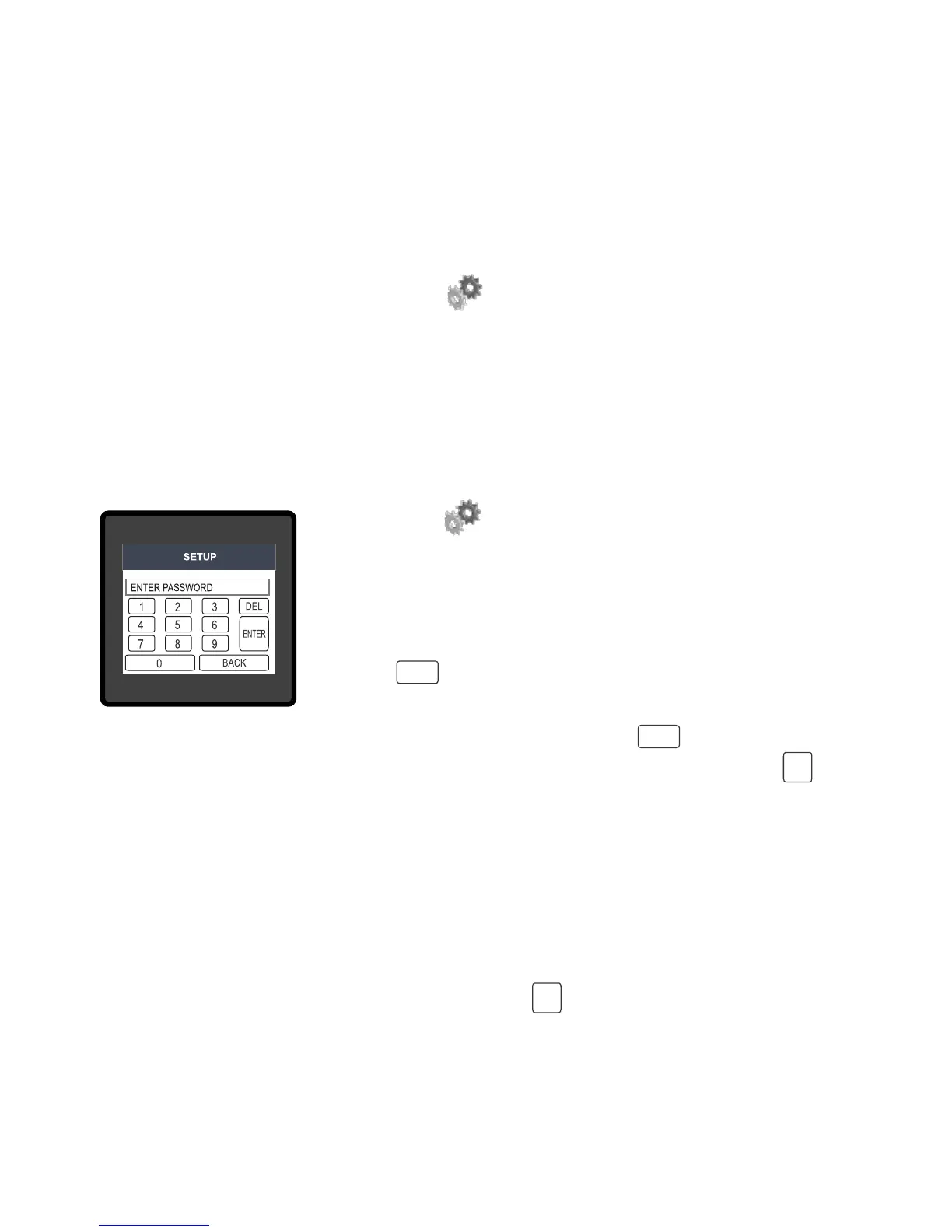
After touching “ SETUP” icon Password protection screen is
displayed. Screen consists of 0 to 9 digit input keypad for entering
the password very similar to any calculator in touchscreen mobile.
“Enter Password” is displayed on screen at start so that user can enter
password using displayed keypad.
Touching “ key” will display 1 in display area, similarly user can
enter remaining 3 digits.
For deleting any digit while entering password, user can touch
“ key”.
DEL
ENTER
ENTER
1
After entering the complete password user needs to conrm password by touching “ key’’.
If Entered password is correct then “Password Accepted” is displayed on screen & user will on
screen & user will enter into setup menu.
Password conrmed.
If Entered password is wrong then “Password Rejected” is displayed on screen & user need to
re-enter the password
Password Incorrect.
After wrong password is entered, user needs to touch “ key ” for trying another password.
9


 To Next Page