The “Maximum Power” restriction of 666.6 MVA refers to 120% of nominal current and
120% of nominal voltage, i.e, 462.96 MVA nominal power per phase.
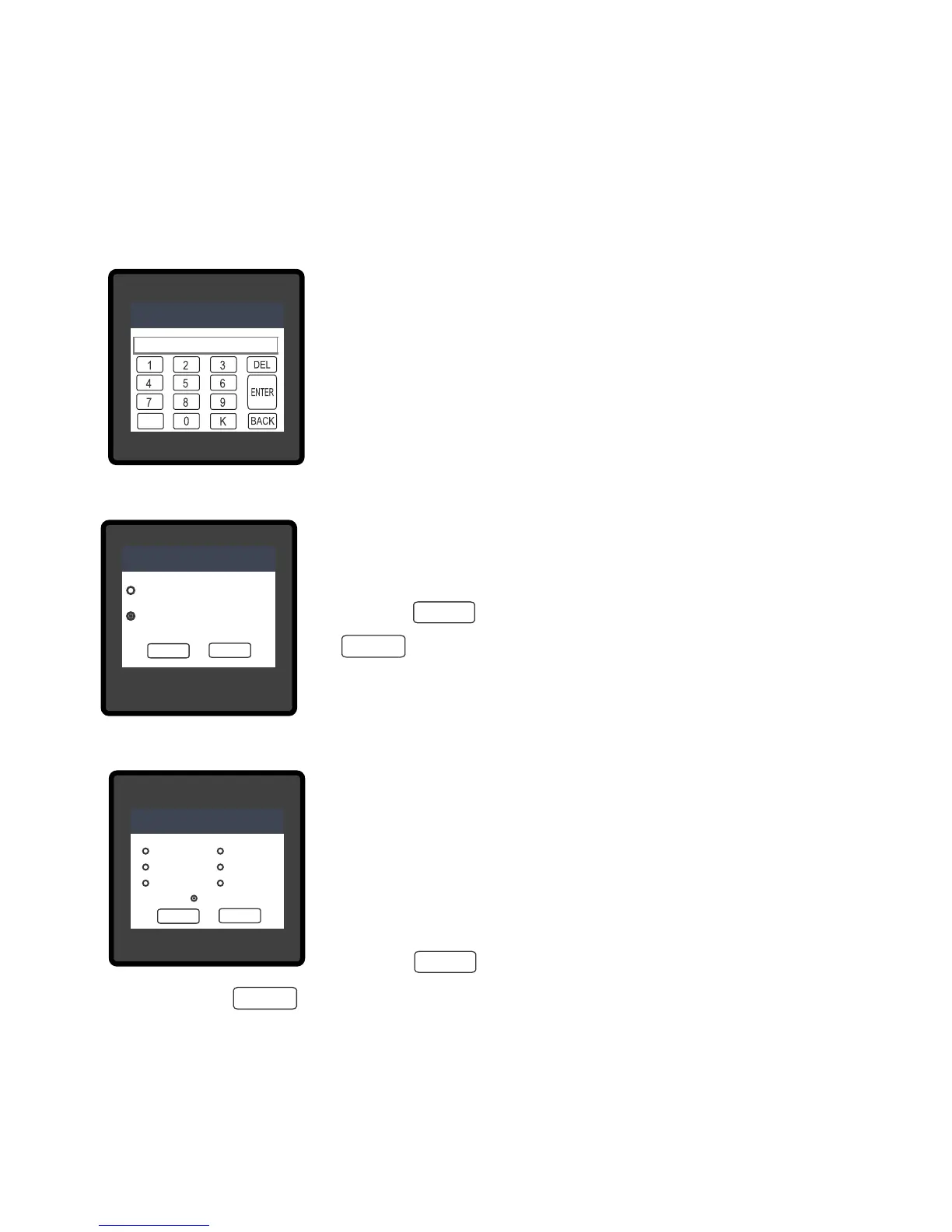
Valid range of CT primary setting value is from 1 to 9999. If
value outside the range is entered, It will display “INVALID VALUE”
followed by correct range of parameter.
INVALID VALUE
CT PRIMARY
3.2.1.4 Current Transformer Secondary Value
This screen is used to set the secondary value for Current Transformer.
Touching radio button in front of particular option will select that option.
Two options: 1 AMPERE & 5 AMPERE are displayed on screen.
Touch on “ key” will conrm the setting. Touching the
“ key” will keep the old selected setting and will return
to previous menu.
OK
OK
BACK
LINE-NEUTRAL VOLTAGE
VL2
VL2VL2
V
VVV
0.000
0.000
LINE-NEUTRAL VOLTAGE
VL2
VL2VL2
V
VVV
0.000
0.000
LINE-NEUTRAL VOLTAGE
VL2
VL2VL2
V
VVV
0.000
0.000
CT SECONDARY
5 AMPERE
1 AMPERE
LINE-NEUTRAL VOLTAGE
VL2
VL2VL2
V
VVV
0.000
0.000
LINE-NEUTRAL VOLTAGE
VL2
VL2VL2
V
VVV
0.000
0.000
CT SECONDARY
1 AMPERE
5 AMPERE
OK
BACK
LINE-NEUTRAL VOLTAGE
VL2
VL2
VL2
VV
V
V
0.000
0.000
LINE-NEUTRAL VOLTAGE
VL2
VL2
VL2
VV
V
V
0.000
0.000
LINE-NEUTRAL VOLTAGE
VL2
VL2
VL2
VV
V
V
0.000
0.000
CT SECONDARY
1 AMPERE
LINE-NEUTRAL VOLTAGE
VL2
VL2
VL2
VV
V
V
0.000
0.000
LINE-NEUTRAL VOLTAGE
VL2
VL2
VL2
VV
V
V
0.000
0.000
LINE-NEUTRAL VOLTAGE
VL2
VL2
VL2
VV
V
V
0.000
0.000
AUTO - SCROLL
ALL
VOLTAGE
POWER
NONE
SYSTEM
CURRENT
ENERGY
OK
BACK
OK
OK
BACK
3.2.1.5 Auto Scrolling
This screen allows user to enable screen scrolling. Seven options :
POWER, ENERGY & NONE are displayed on screen. Touching radio
ALL, SYSTEM, VOLTAGE, CURRENT
button in front of particular option will select that option. Selecting
Touch on “ key” will conrm the setting.
particular option means, only screens which are under that submenu
will be scrolled automatically. Selecting NONE will disable Auto-Scroll.
Touching the “ key” will keep the old selected setting and will return to previous menu.
13


 To Next Page