3.2.4.2 Relay 2 Output Selection
Conguration of Relay 2 for Pulse or Limit Output is same as Relay 1. If you Select the
Pulse output option for Relay 1 same setting will be applicable for Relay 2 except
assignment of energy to Pulse output (i.e. Energy assignment of both relay can be different.)
3.2.4.3 Parameter setting for Analog Output 1 ( Optional )
This option allows the user to set analog output 1 to corresponding measured parameter. A
simple touch on “ANALOG-1”row will open screen having list of parameters.( Refer table2
for Analog Parameter”)
Touch on “ key” will conrm the setting.
Touching the “ key” will keep the old selected setting and will return to previous menu.
BACK
OK
OK
Touch on “ key” will conrm the setting.
Touching the “ key” will keep the old selected setting and will return to previous menu.
3.2.4.4 Parameter setting for Analog Output 2 ( Optional )
This option allows the user to set analog output 2 to corresponding measured parameter. A
simple touch on “ANALOG-2”row will open screen having list of parameters.( Refer table2
for Analog Parameter)
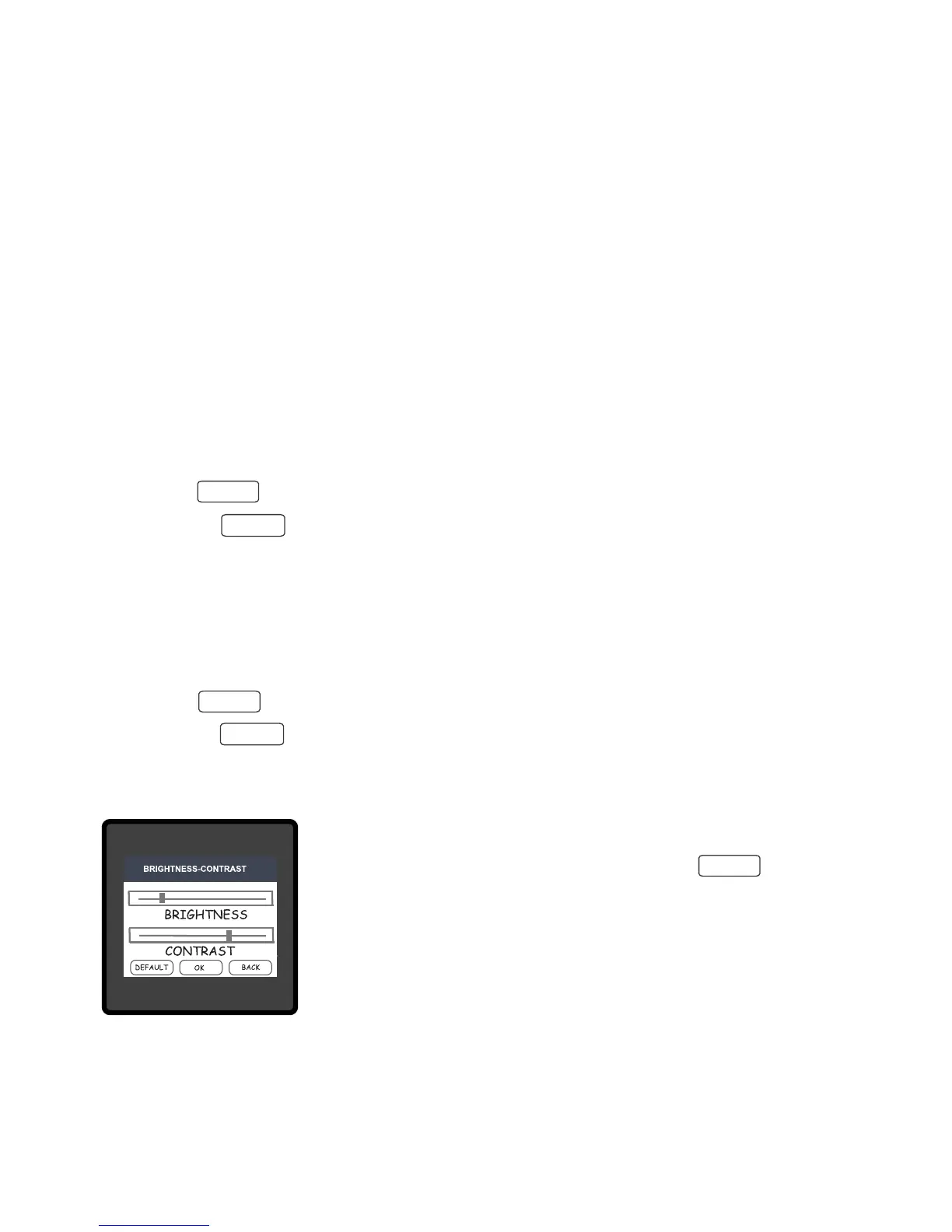
3.2.5 Brightness & Contrast
The brightness & contrast of the TFT LCD screen can be varied by
Touching the DEFAULT key will set brightness and contrast as per
factory settings. Touching the BACK key will move back to the
setup menu without making any changes.
the user by sliding the sliders. Touching the “ key” will
conrm the current brightness contrast setting.
BACK
OK
OK
OK
OK
20


 To Next Page