V1.1 2018-10-9
www.risinghf.com
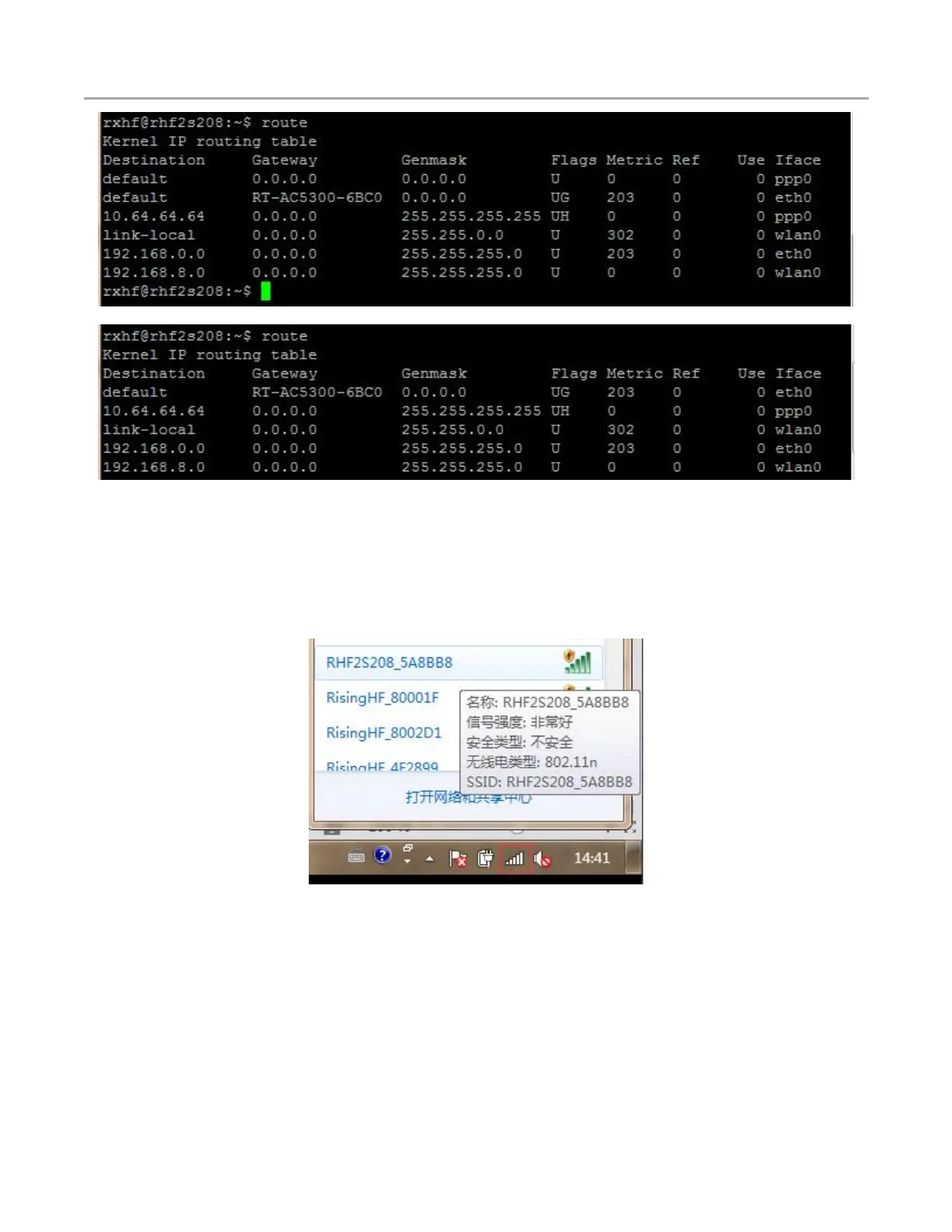
Figure 6-2 Default route priority
Figure 6-3 Route priority changed
Please use your PC to scan the SSID RHF2S208_xxxxxx and connect to this WiFi device. The
password is risinghfxxxxxx. The last 6 characters are same for both SSID and the password, which are
the last 3 bytes of the MAC address. Then you can use 192.168.8.1 to access into the gateway on the
web-based utility.
Figure 6-4 Scan WiFi SSID of RHF2S208


 To Next Page