V1.1 2018-10-9
www.risinghf.com
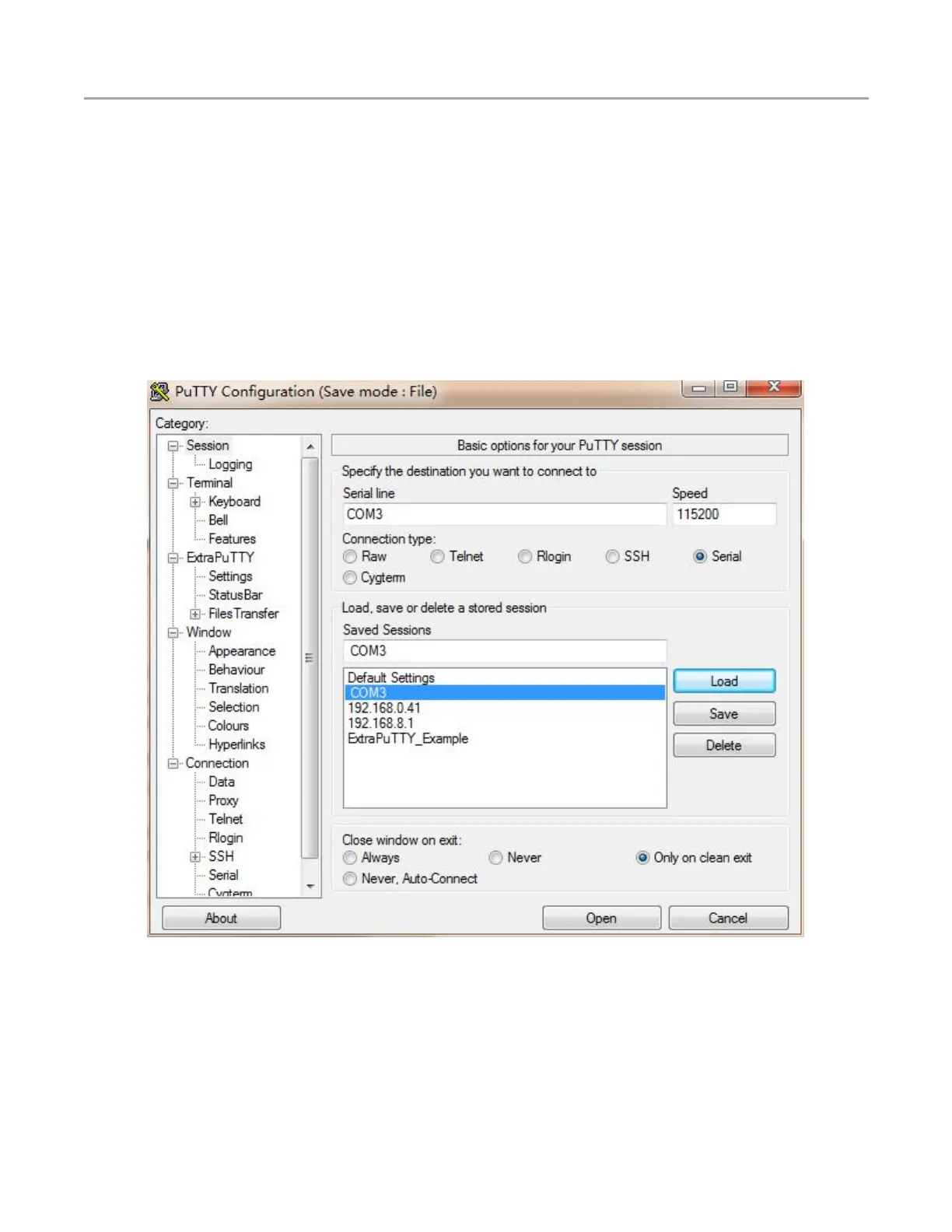
Please use ExtraPutty to access into your gateway and debug and configure it.
2.3 Log into your gateway
You can log into your gateway with UART, DHCP or WiFi.
Default account information :
User: rxhf
Password: risinghf
2.3.1 Login with COM port
Before connecting your gateway to the PC, please install FTDI USB to UART driver. Connect your
gateway to PC with a type A female to type A female USB cable and you will find a COM port. Open the
Etraputty and select “Serial” connection type with COM3 port for example and baudrate=115200.
Figure 2-3 Login with COM port
Then input user name “rxhf” and password “risinghf” to log into the system.


 To Next Page