32
4
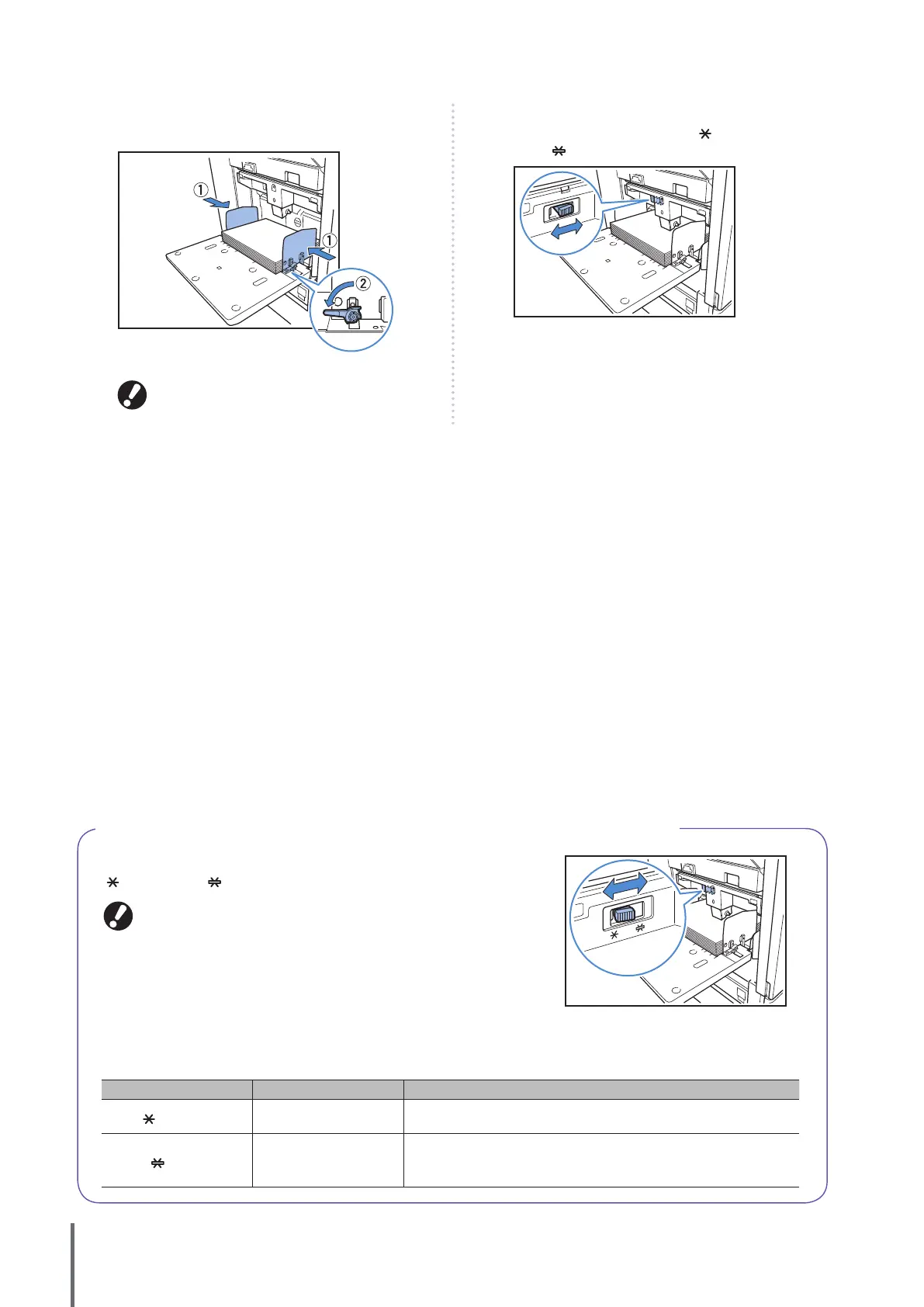
Move the guides against the edges of the paper, and
push the lever to lock.
The machine detects the paper size at the positions
of the guides. Move the guides against the edges of
the paper, and push the lever to lock.
5
Set the paper feed pressure adjustment lever.
Normally, keep this lever position to (NORMAL) unless you
set it to (CARD) for envelopes and similar paper.
6
On the operation panel, check the tray settings.
When you have switched to a dierent type or size of paper,
update the feed tray settings. For details, see “Feed Tray” (p.50).
About the Paper Feed Pressure for the Standard Tray (High Capacity Feeder)
You can use the paper feed pressure adjustment lever to adjust the paper
feed pressure to suit the paper that you have set. The lever can be set to
“
(NORMAL)” or “ (CARD)” in accordance with the paper texture.
When you change the position of the paper feed pressure adjustment lever,
also change [Feed ctrl.] in [Details] of the operation panel’s [Feed Tray]. (See
p.50.)
zThe Feed Tray
Paper Feed Pressure Adjustment Lever and Paper
The supported paper textures are as follows.
Lever Position Paper Texture Supported Printing Paper
(NORMAL)
Standard or thin paper
• Plain paper, recycled paper
• High-quality paper
• Commercially available copy paper,
and similar media
(CARD)
Thick paper or special
paper
• Drawing paper
• Postcards
• Envelopes
If the machine’s paper feeding is poor, set the lever position to [NORMAL].
ComColor Series Basic Guide 06









 To Next Page