69
How to Use Useful Functions >> Printing Function Operations
3
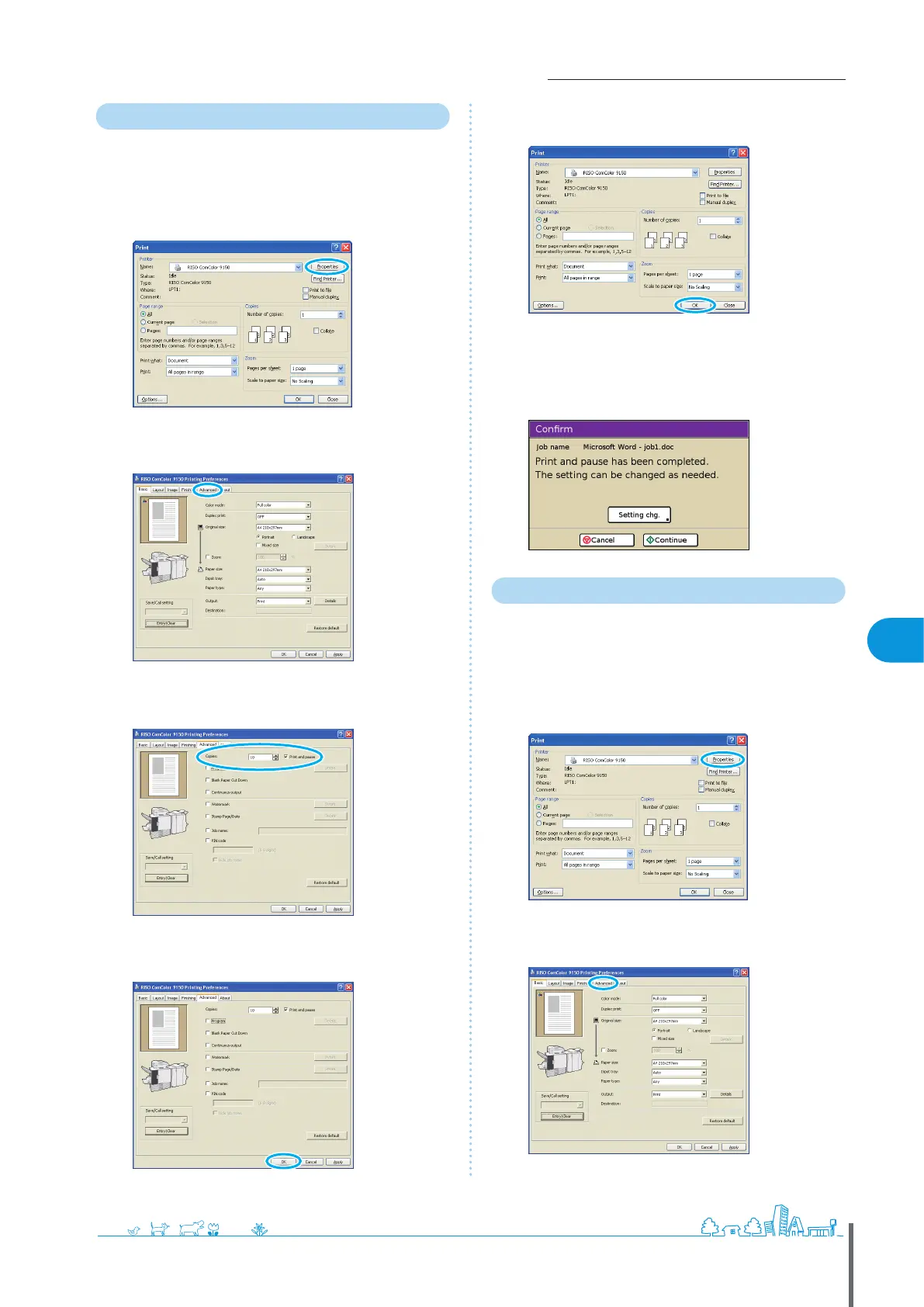
Printing with Print and Pause
Before high-volume printing, you can print just one copy
of a job to conrm that the nish and settings are correct.
1
Click [Properties] (or [Preferences]) in the printing
dialog box of the source application.
2
Click the [Advanced] tab.
3
Select [Print and pause] and enter the number of
copies.
4
After input is nished, click [OK].
Complete other settings as needed.
5
In the printing dialog box, click [OK] (or [Print]).
After data is received by the machine and one copy is
printed, the machine will stop printing.
6
Check how the job was printed. To continue, use the
controls on the touch panel.
Printing with PIN Codes
Assigning PIN codes to print jobs enables privacy when
printing the jobs. After you have sent the print job to the
machine from a computer, you can simply enter the PIN
code on the touch panel to print the job.
1
Click [Properties] (or [Preferences]) in the printing
dialog box of the source application.
2
Click the [Advanced] tab.
ComColor Series Basic Guide 06









 To Next Page