75
How to Use Useful Functions >> Printing Function Operations
3
5
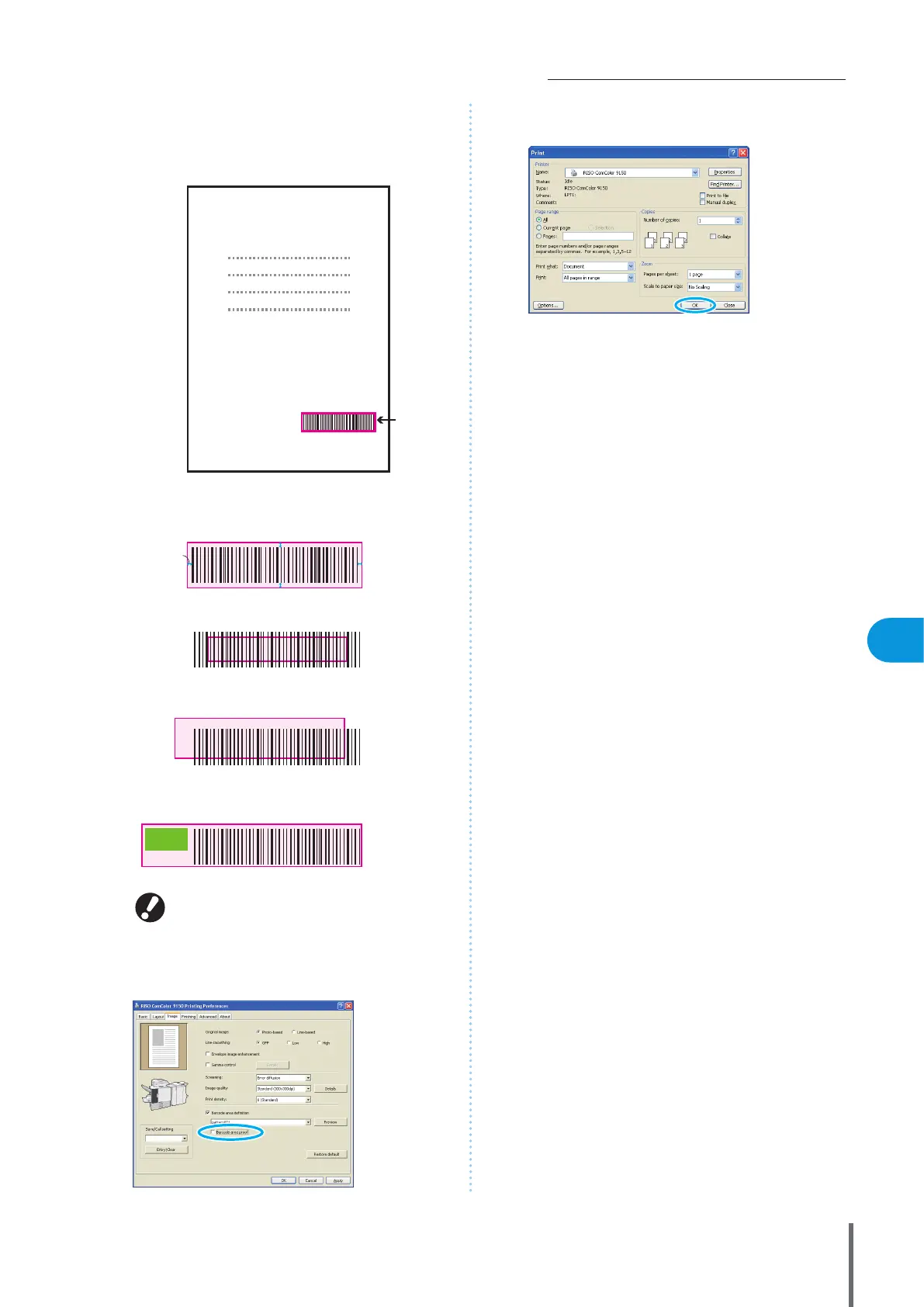
Check that the specied area is properly located.
Check that the barcode and shaded parts are properly
located, and that no letters or illustrations are within 1 mm
(0.04”) of the lines.
Request for Toner
Collection
z RISO KAGAKU CORPORATION
Specied
barcode
area
(shaded
part)
z Surround the barcode with a margin of around 1 mm
(0.04”) or more
zDo not surround an area smaller than the barcode
z Do not surround an area which is not aligned with
the barcode
zDo not include another object with the barcode
Content other than the black lines included in the area
will be printed out white (disappear).
Correct Specication
OK
NO
NO
NO
1 mm
(0.04”)
To change the specied barcode area, specify one
again. (p.101)
6
Uncheck [Barcode area proof], and click [OK].
7
Click [OK] (or [Print]) on the print screen.
ComColor Series Basic Guide 06


 To Next Page
 Loading...






