83
How to Use Useful Functions >> Job Operations
3
Specifying Paper Settings
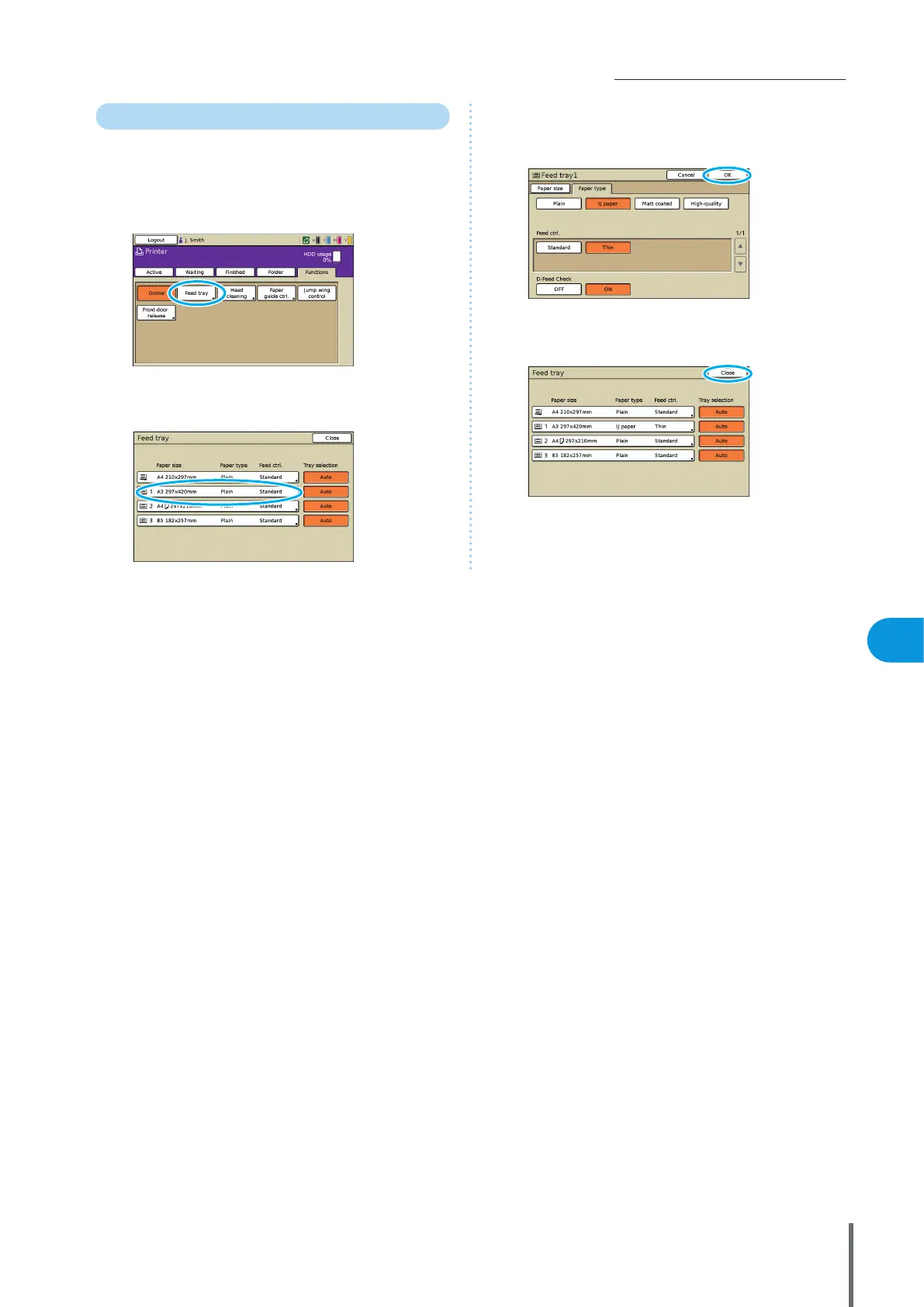
Change feed tray settings as follows.
1
On the [Functions] screen, press [Feed tray].
2
Press the button of the tray for settings adjustment.
3
Change the settings in [Paper size] and [Paper type]
as needed, and then press [OK].
For details, see “Feed tray” (p.50).
4
Press [Close].
ComColor Series Basic Guide 06



 To Next Page