PROGRAMMING THE RADIO
-----------------------------------------------------------------------------------------
---------------------------------------------------------------------------------------------------------------
Ritron RCCR Clean Cab User Manual 18
Print Home Channel Data
You can print out a pre-formatted list of all Home Channels contained in the radio programming or in a
Radi
o Definition File. This list will detail the custom programming of all Home Channels available on
the radio.
To print a list of all Home Channel programming:
1. Read the radio or open a Radio Definition File.
2. From
the F
ile menu, select the Print Home Channel Data menu item.
3. The
Print dialog box will appear. The default printer as defined in the Windows printer set-up of
your computer will be automatically sele
cted.
4.
The report will always detail the radio’s programming as it appears on the Home Channels
list. To
be sure the report reflects the actual radio’s programming, be sure to R
ead Radio or Program
Radio just
before printing the report.
Read Radio
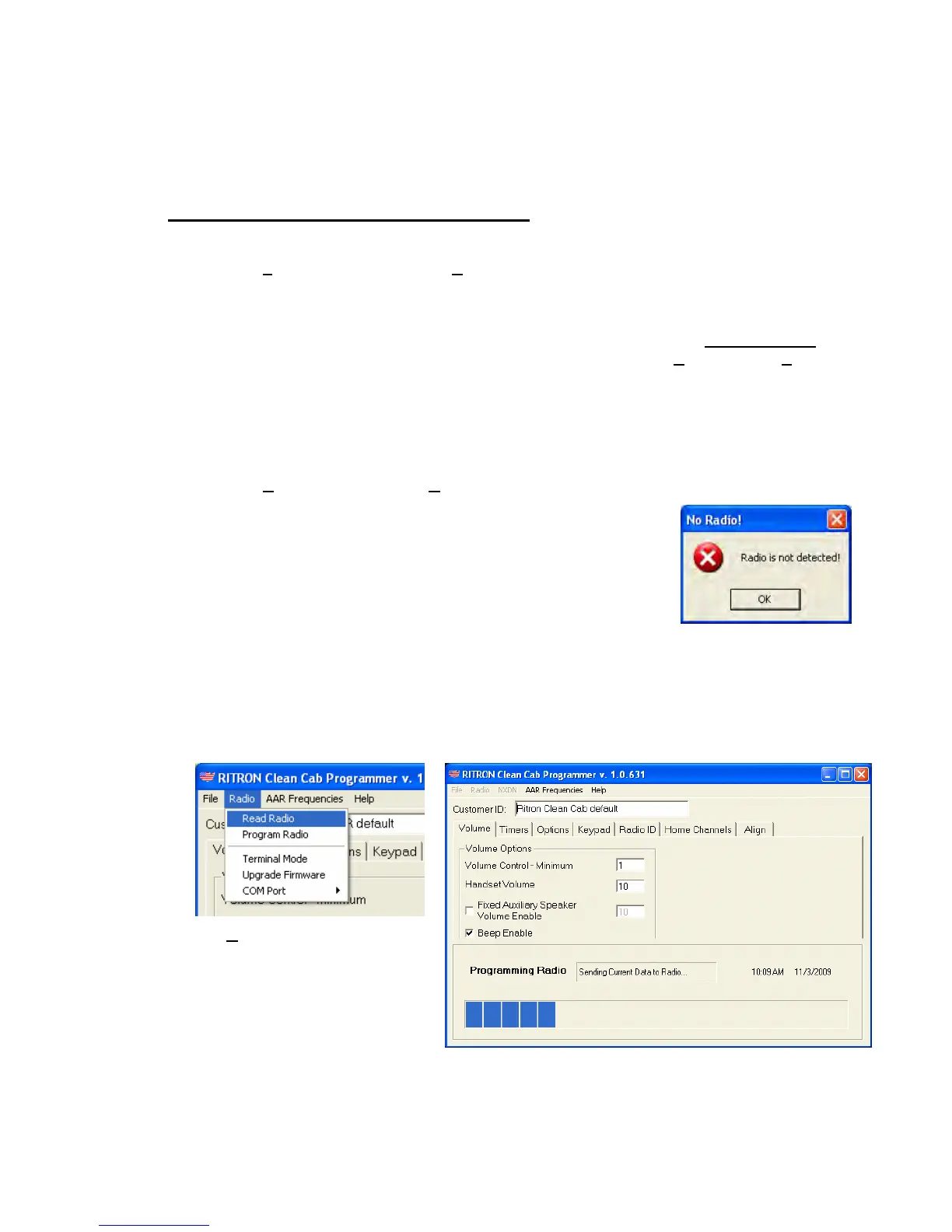
1. With the PC/Radio cable assembly connected to the computer and the radio, turn the radio on.
2. From the R
adio menu, select the Read Radio menu item.
3.
The programmer will “ping” the radio to establish
comm
unications. If the programmer do
es not see a radio the
No Ra
dio! message box will appear. Be sure the ca
ble is
con
nected, the correct COM Port is selected and the radio is o
The
n.
4.
programmer will read the radio and fill all screens
with the
5. ” to indi
cate it has re-started to normal operating mode after the radio’s
6. mation on the various screens.
radio’s programmed information. A communications status box
will app
ear at the bottom of the screen while the programmer is
readi
ng the radio.
The ra
dio will “beep
“No Radio!” Message Box
programming has been read.
Revie
w the programming infor
Radio Pull-down Menu
Communications Status Box


 To Next Page