OPERATING THE RADIO
-----------------------------------------------------------------------------------------
---------------------------------------------------------------------------------------------------------------
Ritron RCCR Clean Cab User Manual 7
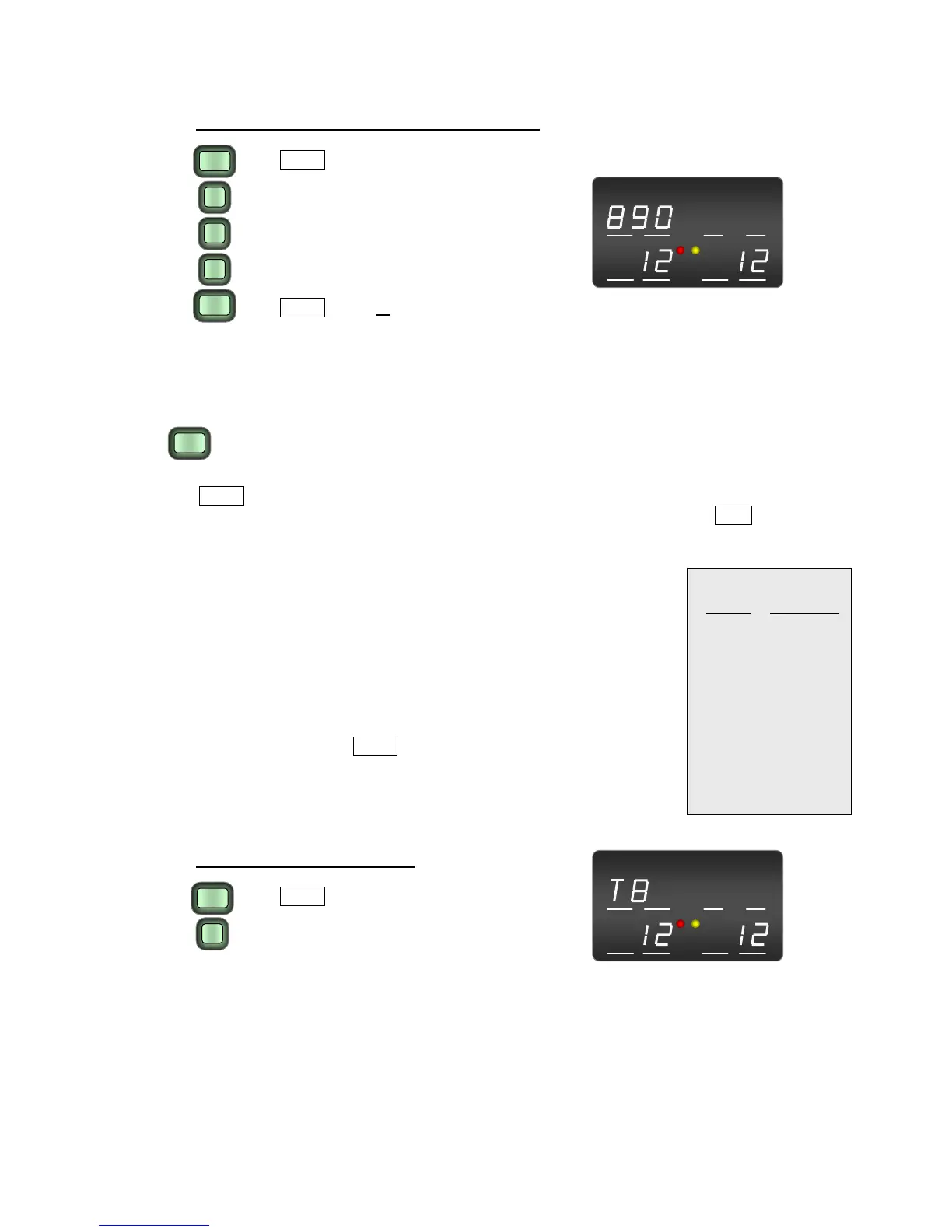
To enter a DTMF Sequence for dispatch press:
9
0
DTMF
DTMF
8
1. DTMF button
T/D HOME
TX RX
TX RX
2. Digit 1 of the DTMF sequence
3.
Digit 2 of the DTMF sequence (if desired)
4.
Digit 3 of the DTMF sequence (if desired)
5.
DTMF button or
wait 2 seconds Resulting Display
(if less than 3 digits are entered)
Single-Tone
TONE
The TONE Button is used in conjunction with the numeric keypad to send one of 9 different AAR
single-tones. Once entered, the tone can be transmitted by simply pressing the DISP dispatch button.
AAR single-tones are heard on the front-panel speaker whenever they are being transmitted.
6 2200
7 2400
8 2600
9 2800
5 1900
4 1800
3 1748
2 1478
AAR Single-Tones
Button
Tone (Hz)
1 900
•
The AAR single-tone will be transmitted when entered.
• The AAR single-tone entered will be preceded by a “T”,
appearing in the upper left side of the display in the area
desi
gnated “―T/D―
”.
• Keypad buttons 0, * and # are not valid single-tone entries.
• The AAR single-tone will be retained when the Channel is
changed.
• TONE Disable can be set using the RCCR Programmer to
prevent use of the TONE button to enter or send an AAR single-
tone. This will not prevent the DISP button from transmitting any
AAR singl
e-tone that has been programm
ed into a HOME
channel.
To enter a Single-Tone press:
T/D HOME
TX RX
TX RX
8
TONE
1. TONE button
2. Desired Single-Tone
Radio will transmit the Single-Tone
Resul
ting Display


 To Next Page