33
I 1 Operation of CMC-TC master by browser
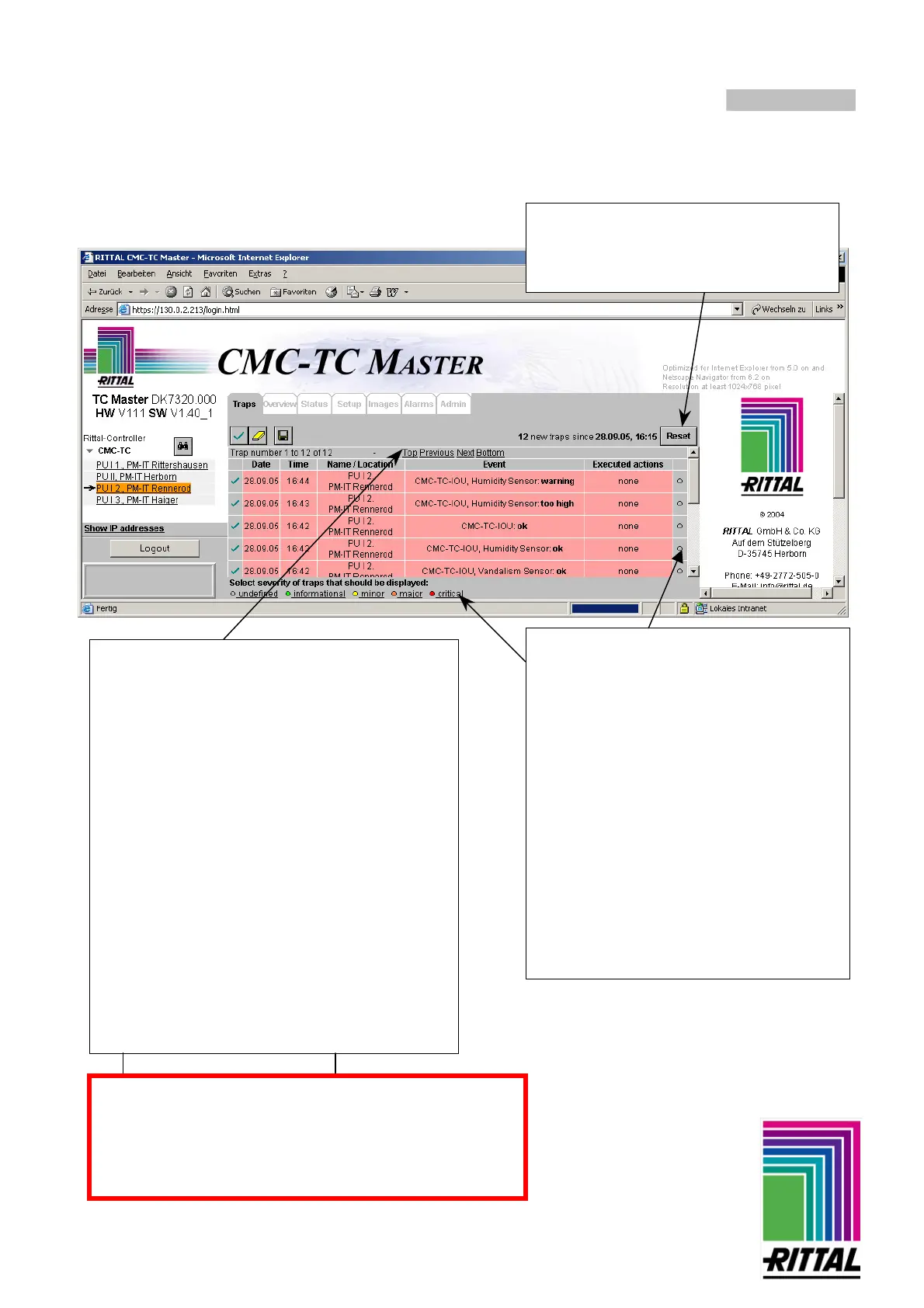
Tab – Trap
Setting severity of a trap message
In each case
are displayed.
Buttons with which you can scroll to the other not
displayed traps are located above and below the
displayed traps if more than 20 traps are present.
Function buttons
(from left to right)
:
- Trap acknowledge button – acknowledges all
trap messages highlighted red (not confirmed)
The invisible traps are also acknowledged with
this button. Alternative: Individual trap
acknowledgement by button on side
- Trap delete button – deletes all (even the not
visible) acknowledged trap entries in the trap
list. Alternative: Individual trap deletion by
button on side.
Note: The trap must be acknowledged first before it can
be deleted. In this way unintentional deletion is prevented.
-
Trap save button – saves the entries of the
trap list as text format. Memory location on the
access computer and file name can be selected
freely. File extension must be .txt.
In this window the user has selected by
clicking on the "critical" button that only the
critical traps, which are marked red, are
displayed.
- You see the selection in the legend below
from the gray texts of the individual
severities that are no longer displayed.
- It is also an indication that other may still
exist which are not displayed at present. To
display all the traps, you must now again
select the lowest severity (undefined).
- The selection of the trap messages
refers only to the logged-in users and
only for the duration of the session.
Other users can make their own settings.
Saving of traps: important note
A maximum of 2000 traps will be saved.
By trying to save more than 2000 traps at once, the oldest
traps will be deleted and only the newest 2000 ones are
being kept.
It is possible to reset the counter of the
traps to 0 again and to current time via the
Reset button. The display of the traps
remains unaffected.



 To Next Page