44
I 1 Operation of CMC-TC master by browser
Tab – Setup
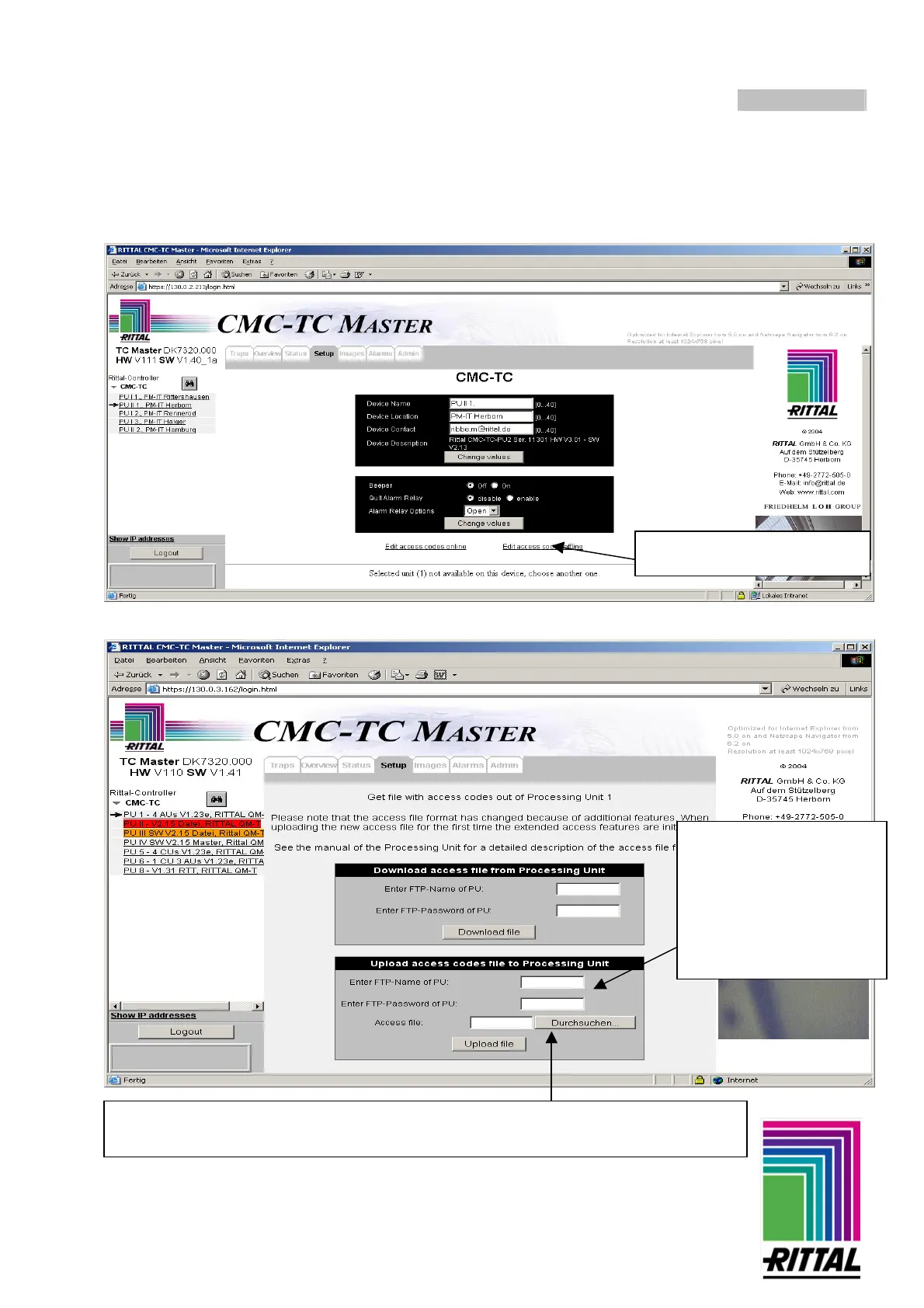
Changing access codes of the selected PU offline (initial startup)
Search for the file “accesscodes.txt” on your computer. Mark the file and click on Open.
Now click on the link “Edit
TC master and click on the "Setup" tab.
Enter the FTP name and
password for the PU:
(factory setting for PU II:
FTP Name: “admin”
FTP Password: “admin”
For PU I:
FTP Name: “cmc”
FTP Password: “cmc”)
Click on "Browse" and select the created text file. Click on the "Upload file" button to
upload the file to the master.



 To Next Page