45
I 1 Operation of CMC-TC master by browser
Tab – Setup
Changing access codes of the selected PU offline
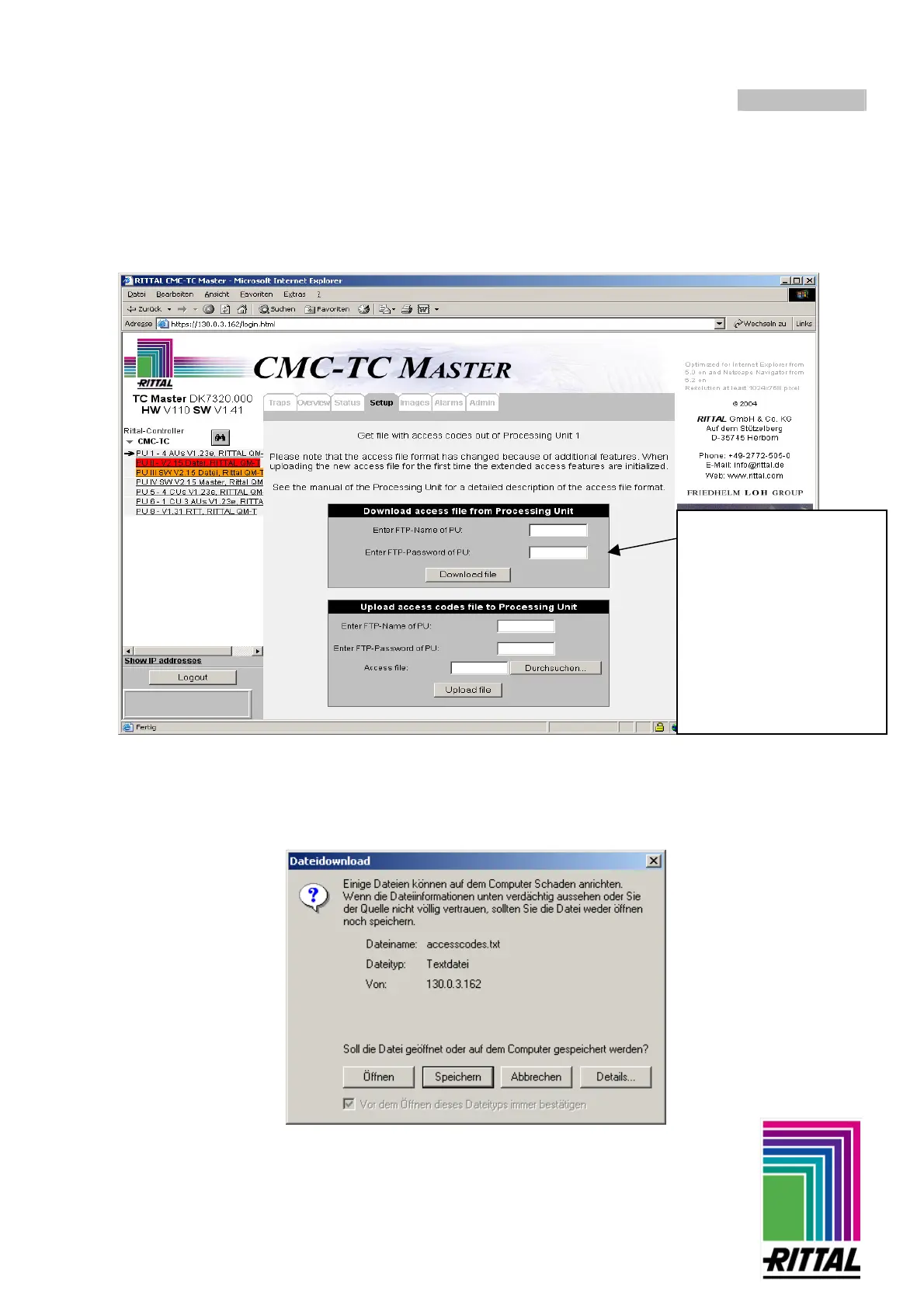
If the access codes are entered on the PU, select the PU on which the codes are to be changed. The next steps
describe how to download the access codes.
A new window is displayed, in which you must click on "Save" and then select a corresponding location. After
the file has been downloaded, it can be opened and edited with the text editor of your operating system. When
you are finished, save the text file and upload it once more as described on page 44.
Enter the FTP name and
password for the PU:
(factory setting for PU II:
FTP Name: “admin”
FTP Password: “admin”
For PU I:
FTP Name: “cmc”
FTP Password: “cmc”)
Then confirm with
“Download file”.



 To Next Page