52
I 1 Operation of CMC-TC master by browser
Tab – Admin
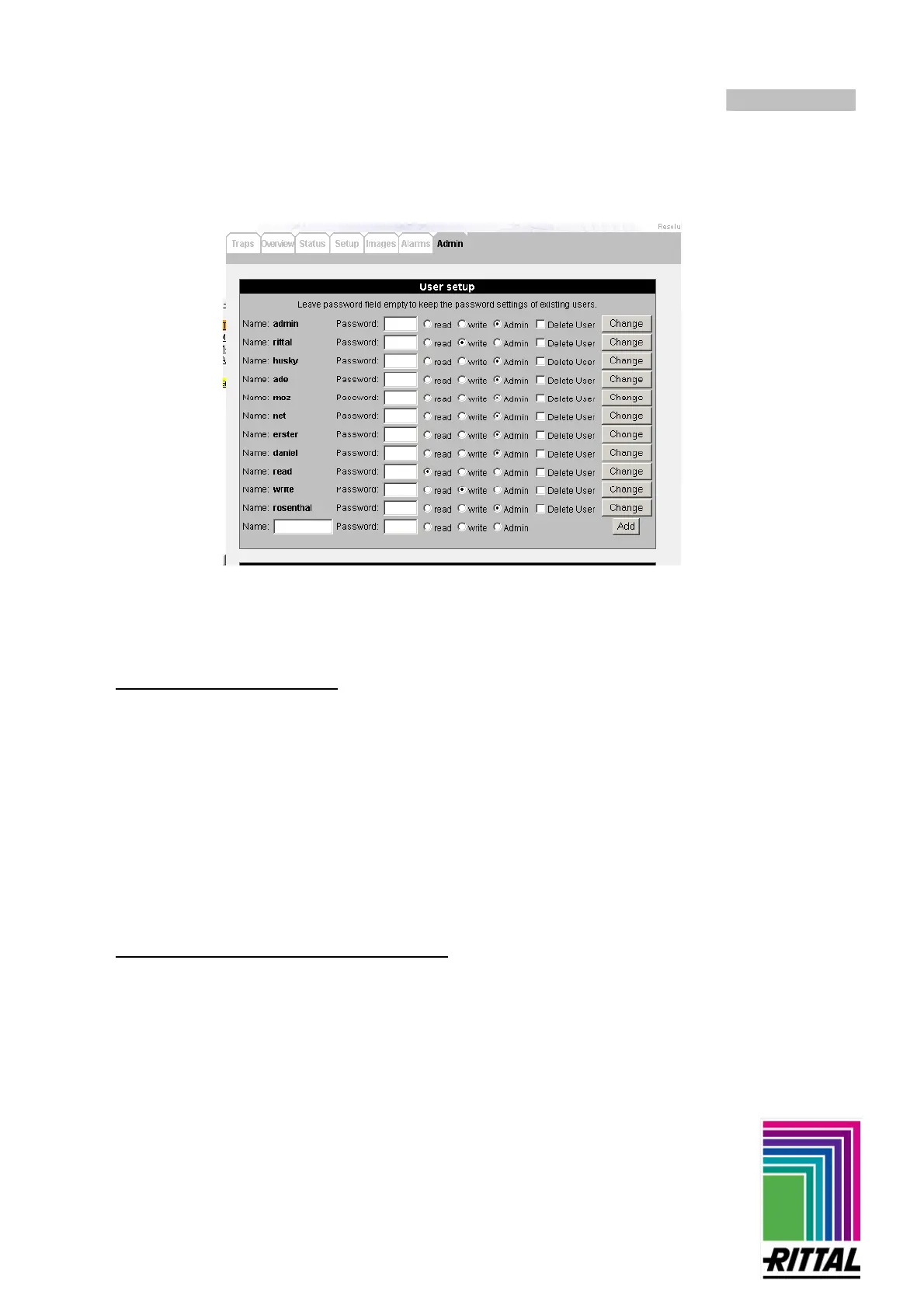
User management
Setting of the access authorization for max. 100 users can be made only by a user with administrator
rights.
Note: Leave the password fields of the other users empty, as they could be altered after confirming 'Change'.
- Procedure for creating a user:
1. Entry of the name and of the password under which the user should be logged in.
2. Selection of the authorization. There are 3 possibilities:
1. only reading (read)
2. reading and writing (read/write)
3. admin
- With admin rights one can make all settings with the two first authorizations (read and read/write)
you have no access to the Admin tab.
- Users with a read/write authorization can make the same settings as an administrator in all tables
(apart from Admin).
- Users who have only a read authorization can not access the Images tab or the Admin tab. They can
only "observe", i.e. they cannot confirm or delete any traps, change states at the connected sensor
units, create or change alarms, etc.
3. The settings are accepted and the user created with the Add button.
- Procedure for changing the setting of a user:
- The name under which a user logs in cannot be changed. If it should be changed, a new user is created
with the required name and the old user is deleted.
- The procedure for changing the other data (password and authorization) of a user is the same as for
creating a new user. The changes are accepted with the Change button following the relevant user.



 To Next Page