4.3. Setting the Image Attribute
You can set the image attribute of camera through the webpage.
The menu of image attribute can be seen under Setup > Video & Audio > Video-in >
Attribute Setting. Brightness, contrast, hue, saturation and sharpness can be
adjusted.
4.4. Operating the OSD Menu
To operate the OSD of camera, refer to the ”OSD Menu Control Manual” in the SDK.
5.CONNECTIONS
5.1.Connectors
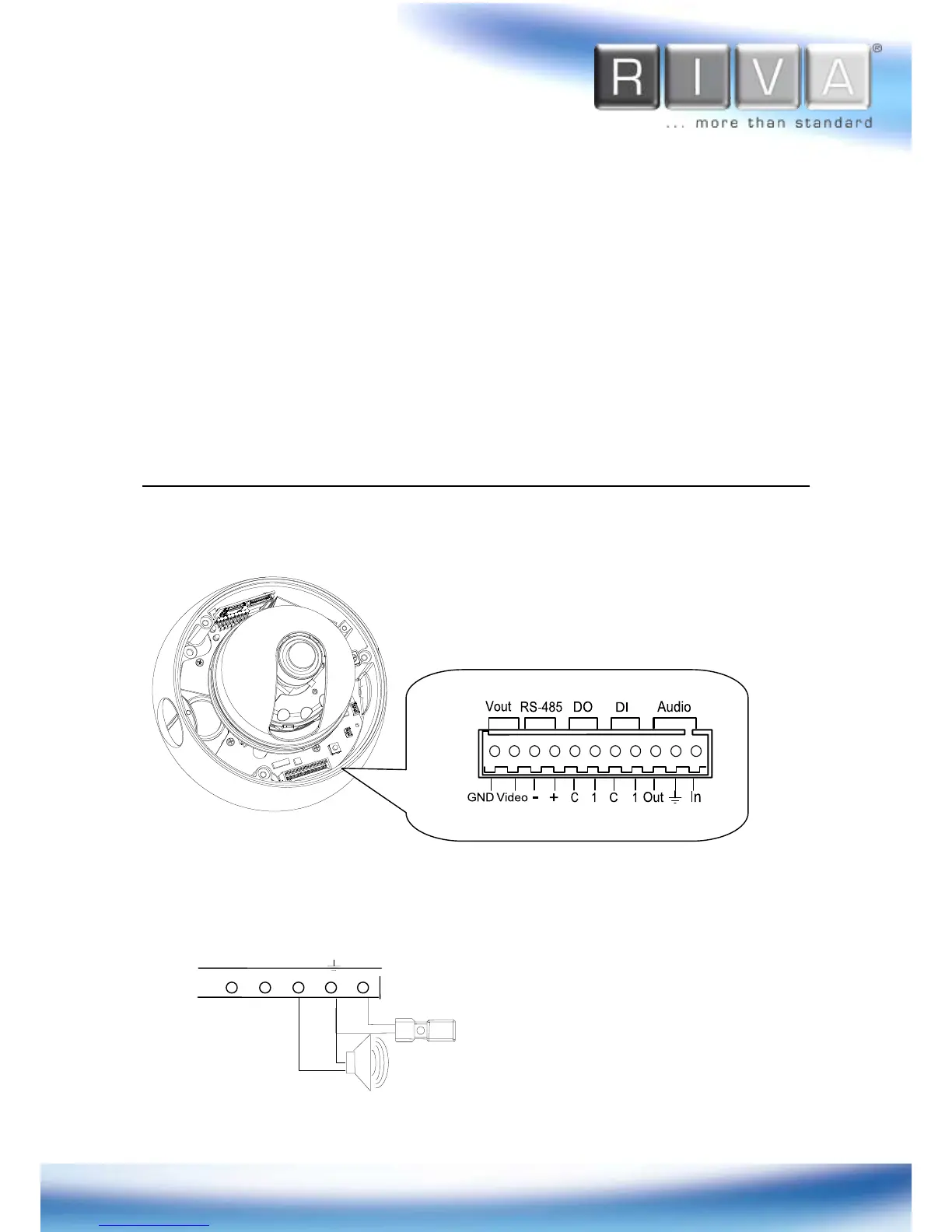
1 Audio In / Out
The camera has a mono audio input and a mono audio output. As the output power
for the audio is low, amplifier speaker is needed (Do not use a headphone or earphone
directly to the camera).


 To Next Page