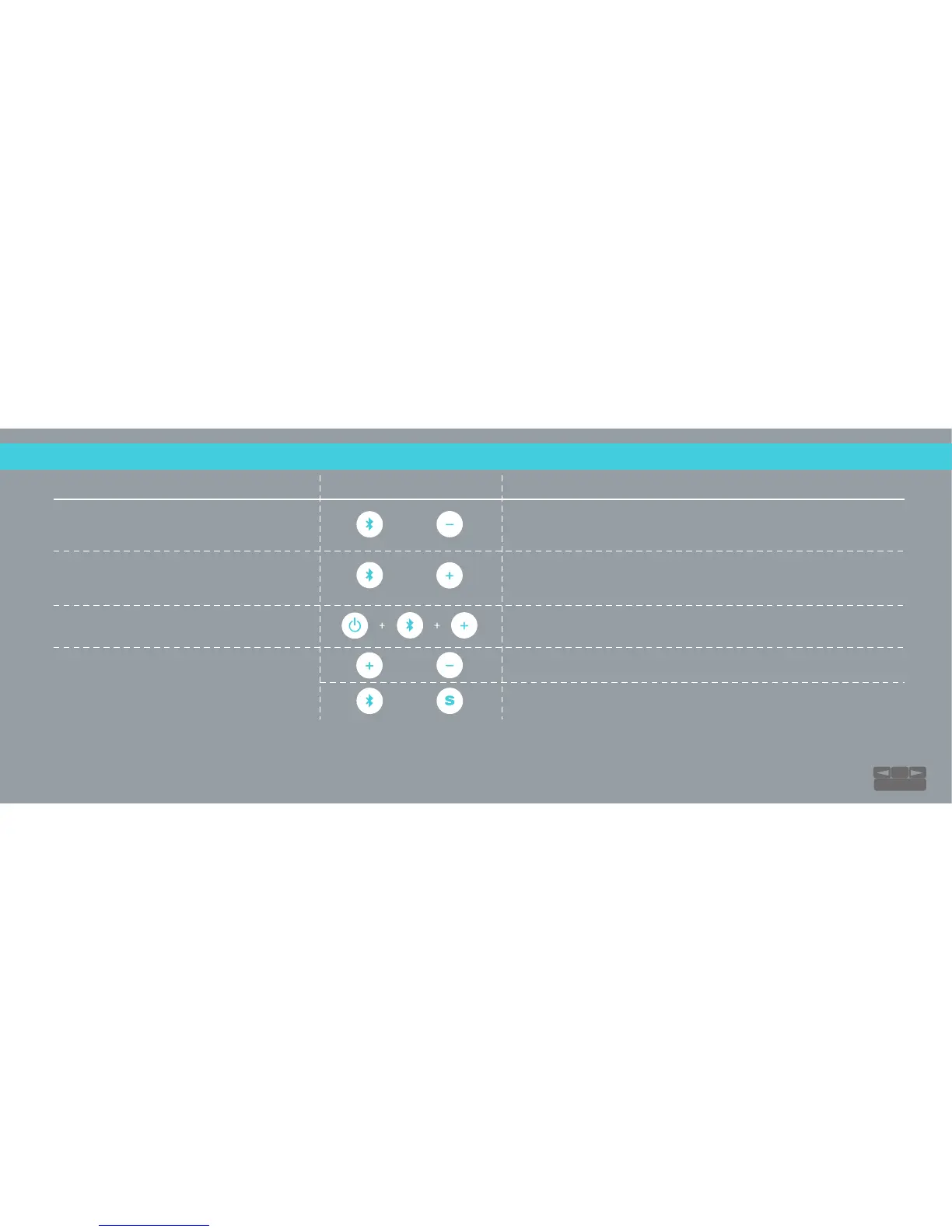
RIVA S SHORTCUTS...
Vinyl Junkies Included
Hold down for 3 seconds. Prompt will announce “pairing”, 2nd device
can now pair to speaker. Prompt will announce “paired” when
connected. To disconnect, 2nd device needs to “Forget Device”.
Hold down together for 2 seconds to cycle through the audio prompt
modes. You’ll hear a quick double beep when prompt mode has
changed. Hold continuously to cycle through all audio prompt modes.
Change Audio Prompts
and
Party Mode: Multi-User Control
Hold down together for 10-15 seconds to erase device memory and
restore factory settings.
Skip to next track.
Go back to previous track.
Factory Reset
Playlist Control:
Only available with
Bluetooth® Input
FEATURE BUTTONS NOTES
and
and
and
15
TABLE OF CONTENTS


 To Next Page